Best answer

Finding cards without labels on Trello

  • December 30, 2020
  • 5 replies
  • 150 views

Hi all,

I have a zap to take inputs from a Google form and create a Trello card for my team. Part of the zap is to add labels to the cards. Works well.

However, I've noticed that it sometimes fails to find the right labels and ends up adding Trello cards without labels (meaning people miss it).

I'm trying to create a Zap to find cards without labels on Trello and flag it. Problem is the Trello actions for finding cards seem to relate to a specific card rather than finding all cards that don't have labels.

Does anyone know of a way to do it?

Best answer by Troy Tessalone

You may have to explore going the more technical route to solve for this by using the Trello API to search Cards in Trello.

https://developer.atlassian.com/cloud/trello/rest/api-group-search/#api-search-get


This post has been closed for comments. Please create a new post if you need help or have a question about this topic.

5 replies

Troy Tessalone
Zapier Orchestrator & Solution Partner
Forum|alt.badge.img+14
  • Zapier Orchestrator & Solution Partner
  • December 30, 2020

I suggest trying to solve the root problem first - Trello Cards being added w/o Labels.

See if you can identify the cause - why it works for some Cards but not others.


Things to check…

  1. Are Zap steps resulting in an error? Check Zap Task Log: https://zapier.com/app/history/
  2. What Labels aren’t being added correctly?
  3. What types of Cards are having missing Labels? (Is there a common denominator?)


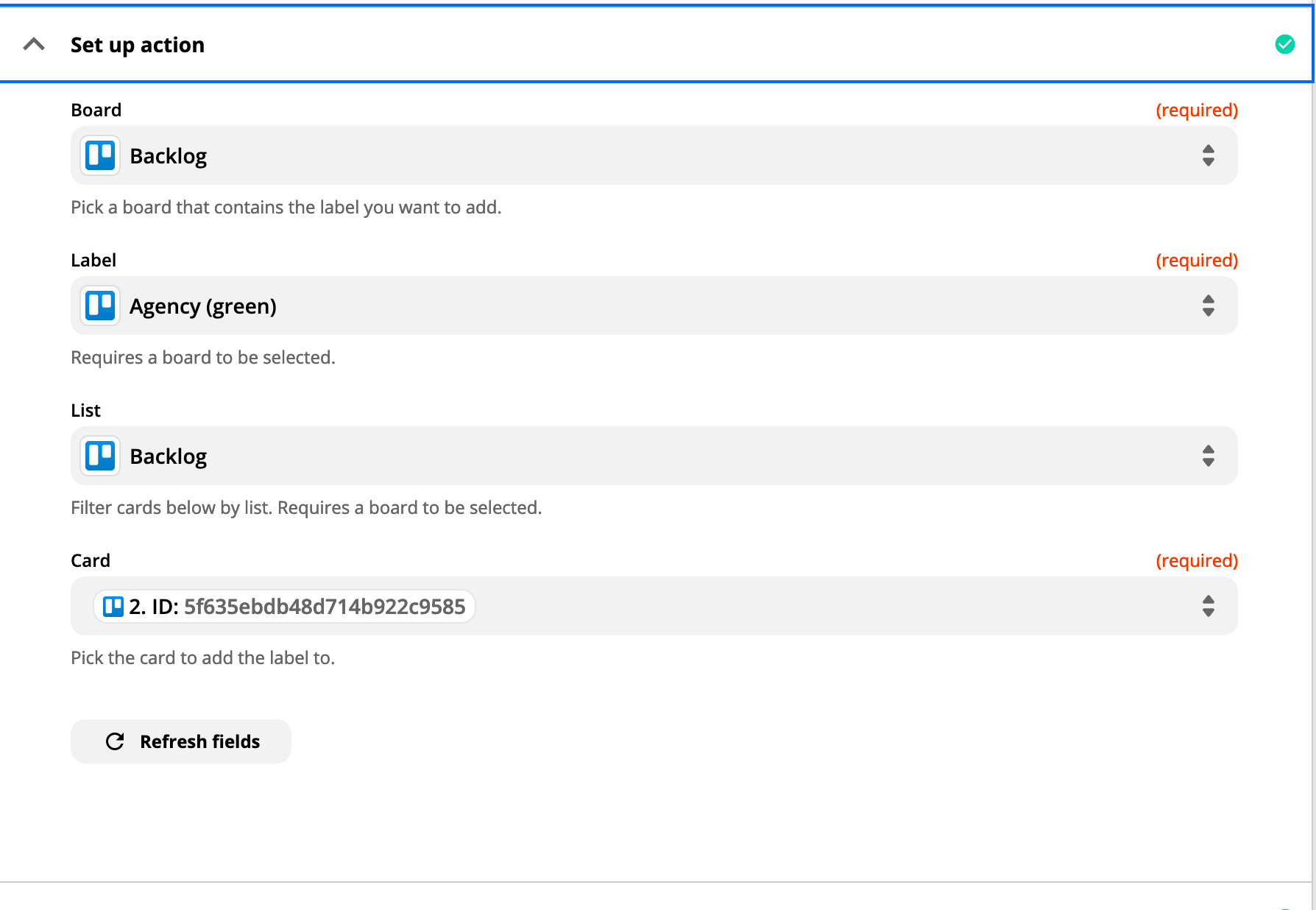
Perhaps show screenshots of how your Zap step is configured that adds the Trello Labels.

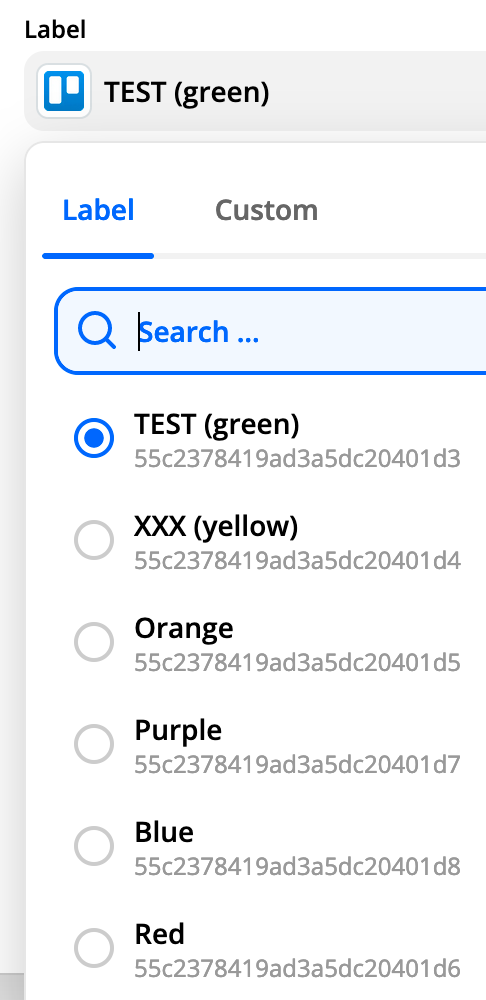
If you’re trying to dynamically add Labels, make sure to use the Label system ID (see smaller gray cryptic values in the screenshot).


  • Author
  • Beginner
  • December 30, 2020

Thanks for the answer! The set up takes input from a Google form and searches for the corresponding label. It also adds some fixed labels.


But that Zap is less of an issue. We could also have a scenario that someone adds a card without providing a label.

That’s why I really want a Zap to look through my Trello board and return all cards that don’t have labels. Regardless of whether I can fix this one.


Troy Tessalone
Zapier Orchestrator & Solution Partner
Forum|alt.badge.img+14
  • Zapier Orchestrator & Solution Partner
  • December 30, 2020

Ok, by the looks of the screenshot the Zap step for Trello is configured to only add 1 static label.


Troy Tessalone
Zapier Orchestrator & Solution Partner
Forum|alt.badge.img+14
  • Zapier Orchestrator & Solution Partner
  • December 30, 2020

Have you looked into using Trello Power-Ups for this use case?

https://trello.com/power-ups


Troy Tessalone
Zapier Orchestrator & Solution Partner
Forum|alt.badge.img+14
  • Zapier Orchestrator & Solution Partner
  • Answer
  • December 30, 2020

You may have to explore going the more technical route to solve for this by using the Trello API to search Cards in Trello.

https://developer.atlassian.com/cloud/trello/rest/api-group-search/#api-search-get