Best answer

Filter our names with more than one capital letter?

  • February 4, 2021
  • 5 replies
  • 126 views

Hey friends! We have a few people signing up using completely random names such as First Name: LjkIjKEDsd Last Name: DjuEdGesD 

I need to filter these out and stop zaps from firing for these bogus registrations. 

Any ideas on how to accomplish?

Thanks so much!


Chris
Best answer by Troy Tessalone

@cadrock 

Ok try this pattern instead: ^[A-Z]+[a-z]+$

Logic: checks that the first character is uppercase and the rest of the characters are lowercase.

True = Matches the pattern, which is good.

False = Does not match the patter, which is bad.

Again, be sure to test.


Also make sure to replace this static sample value with the dynamic values of the Name(s).

Note: You may have to do this step twice, once for first name, and once for last name.


This post has been closed for comments. Please create a new post if you need help or have a question about this topic.

5 replies

Troy Tessalone
Zapier Orchestrator & Solution Partner
Forum|alt.badge.img+14
  • Zapier Orchestrator & Solution Partner
  • February 4, 2021

Hi @cadrock 

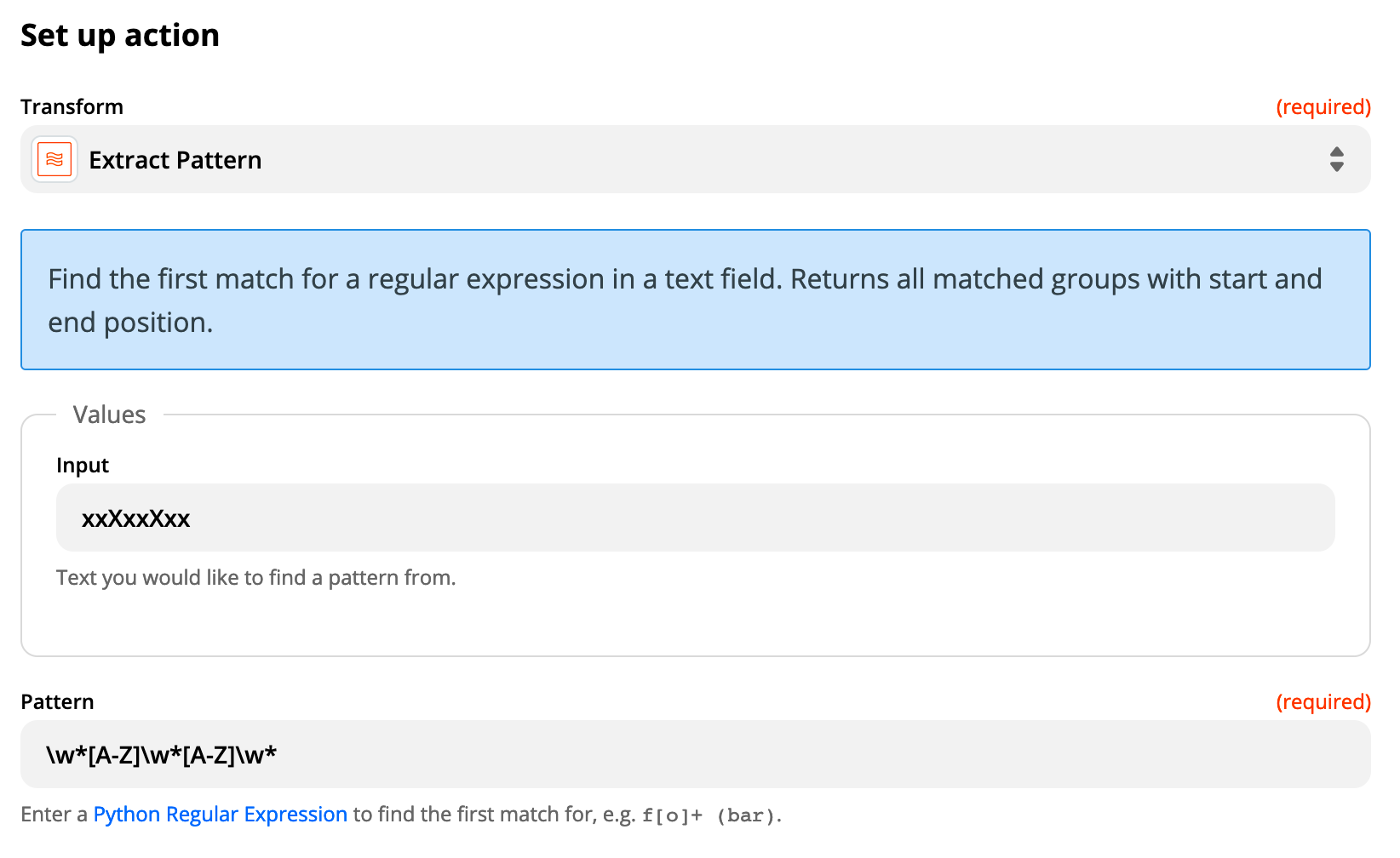
Try this and be sure to test it out!


Zap App: Formatter > Text > Extract Pattern

Input: The values for the name(s) parameters

Pattern: \w*[A-Z]\w*[A-Z]\w*


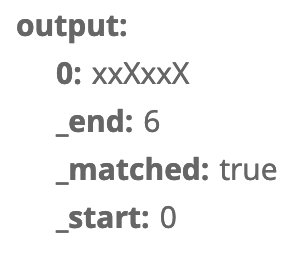
Match: Will evaluate and return ‘true’ or ‘false’ that can then be used in a Filter step


  • February 4, 2021

You are a king Troy!

Our correctly formatted names ONLY have a capital letter in the front of the name.

Will this formula return a “false” for anything that has any other upper case names? Sorry, I’m just not sure how the wild cards and/or pattern recognition works.

From my side it looks as though the system would be looking for a xxXxxXxx (lower, lower, UPPER) pattern.

Thanks again for your time and helping me understand how the pattern function works, much appreciated!

Chris


Troy Tessalone
Zapier Orchestrator & Solution Partner
Forum|alt.badge.img+14
  • Zapier Orchestrator & Solution Partner
  • Answer
  • February 4, 2021

@cadrock 

Ok try this pattern instead: ^[A-Z]+[a-z]+$

Logic: checks that the first character is uppercase and the rest of the characters are lowercase.

True = Matches the pattern, which is good.

False = Does not match the patter, which is bad.

Again, be sure to test.


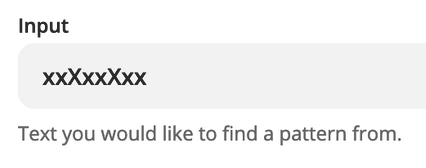
Also make sure to replace this static sample value with the dynamic values of the Name(s).

Note: You may have to do this step twice, once for first name, and once for last name.


Troy Tessalone
Zapier Orchestrator & Solution Partner
Forum|alt.badge.img+14
  • Zapier Orchestrator & Solution Partner
  • February 4, 2021

@cadrock Here’s a resource about regex: https://regexr.com


  • February 4, 2021

Thanks Troy, that worked! I implemented the pattern code and then added a filter step to only continue if it’s true.


Chris