

Best answer

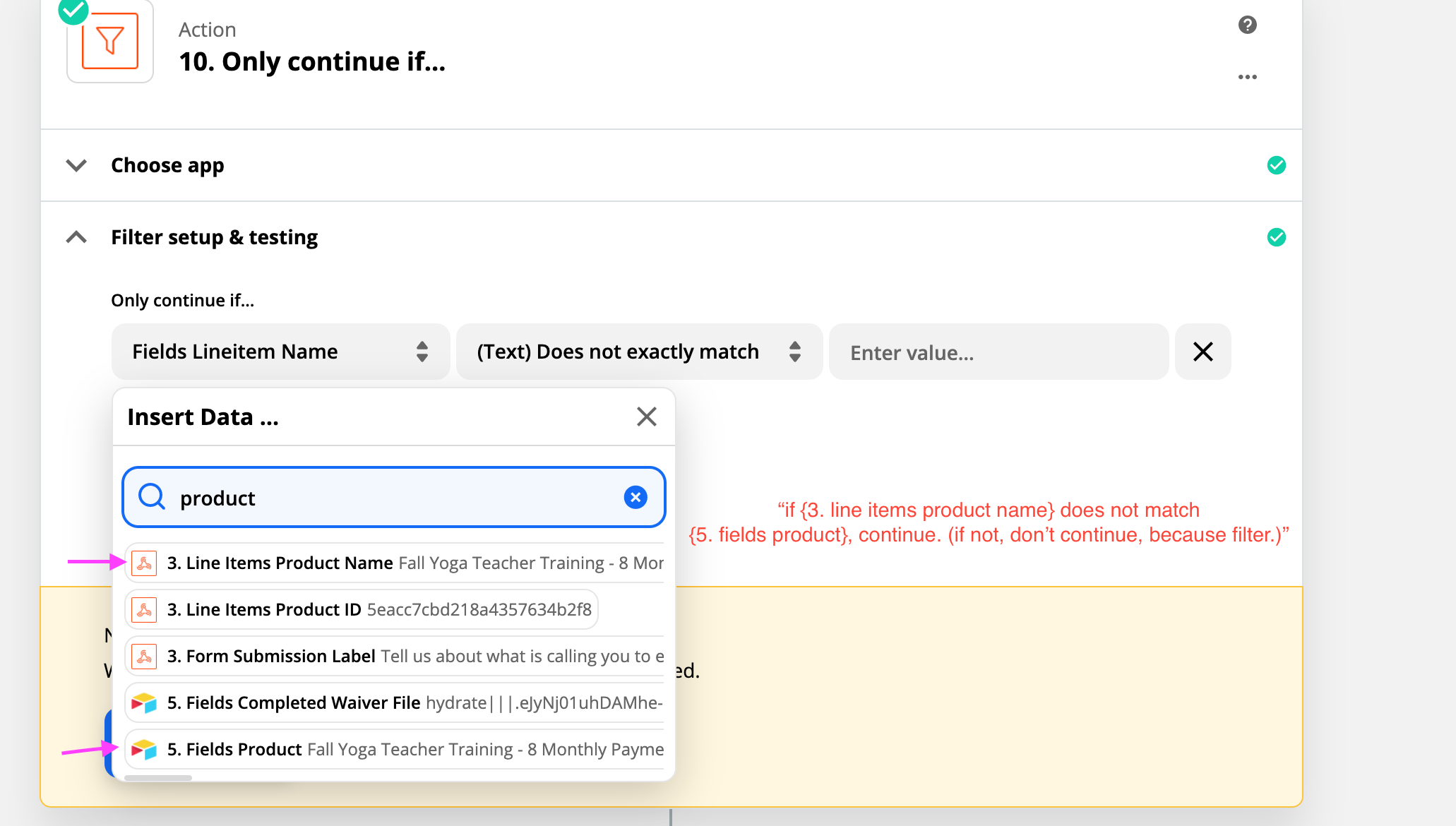
Filter: "Only continue if {{data from step 3}} does not match {{data from step 5}}"

  • December 1, 2020
  • 3 replies
  • 81 views

Hi friends, trying to figure out a way to dynamically pit two pieces of data against each other and see if they match, as opposed to “does {data} match {text I am statically inputting here}”?

My goal is that I am looking at two different orders from the same email address and seeing if the product name is the same. If the product name is the same, it will stop. If the product names are different, it will continue on (to make a new record for a new order).


Thanks for your help! 
 

Best answer by nicksimard

Hi @YFSupport!

If you’re not familiar with Code steps you can also use Formatter by Zapier, and the Spreadsheet-Style Formula function.

You can go here and then in the video at the top of the page, skip to about 2:20 and you’ll see an example of how to compare whether two values match, then output specific values for true and false.

Hope that helps!

This post has been closed for comments. Please create a new post if you need help or have a question about this topic.

3 replies

Troy Tessalone
Zapier Orchestrator & Solution Partner
Forum|alt.badge.img+14
  • Zapier Orchestrator & Solution Partner
  • December 1, 2020

Use a Code step before a Filter step: https://zapier.com/apps/code/help


nicksimard
Forum|alt.badge.img+11
  • Zapier Staff
  • Answer
  • December 4, 2020

Hi @YFSupport!

If you’re not familiar with Code steps you can also use Formatter by Zapier, and the Spreadsheet-Style Formula function.

You can go here and then in the video at the top of the page, skip to about 2:20 and you’ll see an example of how to compare whether two values match, then output specific values for true and false.

Hope that helps!


  • Author
  • Beginner
  • December 4, 2020

Both of these are great, thanks so much for your help!





