Best answer

Filter if "name" is not capitalized

  • December 1, 2020
  • 7 replies
  • 112 views

Can I filter if a name IS NOT capitalized?

New order in shopify

Filter if “name” starts with “N”

Continue if name starts with “n”

Best answer by christina.d

Hey there, friends! I wanted to pop in and summarize some of the recommendations here! 

Filter: Starts with this filter is NOT case sensitive.

[ADVANCED] You may have to use a Code step before a Filter step to do that comparison: https://zapier.com/apps/code/help

 Nick mentions an alternative to code here:

Hi @Myselfie ApS!

As an alternative to what Troy suggested above, you could check out the Extract Pattern function of our Formatter by Zapier app. I don’t know the exact RegEx you would use, but I thought I’d mention it in case you felt more comfortable with that than Python or Javascript.

Andy also had this recommendation to consider to avoid wasting tasks: 

If you need this to happen straight after the trigger so you’re not wasting tasks, it might be worth looking to see if there’s a way to calculate this at the point of sale - So you have a true value to filter on. 

I hope this helps! 

This post has been closed for comments. Please create a new post if you need help or have a question about this topic.

7 replies

Troy Tessalone
Zapier Orchestrator & Solution Partner
Forum|alt.badge.img+14
  • Zapier Orchestrator & Solution Partner
  • December 1, 2020

Filter: Starts with this filter is NOT case sensitive.

[ADVANCED] You may have to use a Code step before a Filter step to do that comparison: https://zapier.com/apps/code/help


nicksimard
Forum|alt.badge.img+11
  • Zapier Staff
  • December 5, 2020

Hi @Myselfie ApS!

As an alternative to what Troy suggested above, you could check out the Extract Pattern function of our Formatter by Zapier app. I don’t know the exact RegEx you would use, but I thought I’d mention it in case you felt more comfortable with that than Python or Javascript.


  • Author
  • Beginner
  • December 7, 2020

I pretty much need to do it INSIDE the filter step.
If I do it before i end up wasting a lot of tasks.


andywingrave
Forum|alt.badge.img+9
  • Zapier Solution Partner
  • December 13, 2020

If you need this to happen straight after the trigger so you’re not wasting tasks, it might be worth looking to see if there’s a way to calculate this at the point of sale - So you have a true value to filter on. 


ikbelkirasan
Forum|alt.badge.img+12
  • Zapier Solution Partner
  • December 14, 2020

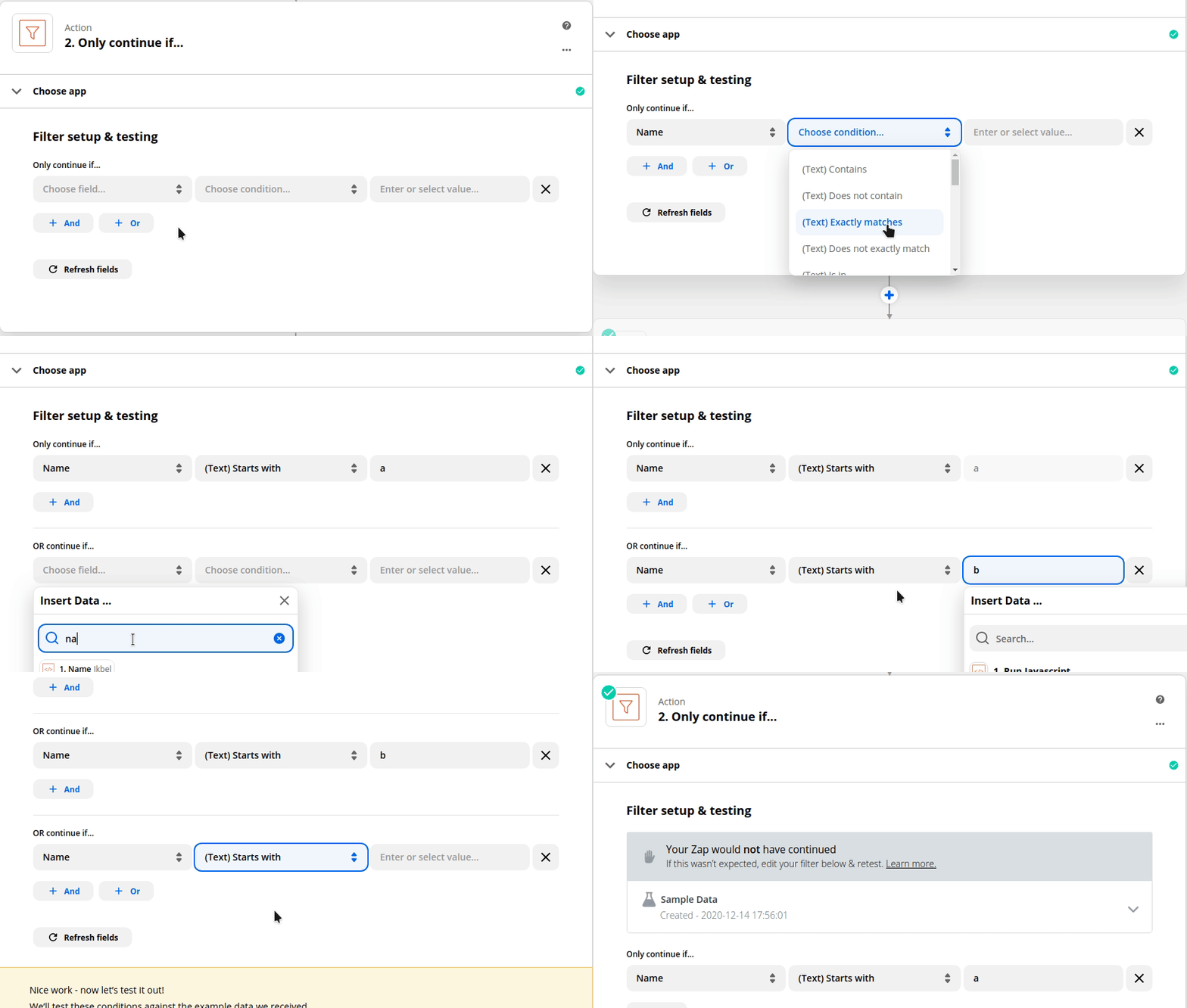
I don’t think it’s possible with the filter step alone without specifying every condition explicitly.


AndrewJDavison
Forum|alt.badge.img+11
  • Zapier Solution Partner
  • March 8, 2021

@Myselfie ApS 
Just checking in to see if you still need help with this? 


christina.d
Forum|alt.badge.img+9
  • Zapier Staff
  • Answer
  • June 6, 2022

Hey there, friends! I wanted to pop in and summarize some of the recommendations here! 

Filter: Starts with this filter is NOT case sensitive.

[ADVANCED] You may have to use a Code step before a Filter step to do that comparison: https://zapier.com/apps/code/help

 Nick mentions an alternative to code here:

Hi @Myselfie ApS!

As an alternative to what Troy suggested above, you could check out the Extract Pattern function of our Formatter by Zapier app. I don’t know the exact RegEx you would use, but I thought I’d mention it in case you felt more comfortable with that than Python or Javascript.

Andy also had this recommendation to consider to avoid wasting tasks: 

If you need this to happen straight after the trigger so you’re not wasting tasks, it might be worth looking to see if there’s a way to calculate this at the point of sale - So you have a true value to filter on. 

I hope this helps!