Best answer

File name changes when added to Airtable from Typeform

  • November 19, 2021
  • 3 replies
  • 93 views

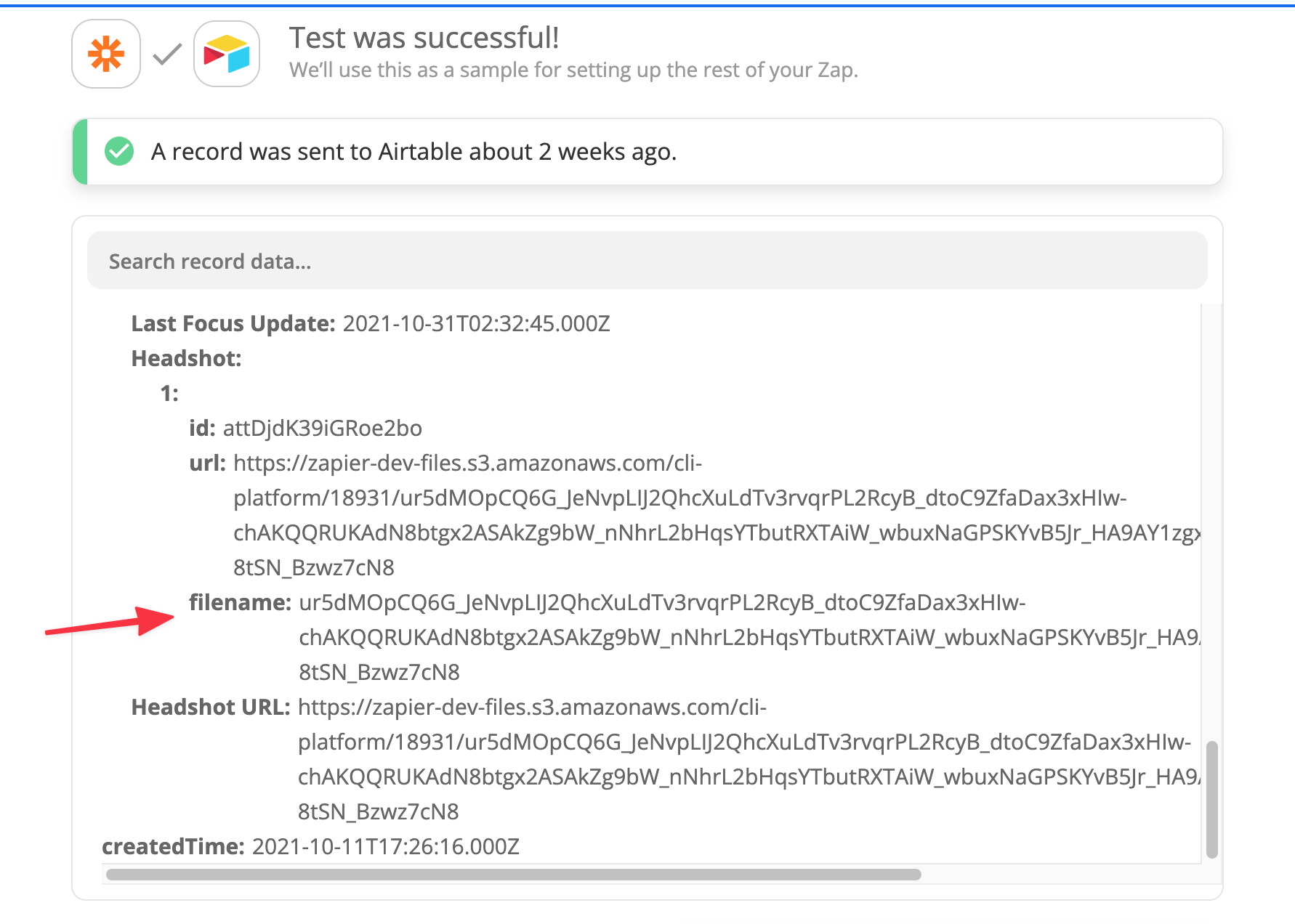
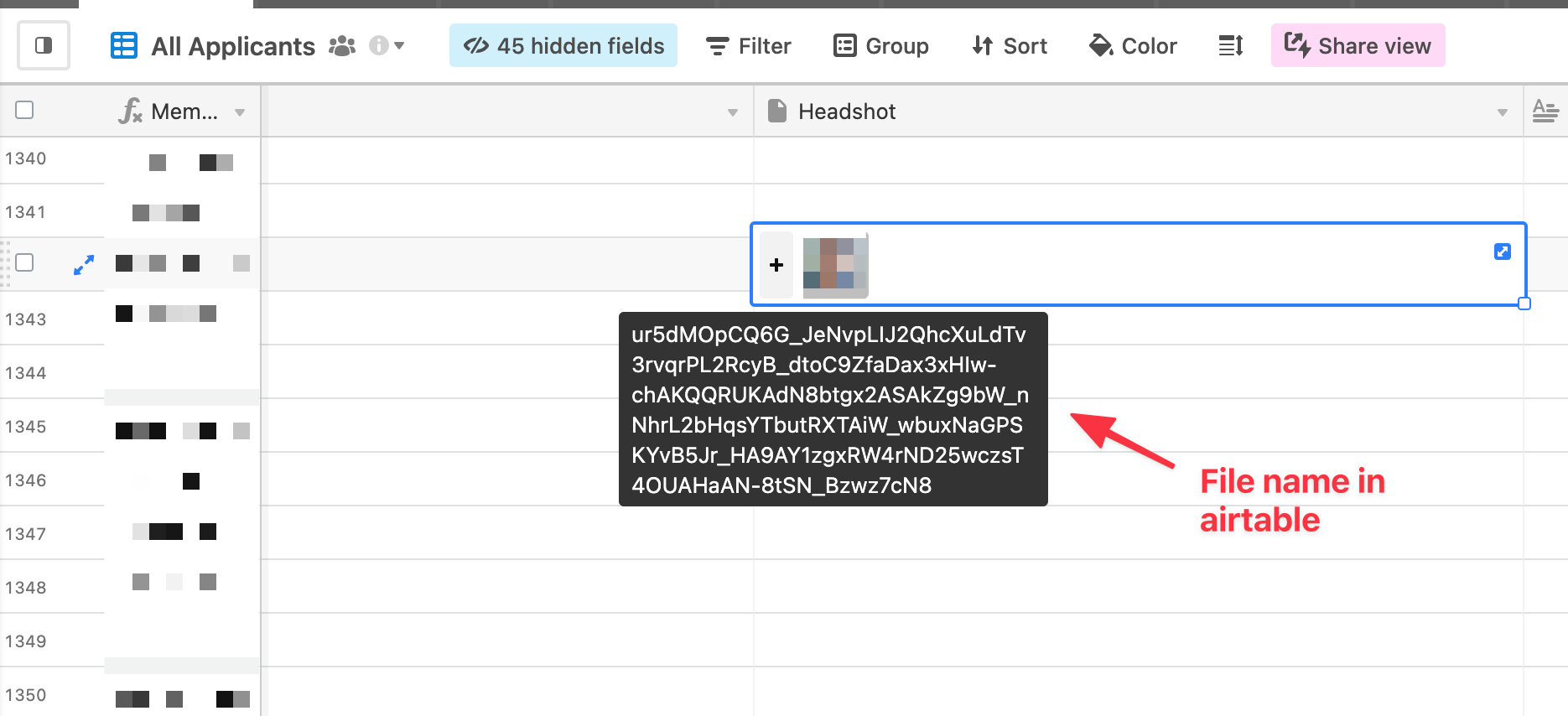
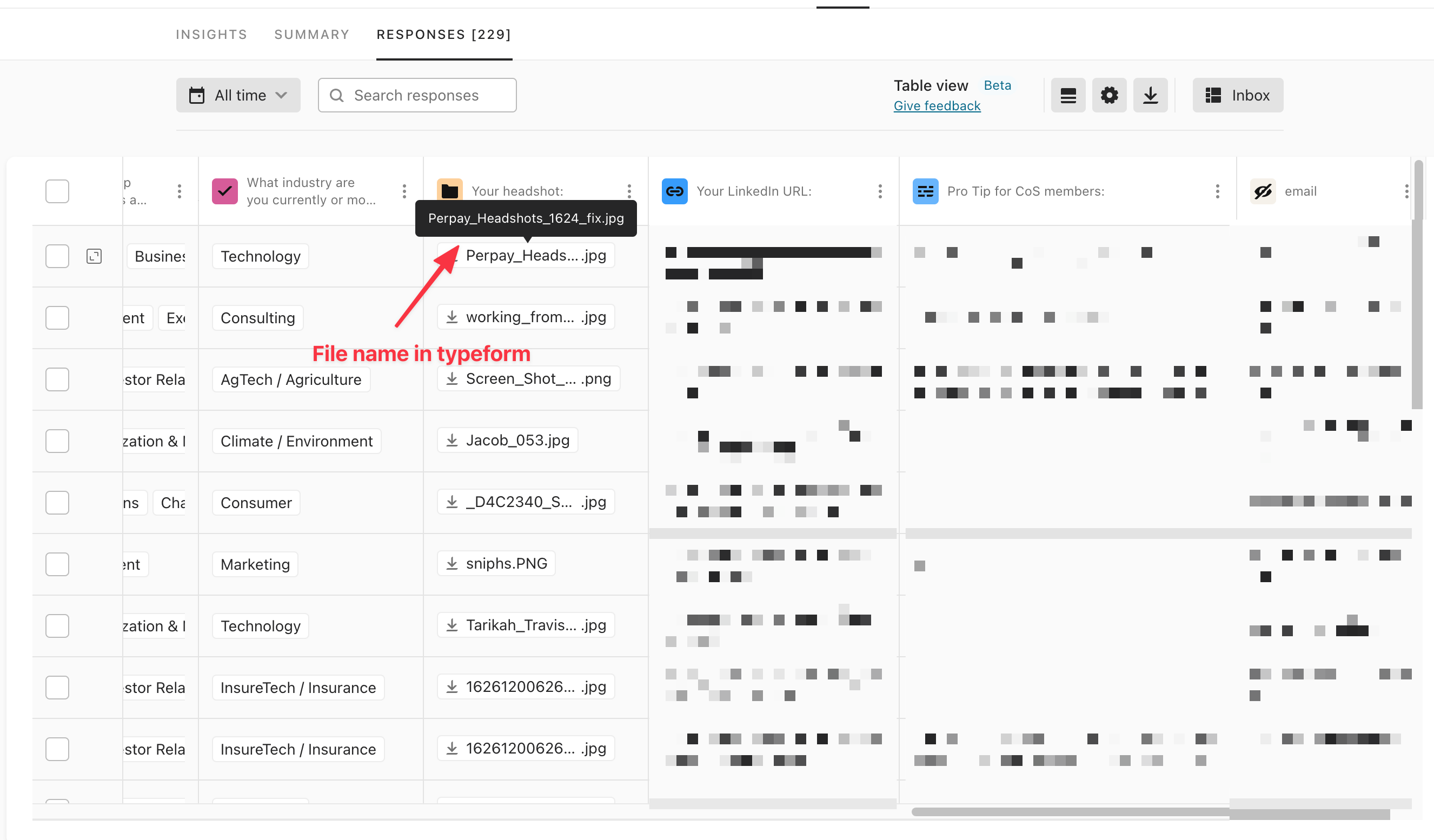
I’m using typeform to collect the application from users and sending them to airtable to store and evaluate. One of the field is attachment used for a profile pictures. While running the zap the file name of attachment changes to 100+ character long alpha-numeric string which is not ideal for my use case.

Is there any way to retain the same file name as it came from the typeform?

(unlike google-drive/box airtable don’t provide file name field in it’s action)


Best answer by Troy Tessalone

@Scott Amenta 

Otherwise, you’d have to use the Airtable API to upload files and set the filename parameter as indicated here: https://www.airtable.com/developers/scripting/api/cell_values#multiple-attachments


App APIs can be used in Zaps with the Webhook app or Code app.

Webhooks: https://zapier.com/apps/webhook/integrations#triggers-and-actions

Code: https://zapier.com/apps/code/help

This post has been closed for comments. Please create a new post if you need help or have a question about this topic.

3 replies

Troy Tessalone
Zapier Orchestrator & Solution Partner
Forum|alt.badge.img+14
  • Zapier Orchestrator & Solution Partner
  • November 19, 2021

Hi @Scott Amenta 

As a possible workaround would be to first upload the file to GDrive, which will return the File Name, then map that value to another column in the Airtable Base Table.


Troy Tessalone
Zapier Orchestrator & Solution Partner
Forum|alt.badge.img+14
  • Zapier Orchestrator & Solution Partner
  • Answer
  • November 19, 2021

@Scott Amenta 

Otherwise, you’d have to use the Airtable API to upload files and set the filename parameter as indicated here: https://www.airtable.com/developers/scripting/api/cell_values#multiple-attachments


App APIs can be used in Zaps with the Webhook app or Code app.

Webhooks: https://zapier.com/apps/webhook/integrations#triggers-and-actions

Code: https://zapier.com/apps/code/help


  • Author
  • Beginner
  • November 22, 2021

@Troy Tessalone Thanks so much, Troy! This is perfect. Much appreciated 🙂.