Question

Extracting data from PDFs and updating fields in Excel using Zapier

  • August 5, 2025
  • 7 replies
  • 46 views

Hi,
I am new in Zapier.

I’ve built a Zapier flow to automate the processing of financial statements in PDF format and populate an Excel template with the extracted data. Here's how the flow works:

  1. Trigger: A PDF file (financial statement) is uploaded to a specific folder in Google Drive.
  2. Action: PDF.co extracts structured data from the PDF.
  3. Action: Zapier locates a predefined Excel template stored in Google Drive.
  4. Action: I use AI by Zapier to match the extracted data to the correct fields in the Excel file and update the corresponding value.

The matching is based on four key fields: YearQuarterSub_segment, and Variable. The AI step is designed to identify the correct value from the extracted data and insert it into the appropriate cell in the Excel template.
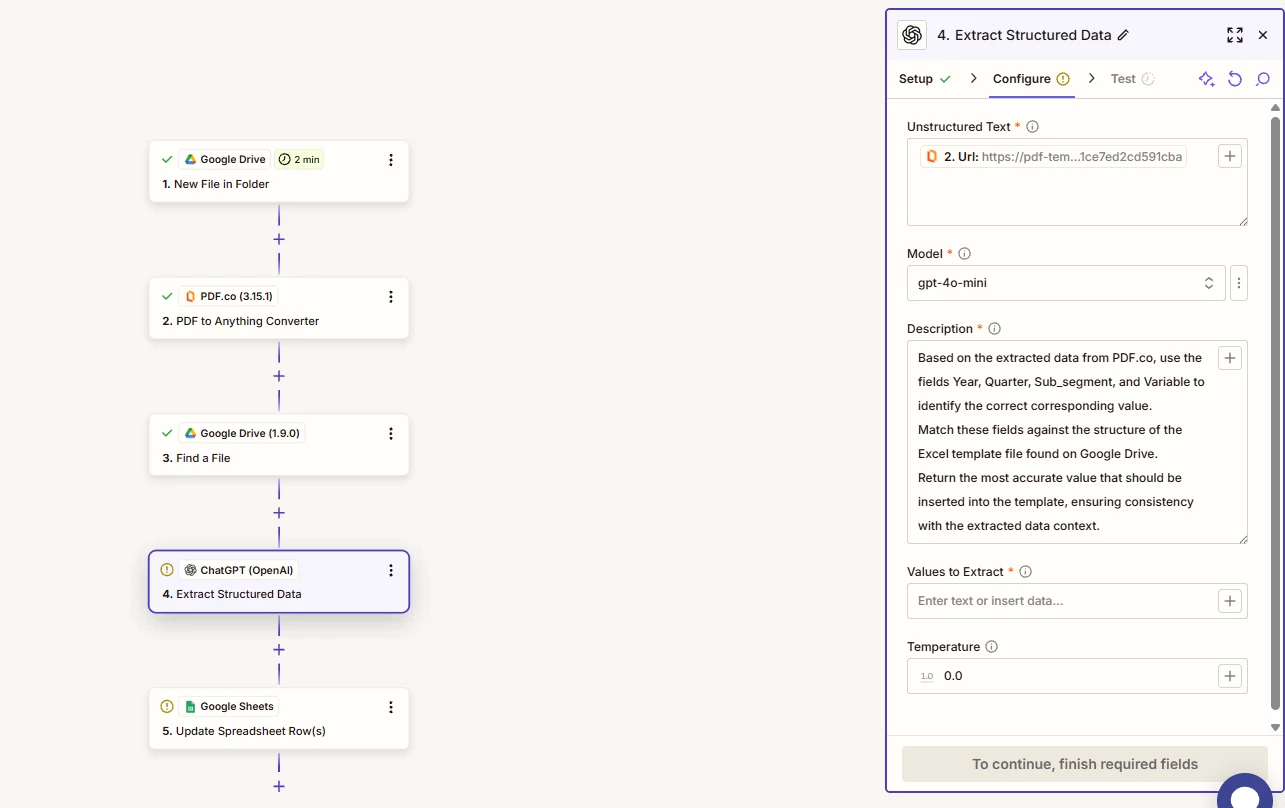
 

Here’s the prompt I’m currently using:

“Based on the extracted data from PDF.co, use the fields Year, Quarter, Sub_segment, and Variable to identify the correct corresponding value. Match these fields against the structure of the Excel template file found on Google Drive. Return the most accurate value that should be inserted into the template.”


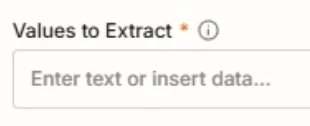
i am stuck in the ChatGPT parameters, how can i fill the options ?

thank you for your help

This post has been closed for comments. Please create a new post if you need help or have a question about this topic.

7 replies

Troy Tessalone
Zapier Orchestrator & Solution Partner
Forum|alt.badge.img+14
  • Zapier Orchestrator & Solution Partner
  • August 5, 2025

Hi ​@Avyp 

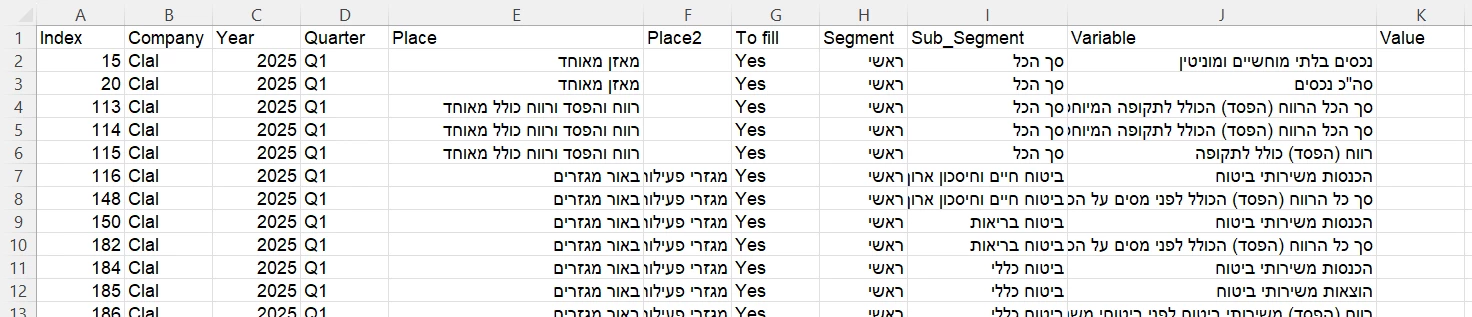
What does your GSheet template look like? (screenshot)


  • Author
  • Beginner
  • August 6, 2025

THanks ​@Troy Tessalone 
here is a screenshot :


Troy Tessalone
Zapier Orchestrator & Solution Partner
Forum|alt.badge.img+14
  • Zapier Orchestrator & Solution Partner
  • August 6, 2025

@Avyp 

Your original post states you are using AI by Zapier, but the screenshots shows OpenAI, which is a different Zap app.


NOTE: The AI steps will only return data, you would then need to map variables from the AI step to the GSheet step.


If using AI by Zapier, then you would need to post updated screenshots showing how your Zap steps are outlined and configured.


If using OpenAI...

The OpenAI step has a prompt that references the spreadsheet template, but does not have inputs related to a spreadsheet template.

The OpenAI step also has no values configured for the Values to Extract.


SamB
Community Manager
Forum|alt.badge.img+11
  • Community Manager
  • September 10, 2025

Hi there ​@Avyp - just checking in! 👋 Was Troy able to help point you in the right direction?

Let us know how it’s going, happy to lend a hand if you’re still having trouble getting the data added into the spreadsheet 🙂


  • Author
  • Beginner
  • September 25, 2025

Hi ​@SamB thank you for your message and sorry for my late answer.
i am still stuck in my usecase.
probably i should ask how can i build my flow from scratch ? ​@Troy Tessalone 

Thanks


Sparsh from Automation Jinn
Forum|alt.badge.img+6

Hey ​@Avyp,

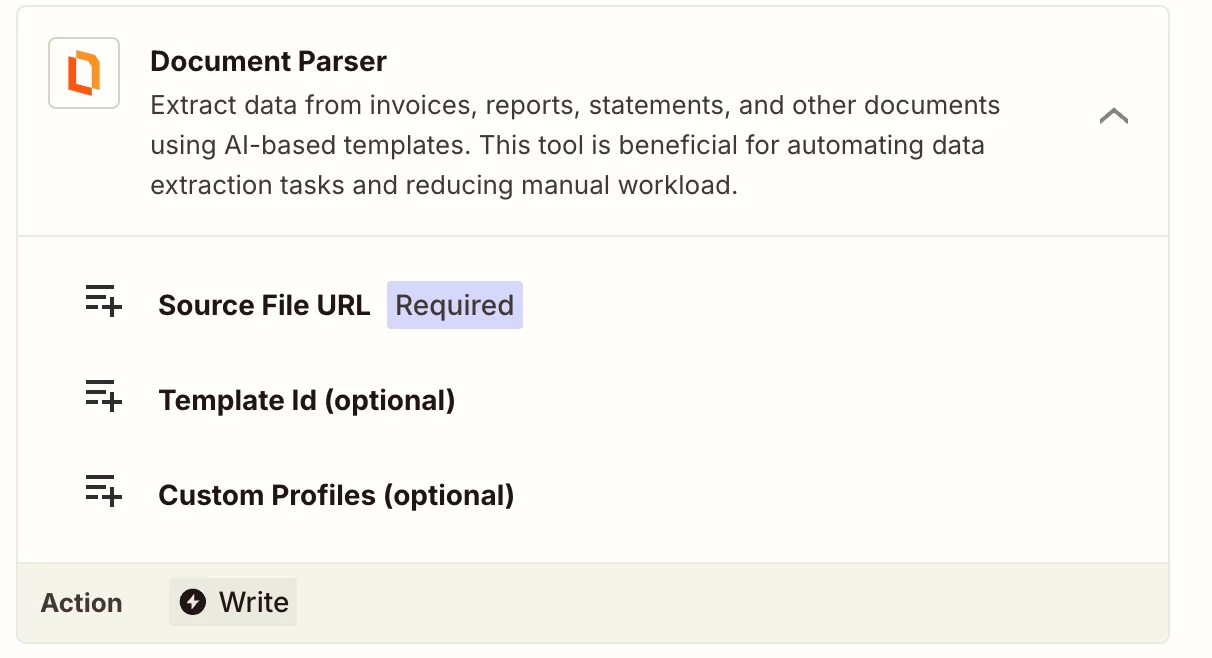
Instead of using PDF to Anything converter action, you may want to look into Document Parser action.


If this action already gives the structured data correctly, you can directly map that in google sheets. But if it doesn’t you can also add a AI by Zapier action to refine it more. Here are some helpful articles for your use case-
https://zapier.com/blog/ai-by-zapier-guide/
https://help.zapier.com/hc/en-us/articles/8496343026701-Send-data-between-steps-by-mapping-fields

Hope it helps!


SamB
Community Manager
Forum|alt.badge.img+11
  • Community Manager
  • October 7, 2025

No worries ​@Avyp and sorry for the delay in me replying here. Did you have any luck with that Document Parser (PDF.co) action that Sparsh suggested? It seems like it should be able to extract all the necessary info from the PDF, and hopefully saved you from having to re-build the Zap from scratch! 🤞