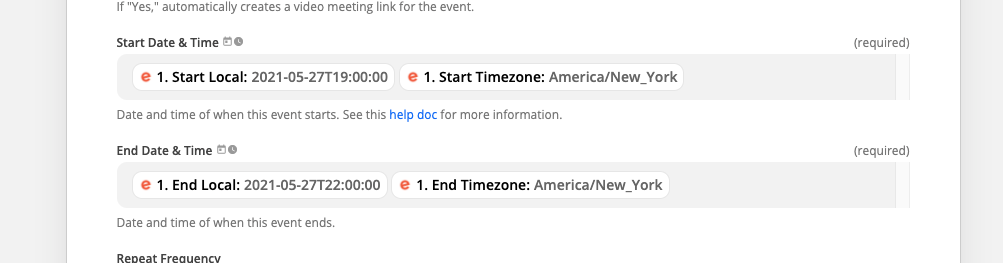
I have a zap set up that automatically takes new Eventbrite events and adds them to a Google Calendar. However every time a new Eventbrite event is scheduled, it ALWAYS gets put on my Google Calendar at 8:21pm on the day the Eventbrite event gets created (not the day its scheduled for).
This is how the date/time field is set up in my Zap.
Regardless of the settings in your Google Calendar, data sent through their API (as Zapier does) must be in MM/DD/YYYY format. So, if you try to send an event for April 7, 2021 as 07/04/2021, Google Calendar will interpret that as July 4, 2018. The dates need to be in MM/DD/YYYY format to ensure Google Calendar adds the event to the correct date(s). If your trigger is sending the data in DD/MM format, you can use a Formatter step to reformat the date.
Regardless of the settings in your Google Calendar, data sent through their API (as Zapier does) must be in MM/DD/YYYY format. So, if you try to send an event for April 7, 2021 as 07/04/2021, Google Calendar will interpret that as July 4, 2018. The dates need to be in MM/DD/YYYY format to ensure Google Calendar adds the event to the correct date(s). If your trigger is sending the data in DD/MM format, you can use a Formatter step to reformat the date.
Early access
Next Gen Zaps
Build and deploy automations from AI tools you already use. With Agentic Management, if anything breaks, the agent diagnoses the issue and proposes a fix.