Question

Email to all attendees each time a new attendee is added to Google Calendar

  • September 12, 2024
  • 15 replies
  • 85 views

Forum|alt.badge.img

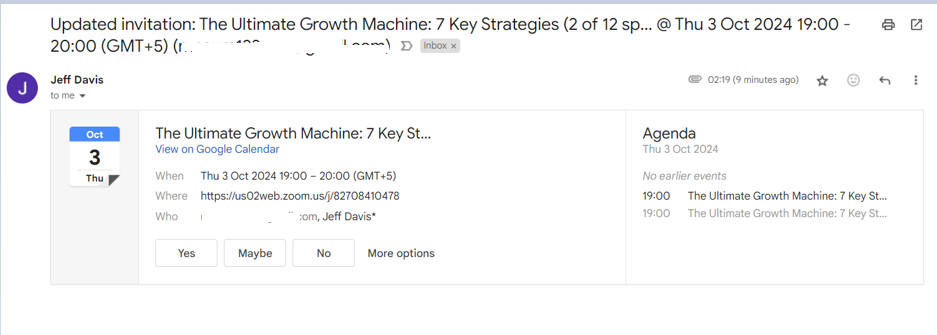
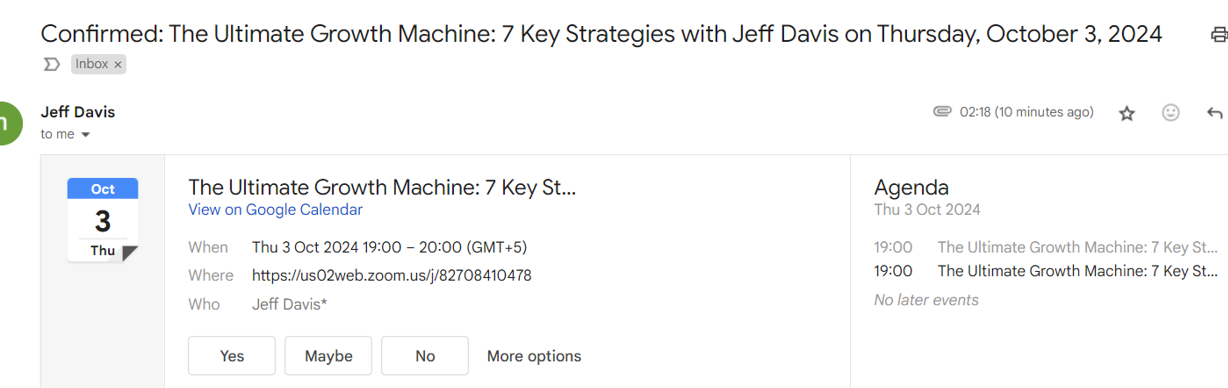
So the issue is when the zap runs and a new attendee is added to the event, all the other attendees receive an email notification informing them that the event has been updated.


This post has been closed for comments. Please create a new post if you need help or have a question about this topic.

15 replies

Troy Tessalone
Zapier Orchestrator & Solution Partner
Forum|alt.badge.img+14
  • Zapier Orchestrator & Solution Partner
  • September 12, 2024

Hi @Jeff12 

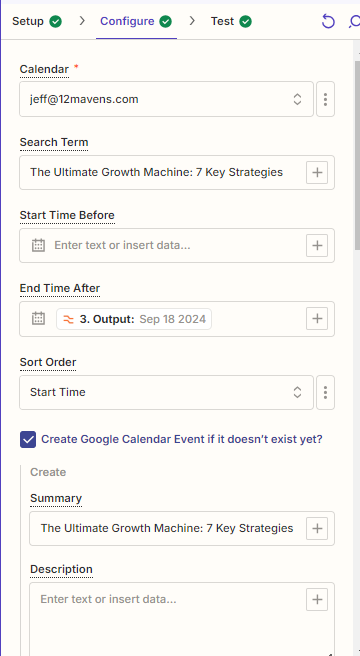
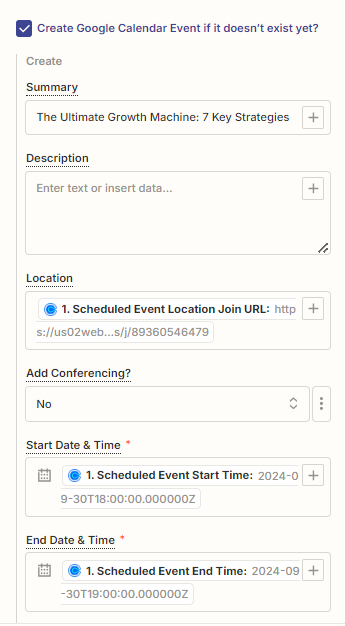
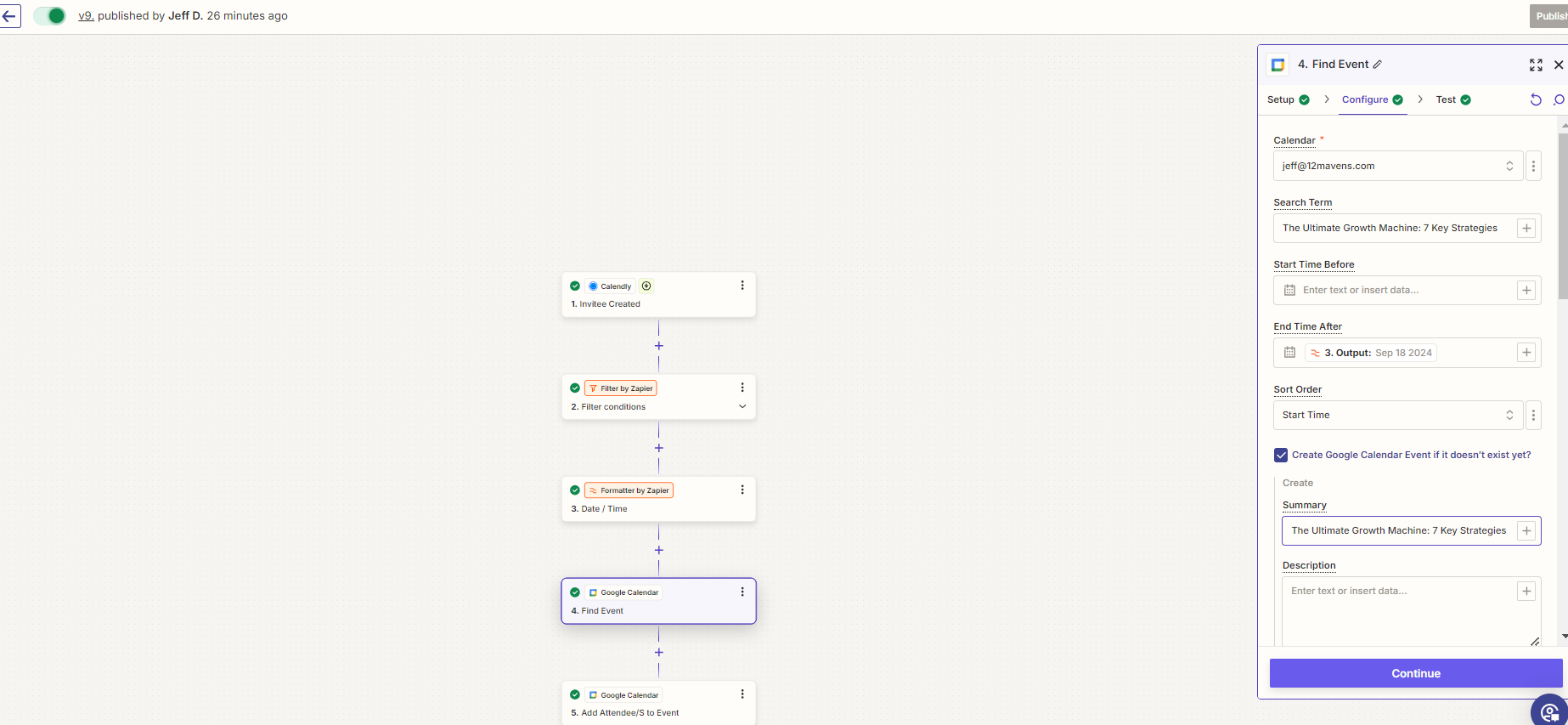
For us to have more info, post screenshots showing how your Zap Step 5 is configured in EDIT mode.


If you suspect a bug, then you can open a ticket with Zapier Support: https://zapier.com/app/get-help


Forum|alt.badge.img
  • Author
  • Beginner
  • September 12, 2024

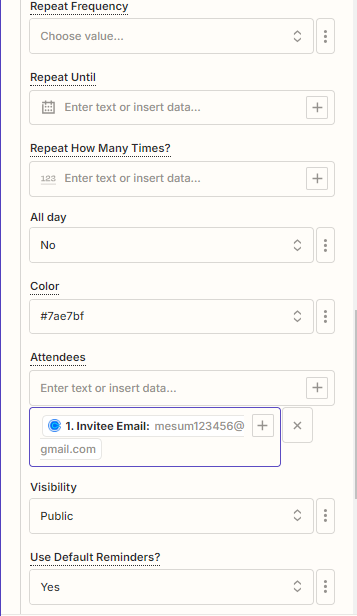
Step 4 


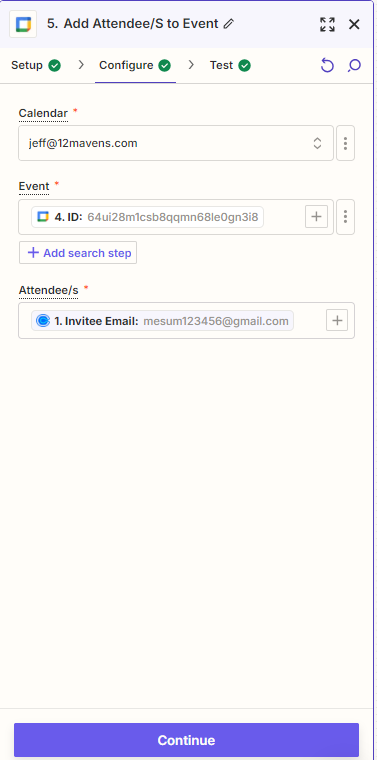
STEP 5


Troy Tessalone
Zapier Orchestrator & Solution Partner
Forum|alt.badge.img+14
  • Zapier Orchestrator & Solution Partner
  • September 12, 2024

@Jeff12 

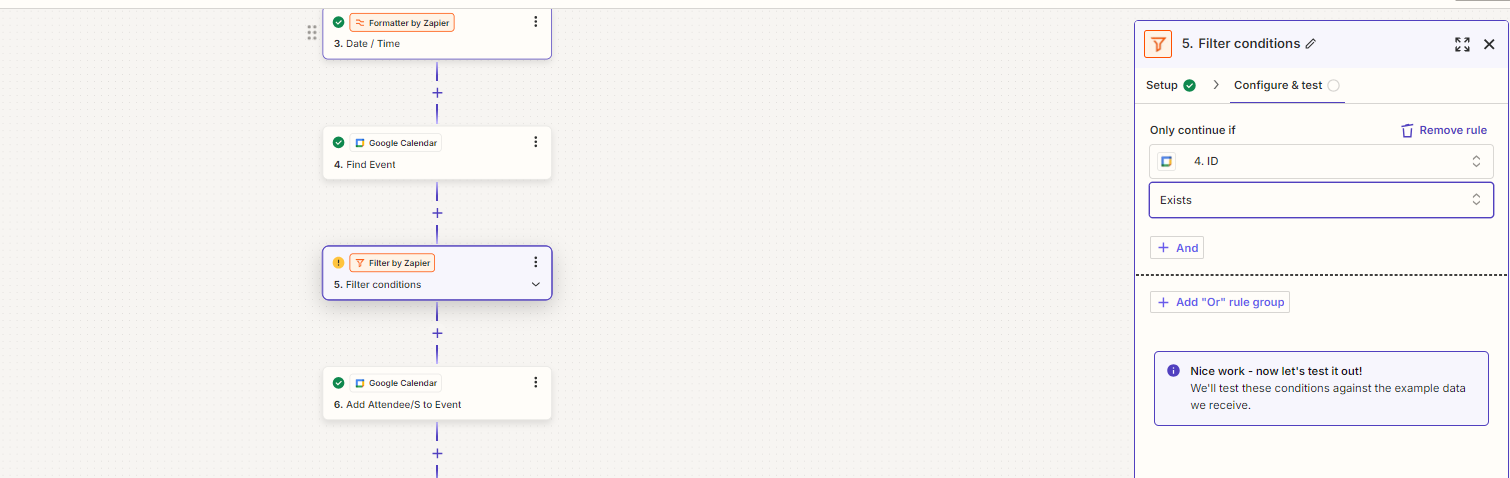
You may want to add a Filter between the GCal steps to only continue if a new GCal Event was not created. (aka if an existing GCal Event was found = true)


If you suspect a bug, then you can open a ticket with Zapier Support: https://zapier.com/app/get-help


Forum|alt.badge.img
  • Author
  • Beginner
  • September 12, 2024

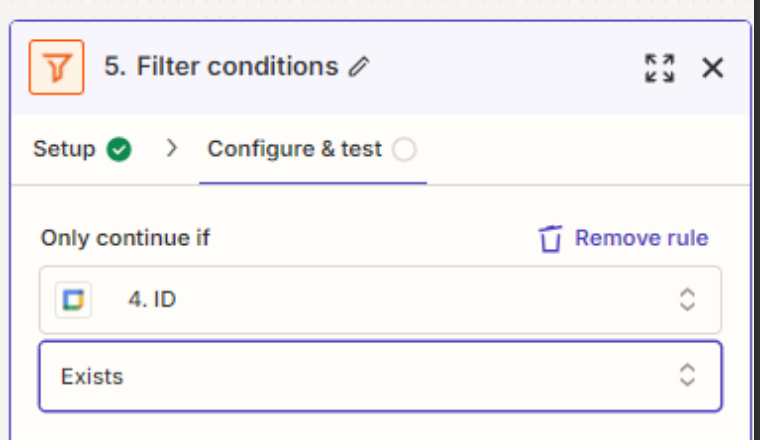
Soms​​​​​​ething like this?


Troy Tessalone
Zapier Orchestrator & Solution Partner
Forum|alt.badge.img+14
  • Zapier Orchestrator & Solution Partner
  • September 12, 2024

@Jeff12 

Change the condition to use the variable that includes “found” and the operator to be “contains” and the comparison to be “true”.

You only want to continue if an existing GCal Event was found, otherwise in the previous GCal Event step, you have that configured to create a new event if not found.


Forum|alt.badge.img
  • Author
  • Beginner
  • September 12, 2024

I think the issue is with  the title , as it automatically changes once a new person has been put up on calender . 


example , initially its  The Ultimate Growth Machine: 7 Key Strategies with Jeff Davis ( 1 of 12 spots)
 
once a new person books then it changes to 

The Ultimate Growth Machine: 7 Key Strategies with Jeff Davis (2 of 12 spots)


Troy Tessalone
Zapier Orchestrator & Solution Partner
Forum|alt.badge.img+14
  • Zapier Orchestrator & Solution Partner
  • September 12, 2024

@Jeff12 

How is the (X of Y) in the title being updated?

Is that via GCal Event settings, via another app, or via another Zap?


Forum|alt.badge.img
  • Author
  • Beginner
  • September 12, 2024

Its coming directly from Calendly , once a booking is made.I have an event which allows upto 12 invitees to join .


Troy Tessalone
Zapier Orchestrator & Solution Partner
Forum|alt.badge.img+14
  • Zapier Orchestrator & Solution Partner
  • September 12, 2024

@Jeff12 

If the Zap is not configured to update the GCal Event title, then either another Zap is updated the GCal Event title or another app is updated the GCal Event title.


If GCal is integrated with Calendly, then does Calendly not automatically handle the integration to add the Invitee to the GCal Event?

So, do you even need the Zap?


Forum|alt.badge.img
  • Author
  • Beginner
  • September 12, 2024

I checked with calendly support and they said that “ They will not show up as attendees for privacy reasons. It will show all invitees in the meetings tab “


Troy Tessalone
Zapier Orchestrator & Solution Partner
Forum|alt.badge.img+14
  • Zapier Orchestrator & Solution Partner
  • September 12, 2024

@Jeff12 

The issue related to the GCal Event Title changing may be via Calendly, separate from the Zap.


Forum|alt.badge.img
  • Author
  • Beginner
  • September 12, 2024

Is there a way to create a custom function to get this done?


Troy Tessalone
Zapier Orchestrator & Solution Partner
Forum|alt.badge.img+14
  • Zapier Orchestrator & Solution Partner
  • September 12, 2024

@Jeff12 

To get what done?


Forum|alt.badge.img
  • Author
  • Beginner
  • September 16, 2024

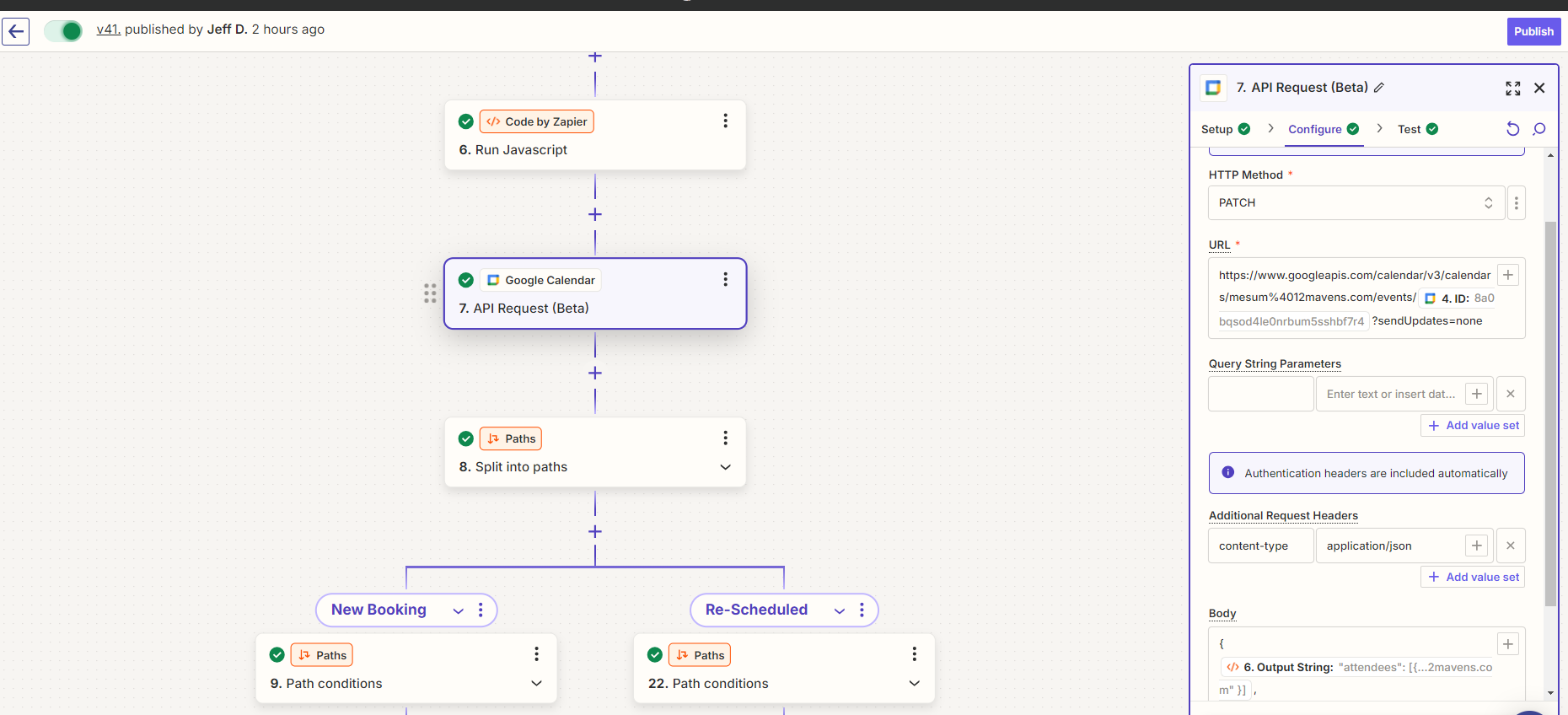
I know its been 3 days but I was trying something out ,. I created a API Request , where the goal is to not to send updated invite to the already existing users , as you can see I have even used  sendUpdates=none, 


but it still sends it . Is there any work around of that I am looking to achieve?


Troy Tessalone
Zapier Orchestrator & Solution Partner
Forum|alt.badge.img+14
  • Zapier Orchestrator & Solution Partner
  • September 16, 2024

@Jeff12 

Based on what you’ve shared, it seems like either Calendly is updating the GCal Event Title or that GCal is updating the GCal Event Title after another attendee is added.

I suspect that because the GCal Event Title is getting updated that is why the notifications are being resent.


Might be best to try opening a ticket with Zapier Support for further guidance: https://zapier.com/app/get-help