Best answer

edit pardot

  • November 3, 2020
  • 7 replies
  • 97 views

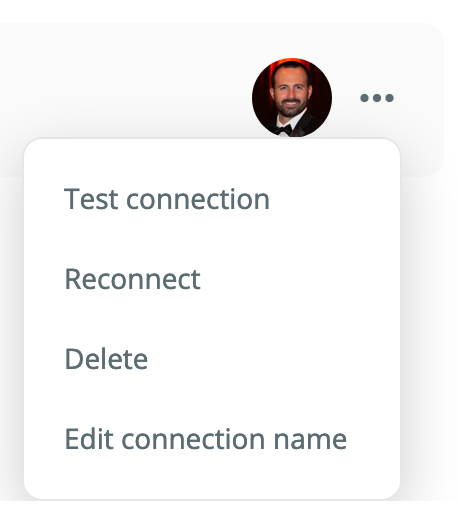
There doesn’t seem to be a way to edit or delete an existing pardot app connection. how do you do that?

Best answer by nicksimard

Hi @windfall!

Happy to see that you’ve reached out to our Support team and they’ve helped you out with this. For others who find this thread, it turns out it was a bug where the Connections tab simple wasn’t showing up for Pardot.

Sounds like you’re good to go for now.

This post has been closed for comments. Please create a new post if you need help or have a question about this topic.


7 replies

Troy Tessalone
Zapier Orchestrator & Solution Partner
Forum|alt.badge.img+14
  • Zapier Orchestrator & Solution Partner
  • November 3, 2020

In Zapier, check App connections here: https://zapier.com/app/connections


  • Author
  • Beginner
  • November 3, 2020

Tried that, which does not allow me to edit/delete the connection.


Troy Tessalone
Zapier Orchestrator & Solution Partner
Forum|alt.badge.img+14
  • Zapier Orchestrator & Solution Partner
  • November 3, 2020

Please provide screenshots.


  • Author
  • Beginner
  • November 3, 2020

yes it works on other apps, just not Pardot. when i click on the pardot app, it doesn’t offer those options, it only redirects me to a list of zaps using that connection. 


Troy Tessalone
Zapier Orchestrator & Solution Partner
Forum|alt.badge.img+14
  • Zapier Orchestrator & Solution Partner
  • November 3, 2020

I suggest submitting a support tix: https://zapier.com/app/get-help


  • Author
  • Beginner
  • November 3, 2020

yeah. did that before posting. was just hoping it was user error. thanks!


nicksimard
Forum|alt.badge.img+11
  • Zapier Staff
  • Answer
  • November 6, 2020

Hi @windfall!

Happy to see that you’ve reached out to our Support team and they’ve helped you out with this. For others who find this thread, it turns out it was a bug where the Connections tab simple wasn’t showing up for Pardot.

Sounds like you’re good to go for now.