Question

Dynamic Date in Table Filter

  • April 2, 2026
  • 3 replies
  • 16 views

Forum|alt.badge.img+2

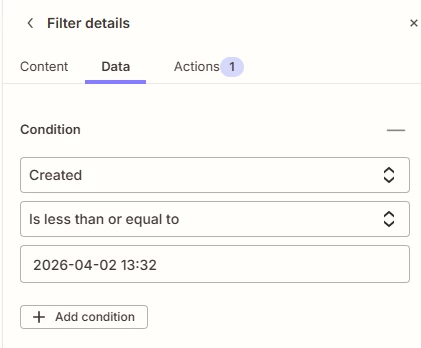
can you dynamically set the date in the filter?

3 replies

Forum|alt.badge.img+2
  • Zapier Solution Partner
  • April 2, 2026

Hi ​@Jazzy3 

Yes, you can dynamically set dates in filters, but not by typing {{today}} directly.

Two ways to do it:

1. In Zapier Tables:
Use the "is within" rule → select dynamic ranges like "Last 7 days" or "This calendar week".
 Documentation Link

2. In Filter by Zapier:
Add a Formatter by Zapier step → Date/Time → Format → set Input to "Current time" → then compare that output to your date field.
 Documentation Link

For time:  Create reusable variables to use in Zaps 

If you're still running into issues after trying these steps, drop a screenshot of the error and a quick description of what your Zap is doing, happy to take a look!

And if you'd rather just get it sorted quickly, I offer a free 20-min Zapier troubleshooting call. Book it under Resources on my Zapier Directory profile: https://zapier.com/partnerdirectory/automatemybiz


!-->


Sparsh from Automation Jinn
Forum|alt.badge.img+6

Hey ​@Jazzy3,

What exactly do you mean by dynamically set the date? 

If yes, you can use {{zap_meta_human_now}} to dynamically get the current time and then format it using a Formatter → Date/Time → Format. 

The exact Zap really depends on your use case as workflows are usually personalized to user’s needs. Hope it helps!

PS: If you need more active help, I’m happy to connect through my Zapier Solution Partner page if you’d like to reach out here- https://zapier.com/partnerdirectory/automation-jinn


i_am_anmolg
  • Zapier Solution Partner
  • April 3, 2026

Yes, of course!

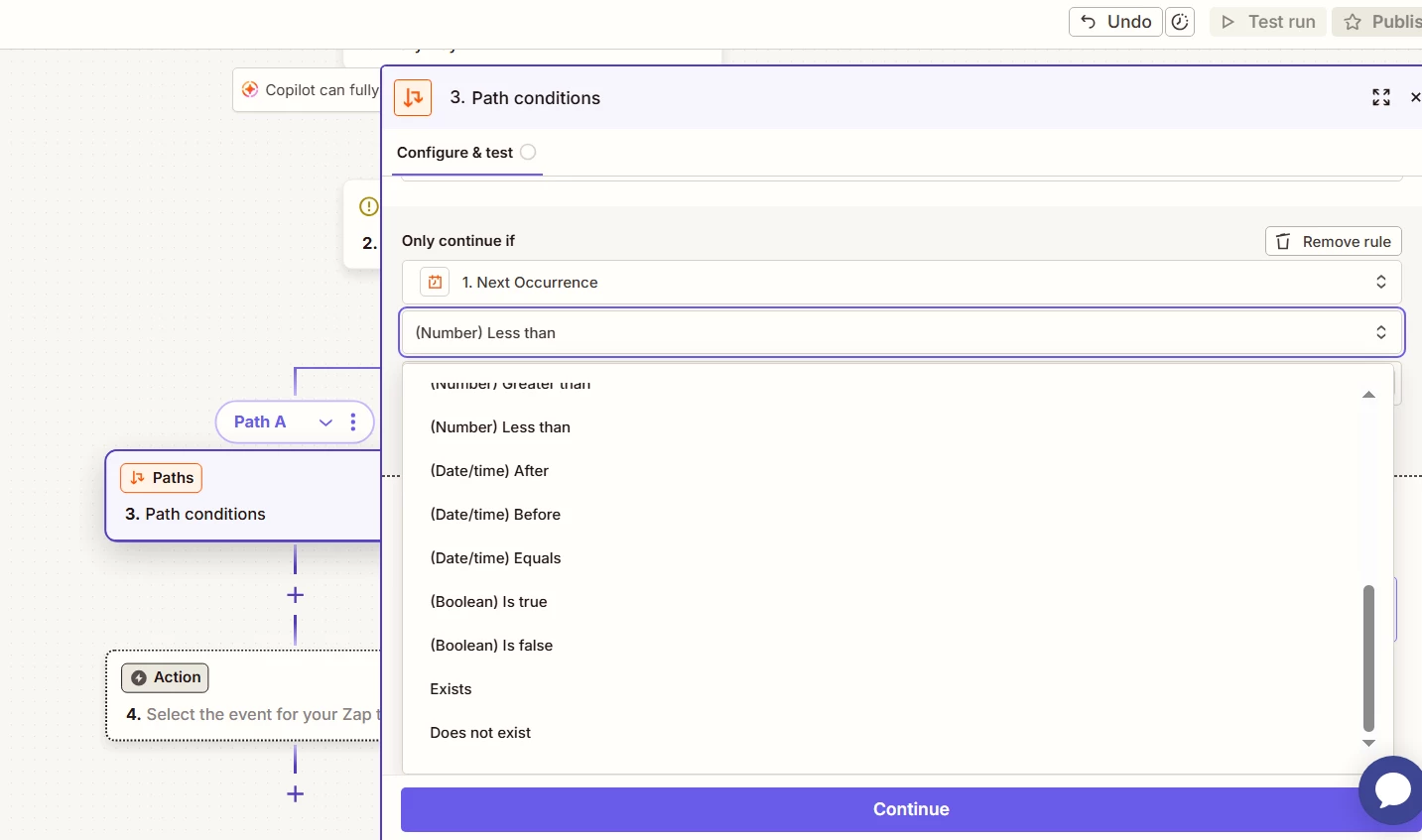
If the field that you are using for comparison is already date/time, Zapier will show you drop down options as shown in the below image: