I have a Google Sheet with many many columns and rows. Within some of them are URLs to files (mainly JPGs and PNGs, but some are PDFs). I want to create a Zap that can grab the files from the URLs and save them into specific Google Drive folders.
Thank you so much!
Best answer by XRay Tech
Hello @iane ,
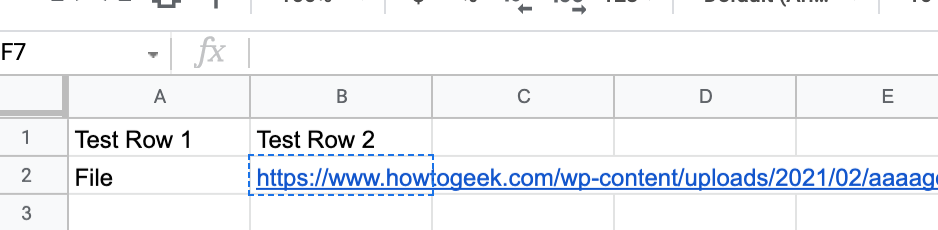
We have figured out your problem and there is a very easy solution. It seems that you can simply take the URL in the cell.
Take the URL seen in the cell
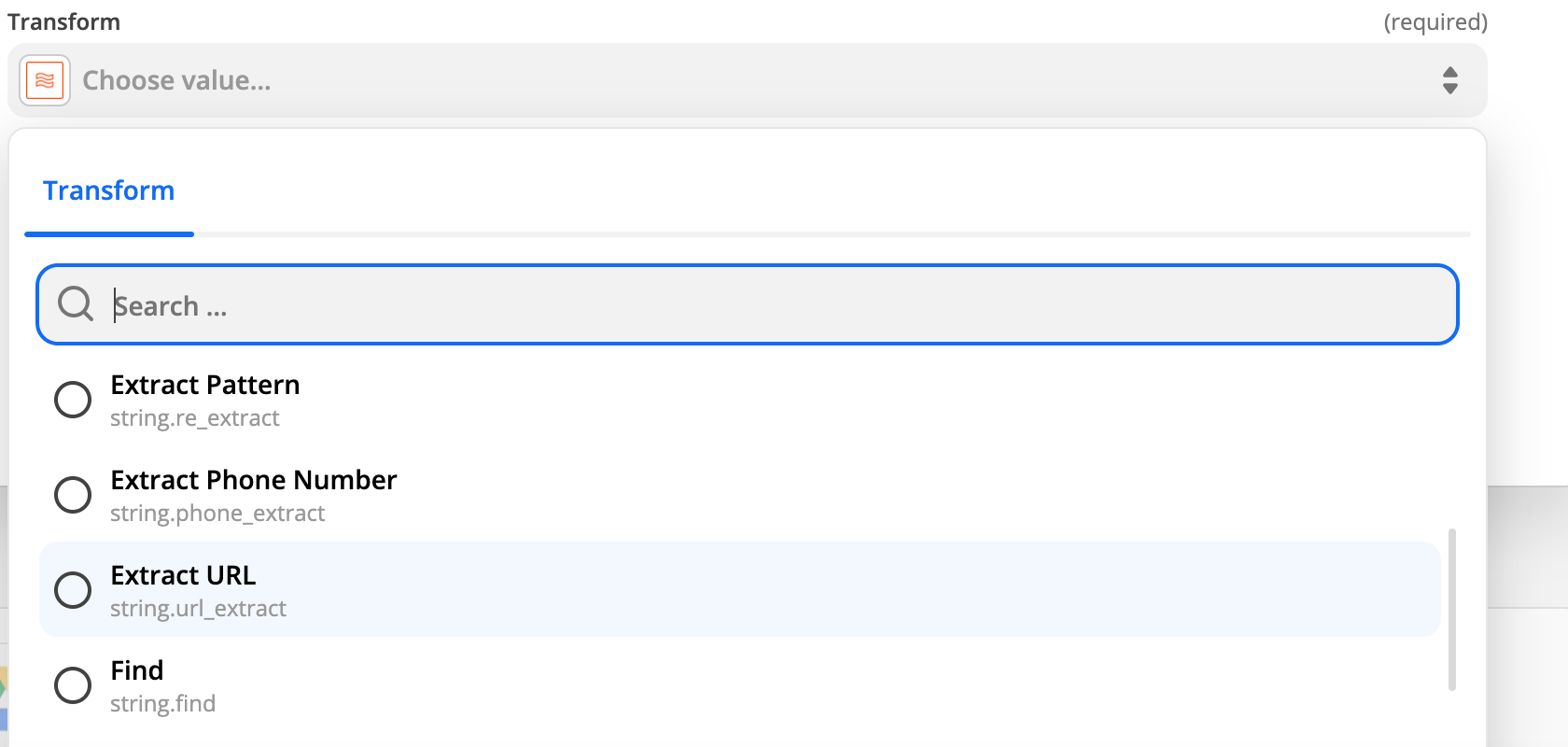
Nest Use a Formatter step that would extract a URL from the data especially if there is other text in that cell.
Select Extract URL from Text Transform option
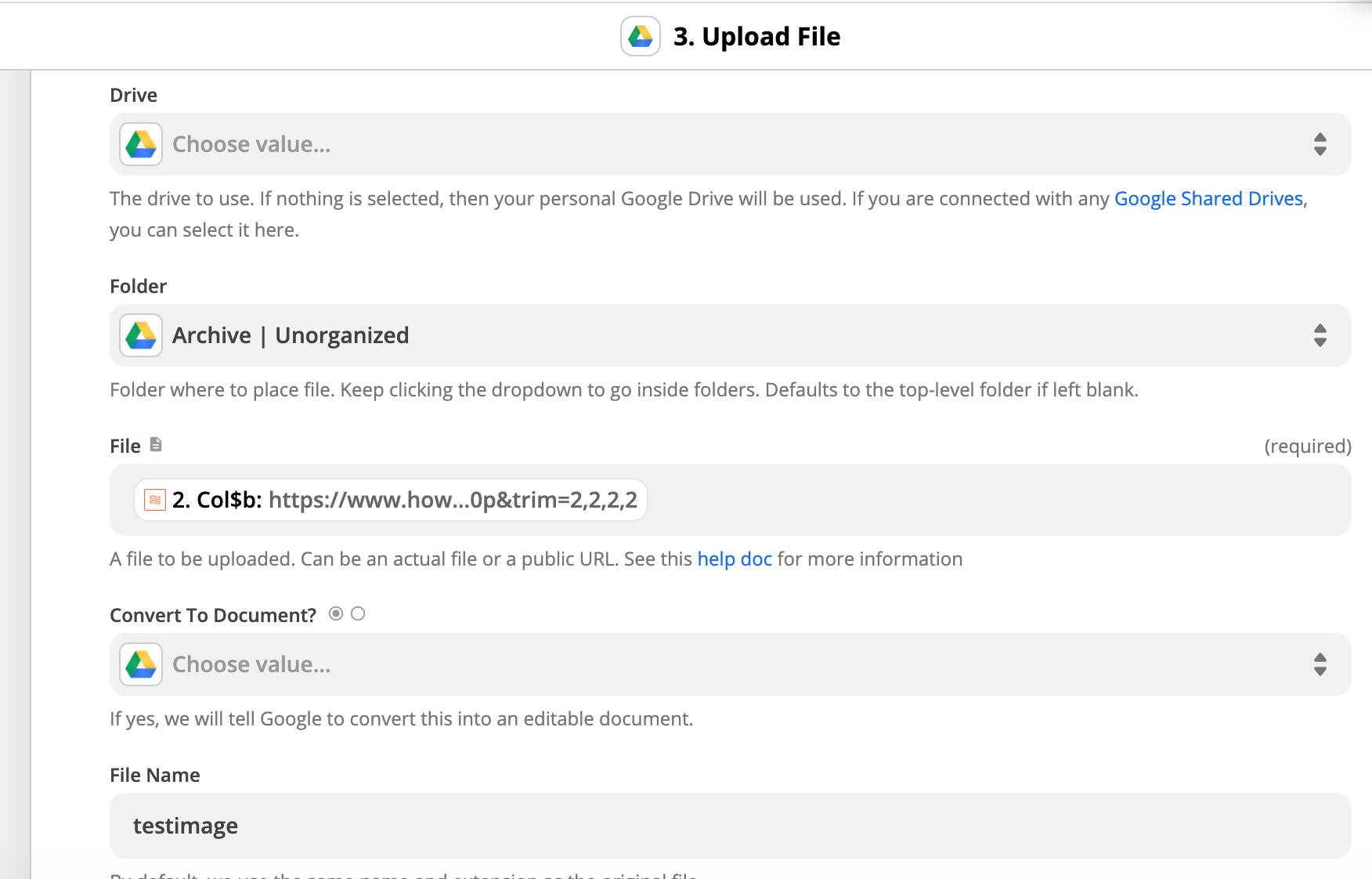
Once you get the URL you can simply choose to “Upload a File” to Google Drive and put the Output from the Formatter step into the file field.
This should solve your issue and the file will be in your desired location in Google Drive.
This post has been closed for comments. Please create a new post if you need help or have a question about this topic.
Thank you @XRay Tech I appreciate the response! I unfortunately had to do everything one by one and have moved on from this, but I’m sure someone else will greatly benefit from the time saving zap 😂
Thanks for letting us know. I’m so sorry to hear you ended up having to manually tackle it, that’s not ideal at all!
I’m going to mark this as solved as it looks like XRay Tech’s suggestion here would be just the ticket! :)
ZapConnect 2026 is coming
Join us September 23rd, 2026 for a free, one-day virtual event with 30+ sessions on AI automation. Get live build-alongs, playbooks, and strategies to lead AI transformation at your organization.