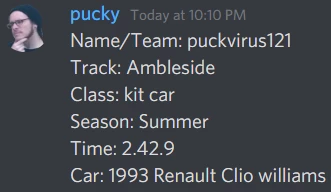
We are using our discord for racing in a video game. Our users will race and when they are done they are asked to post in a format similar to below
What we are hoping to do is to have this information input into google sheets for us:
Currently I am unable to see a way for Zapier to see the difference of what information goes into what cells?
Name/Team:(output to Column A) puckvirus121 Track:(output to Column B) Ambleside Class:(output to Column C) kit car Season:(output to Column D) Summer Time:(output to Column E) 2:42.9 Car:(output to Column F) 1993 Renault Clio williams
Would it be possible for Zapier to be able told to look for specific symbols within a message to tell it to start filling the next column? For example using | / \ ; !
Best answer by nicksimard
Hi @puckvirus121! The first thing that comes to mind is that you could use the Formatter to do this. You could, of course, use code if you’re familiar with how to do that. Digging into that goes beyond the scope of what we can provide but here’s how I would accomplish it with Formatter.
Trigger: Discord
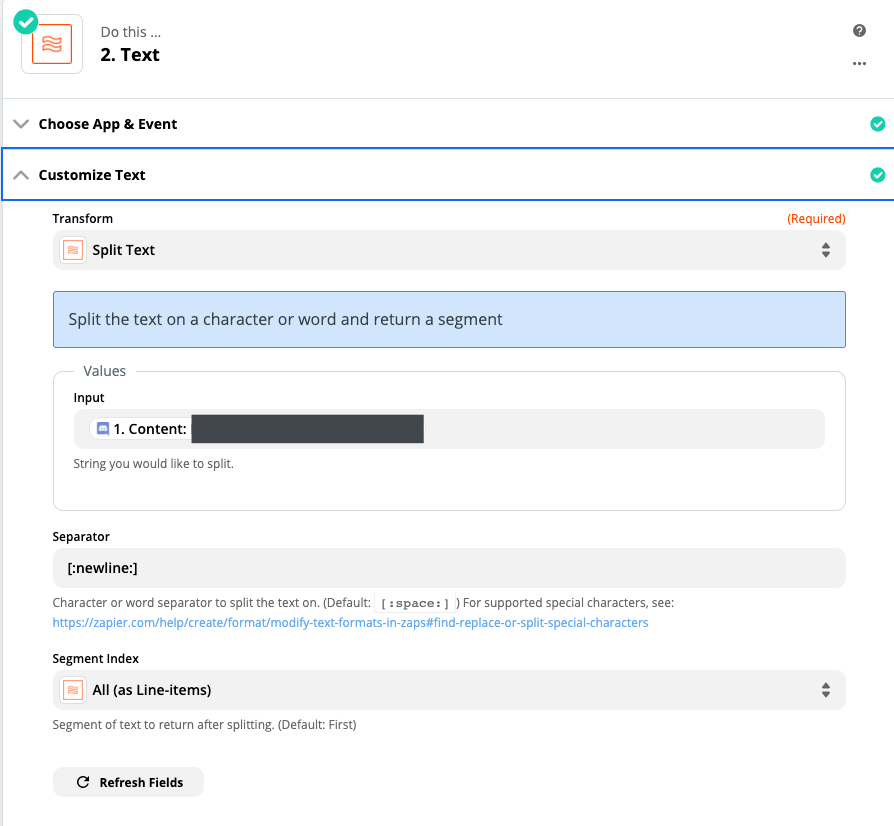
Action: Formatter — Split Text — take the Content field, separate by [:newline:] and segment into line items
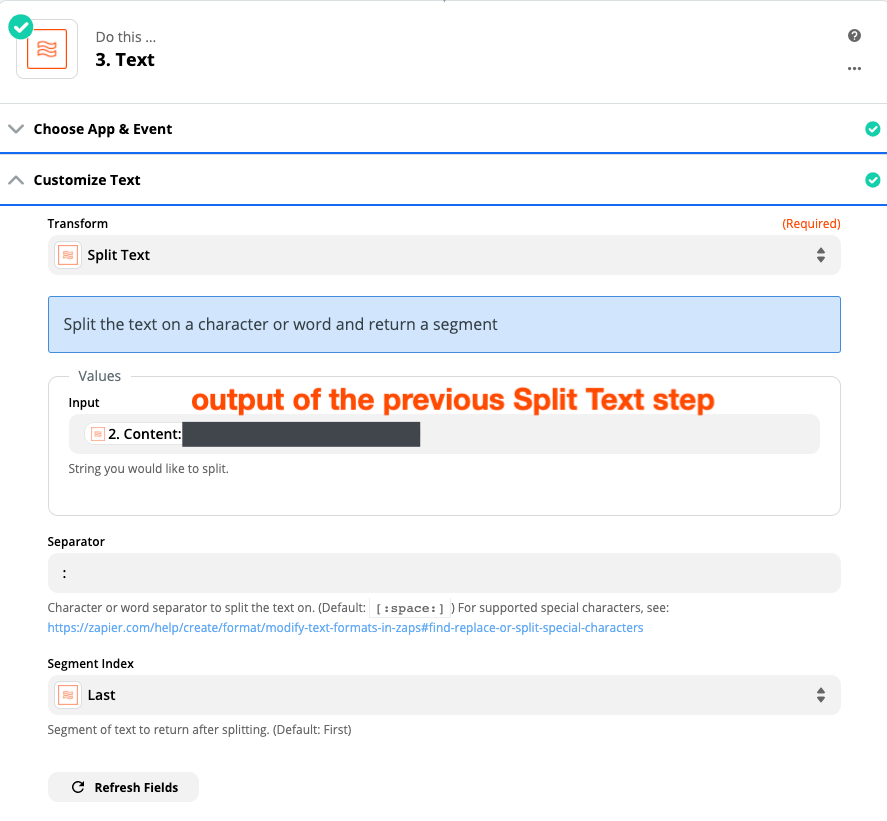
Action: Formatter — Split Text — take the output of the previous step, separate by : (note that there’s a space typed after the colon) and output the “last” segment
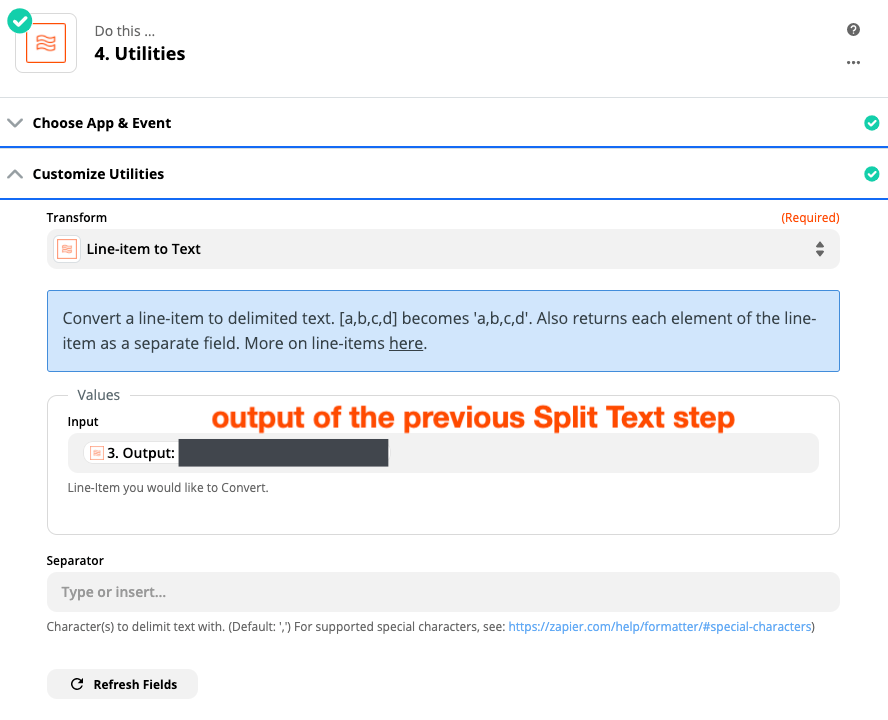
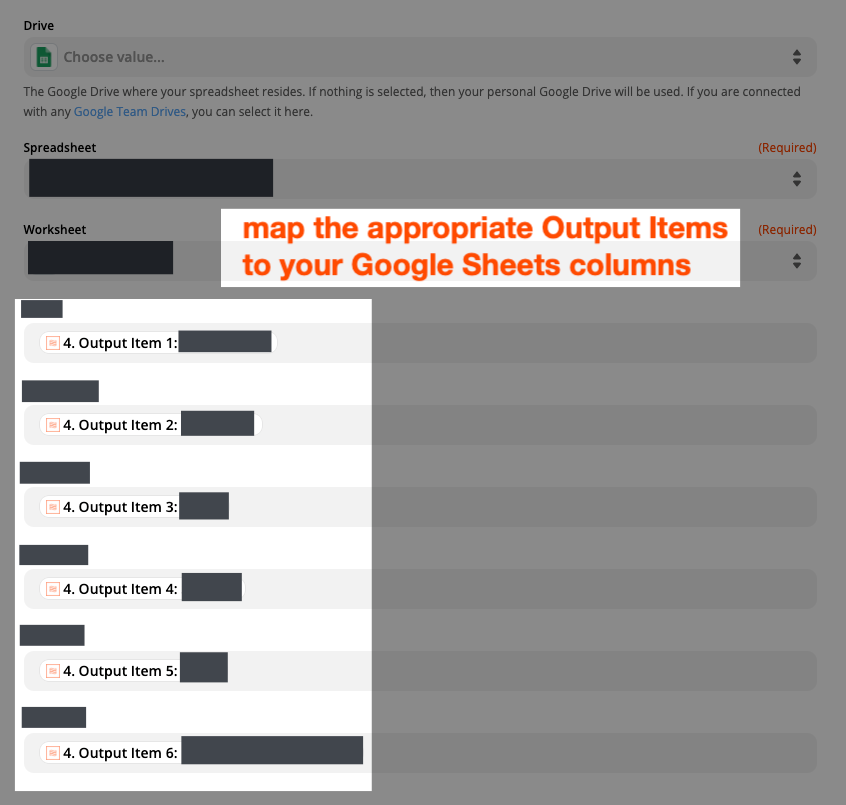
Action: Formatter — Utilities — Line Item to Text (this then gives you just the sections you want, each as separate fields you can map to Google Sheets
Action: Google Sheets
2) Formatter — Split Text
3) Formatter — Split Text
4) Formatter — Utilities — Line Item to Text
5) Google Sheets
Hope that helps to clarify what I meant with my initial instructions :)
This post has been closed for comments. Please create a new post if you need help or have a question about this topic.
Hi @puckvirus121! The first thing that comes to mind is that you could use the Formatter to do this. You could, of course, use code if you’re familiar with how to do that. Digging into that goes beyond the scope of what we can provide but here’s how I would accomplish it with Formatter.
Trigger: Discord
Action: Formatter — Split Text — take the Content field, separate by [:newline:] and segment into line items
Action: Formatter — Split Text — take the output of the previous step, separate by : (note that there’s a space typed after the colon) and output the “last” segment
Action: Formatter — Utilities — Line Item to Text (this then gives you just the sections you want, each as separate fields you can map to Google Sheets
Action: Google Sheets
2) Formatter — Split Text
3) Formatter — Split Text
4) Formatter — Utilities — Line Item to Text
5) Google Sheets
Hope that helps to clarify what I meant with my initial instructions :)