Best answer

Custom Query Syntax

  • December 22, 2020
  • 4 replies
  • 1351 views

Hi There,


I am a newbie, and having great fun creating my new Zap. I have tried to search help but didn’t find anything.


My Zap connected to our SQL - a query - and works well in sending an invoice to Xero as a result.


However I now what to add something to the Trigger.  

I only want the Trigger to work, if the value of a field is a particular value.

So I have made the trigger “New Row (custom query)” and I have added in the query

where [cluster] = “I”

but this doesn't work - “Incorrect syntax near the keyword 'where'. (156)”

what is the synax of a customer query?


My plan is to create several zaps that will use this value of [cluster] to send the invoice to Xero, but use a different account code in Xero depending on the value of [cluster].


many thanks


ian

Best answer by GetUWired

The problem likely lies with your SQL Query Statement, The SQL SELECT Statement doesn’t start with WHERE. The filter step should work but I would try to format my Select statement in proper syntax. 
SELECT column1, column2( or * to return all) FROM table_name WHERE [cluster] = “I”

https://www.w3schools.com/sql/sql_select.asp

This post has been closed for comments. Please create a new post if you need help or have a question about this topic.

4 replies

Ennes
Forum|alt.badge.img+5
  • Tinkerer
  • December 22, 2020

Hey @IanKerry ,

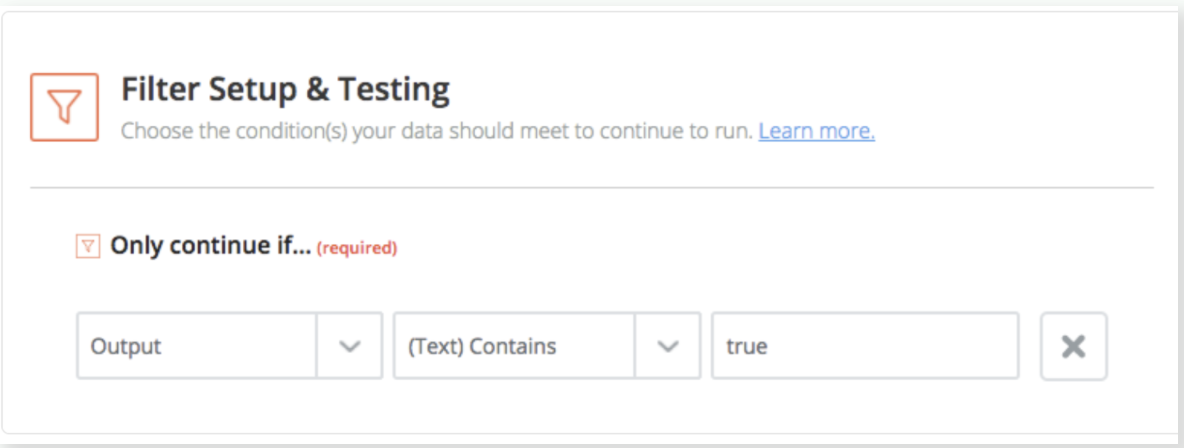
does it work to use a filter after your trigger? You can see how this works here. I also attached a screenshot for convenience.

I think this can help you to achieve the job. Instead of output, you should just use your specific variable and choose when the Zap should continue. Does that make sense?

Let me know!


  • December 22, 2020

Hey Ennes,


Thanks, I didnt realised that you could add filters and what if’s etc. That is great and I am sure now I will be able to get this sorted.


Thanks very much for your input.


Ian 


GetUWired
Forum|alt.badge.img+12
  • Zapier Solution Partner
  • Answer
  • December 22, 2020

The problem likely lies with your SQL Query Statement, The SQL SELECT Statement doesn’t start with WHERE. The filter step should work but I would try to format my Select statement in proper syntax. 
SELECT column1, column2( or * to return all) FROM table_name WHERE [cluster] = “I”

https://www.w3schools.com/sql/sql_select.asp


  • December 22, 2020

Ah OK, thanks GetuWired. I do a lot of SQL queries in Access, I didnt realise the same syntax was used in a Zap. So that will be very useful, thanks.


Ian