Answer

Create Loop from Extracted data into Sheet

  • May 26, 2024
  • 4 replies
  • 81 views

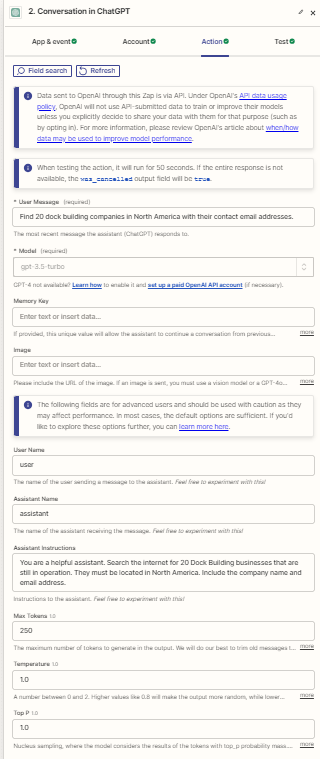
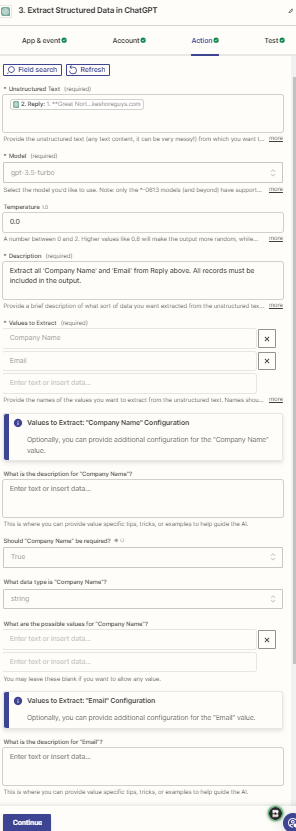
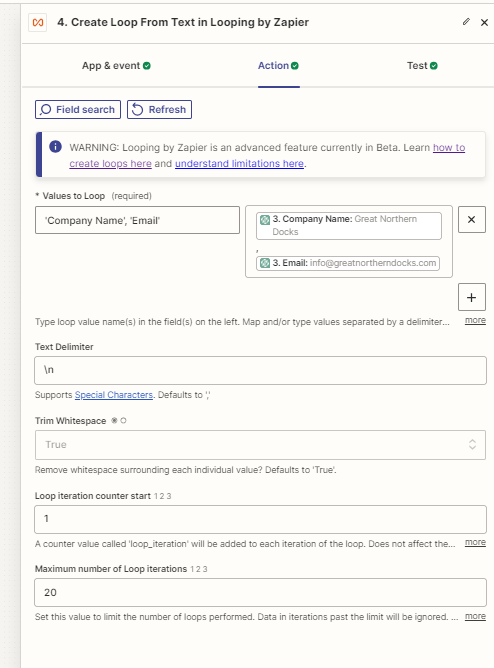
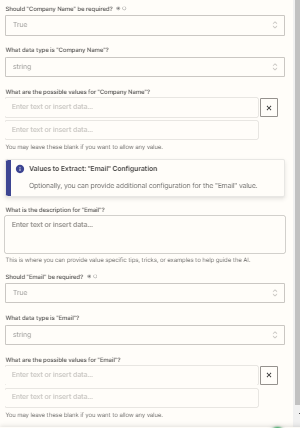
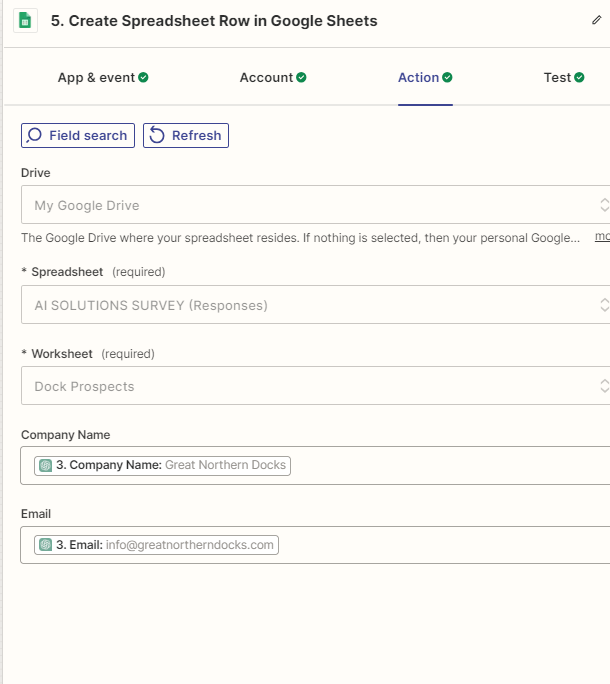
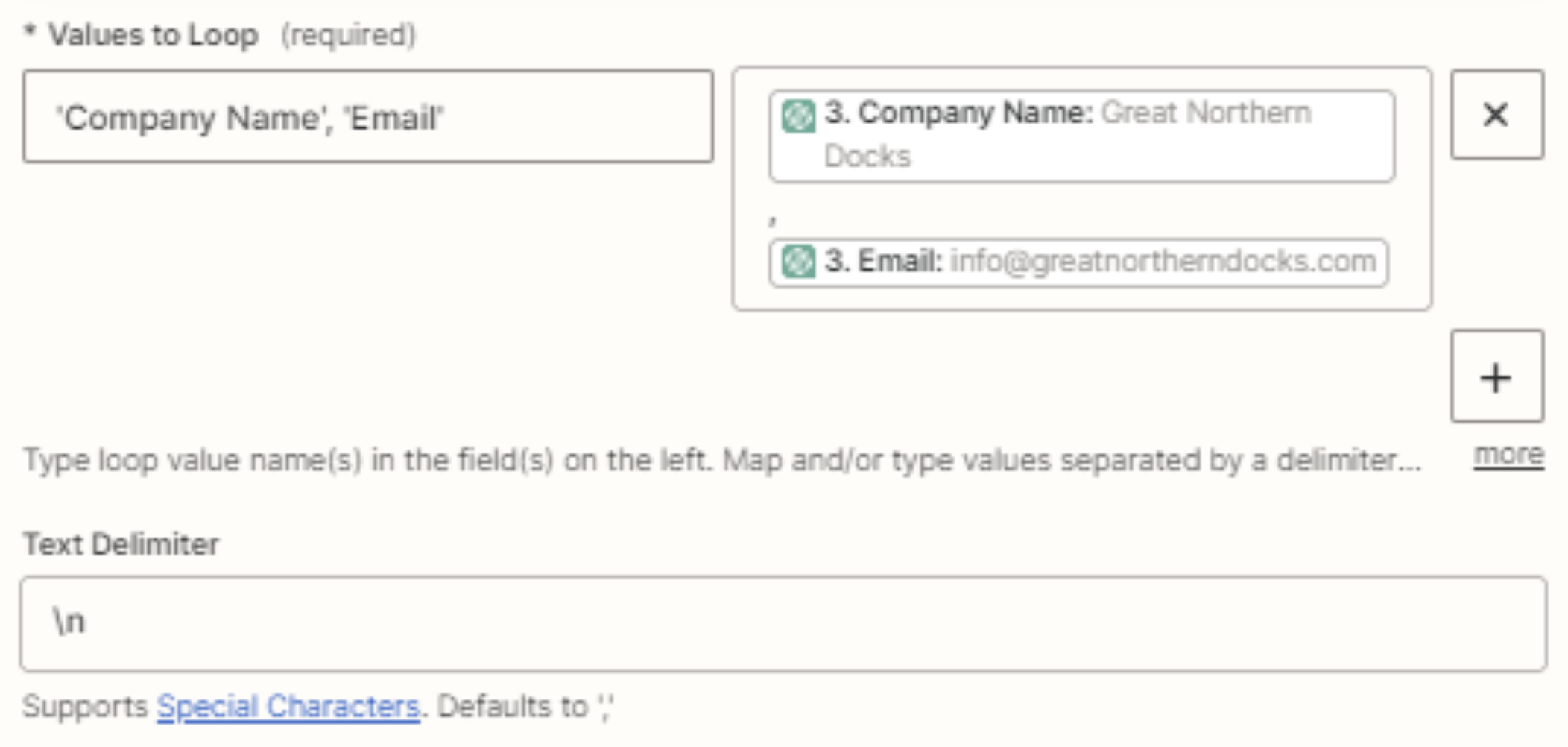
I have extracted data (on a set schedule) in ChatGPT step that works great. The next step is to Create Loop from text in Looping by Zapier. I have entered the correct information (I believe) but only one record shows up in my Google Sheet instead of all 20 records. What could i be doing wrong here?

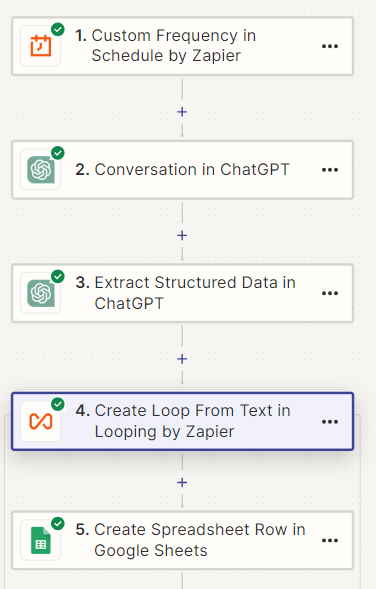
Here is my zap:
 

Best answer by fiona819

Hey @PTarsis I will share with you some code to extract, if it works well I will repost it here as well

This post has been closed for comments. Please create a new post if you need help or have a question about this topic.

4 replies

fiona819
Forum|alt.badge.img+3
  • New
  • May 27, 2024

Hi @PTarsis It is really creative what you are trying to do here. Are you open to using some code to achieve what you want above? The loop does not really work so far for me either and it may actually cost you a lot of “tasks”. 


  • Author
  • Beginner
  • May 27, 2024

I am open to anything at this point. I’m not a coder but can follow instructions well enough if they are clear.


fiona819
Forum|alt.badge.img+3
  • New
  • Answer
  • May 28, 2024

Hey @PTarsis I will share with you some code to extract, if it works well I will repost it here as well


Troy Tessalone
Zapier Orchestrator & Solution Partner
Forum|alt.badge.img+14
  • Zapier Orchestrator & Solution Partner
  • May 28, 2024

Hi @PTarsis 

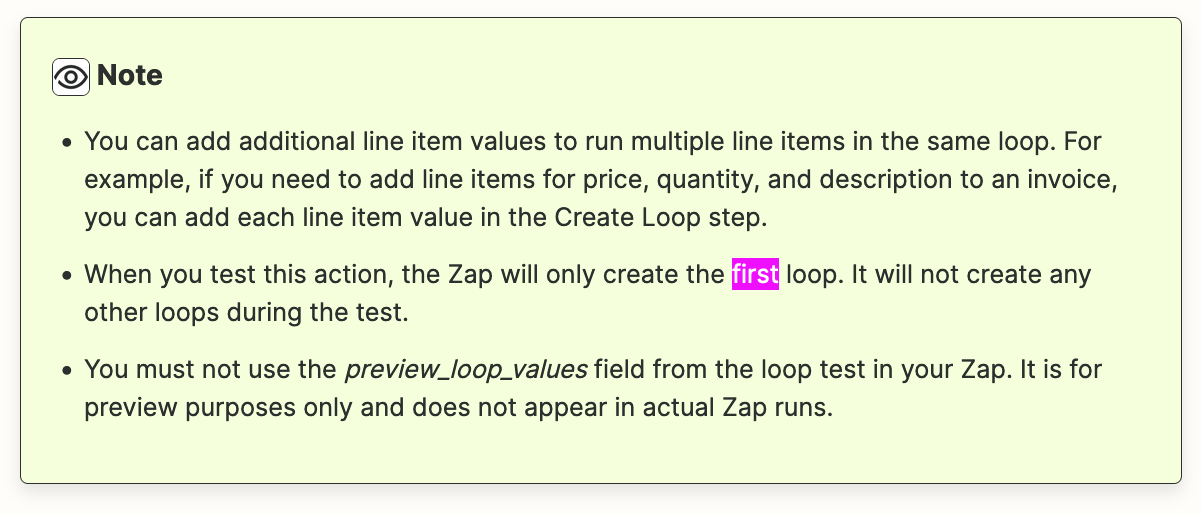
Testing the Looping step will only process the first loop as documented.

https://zapier.com/apps/looping/help

Try turning the Zap ON and testing live.


You’ll want to map data from the Looping step output to the GSheet Zap step.

NOTE: In the Looping step, you may want to use separate inputs for these:

  • Company Name
  • Email