Question

Best practice for sending Metricool analytics into Monday.com using Zapier

  • January 17, 2026
  • 4 replies
  • 23 views

Hello everyone,
I’m setting up an automation where Metricool is the analytics source and Monday.com is the reporting layer.

What I want to achieve is:

  • Pull daily network-level analytics from Metricool (followers, impressions, reach, engagements, clicks, views, posts published).

  • Send this data automatically into a Monday.com analytics board.

  • Structure the board so each row represents a platform + date, and the data can be used to build client dashboards.

  • Use one standardized analytics board that can be duplicated per client.

From your experience, what is the best Zapier setup pattern for this?

  • Recommended Metricool triggers/actions

  • Best way to structure item names and date fields in Monday

  • Whether this should be handled as item updates vs new items daily

I’d appreciate guidance on the most reliable and scalable approach.

Thank you.

4 replies

Sparsh from Automation Jinn
Forum|alt.badge.img+6

Hey ​@Olalekan,

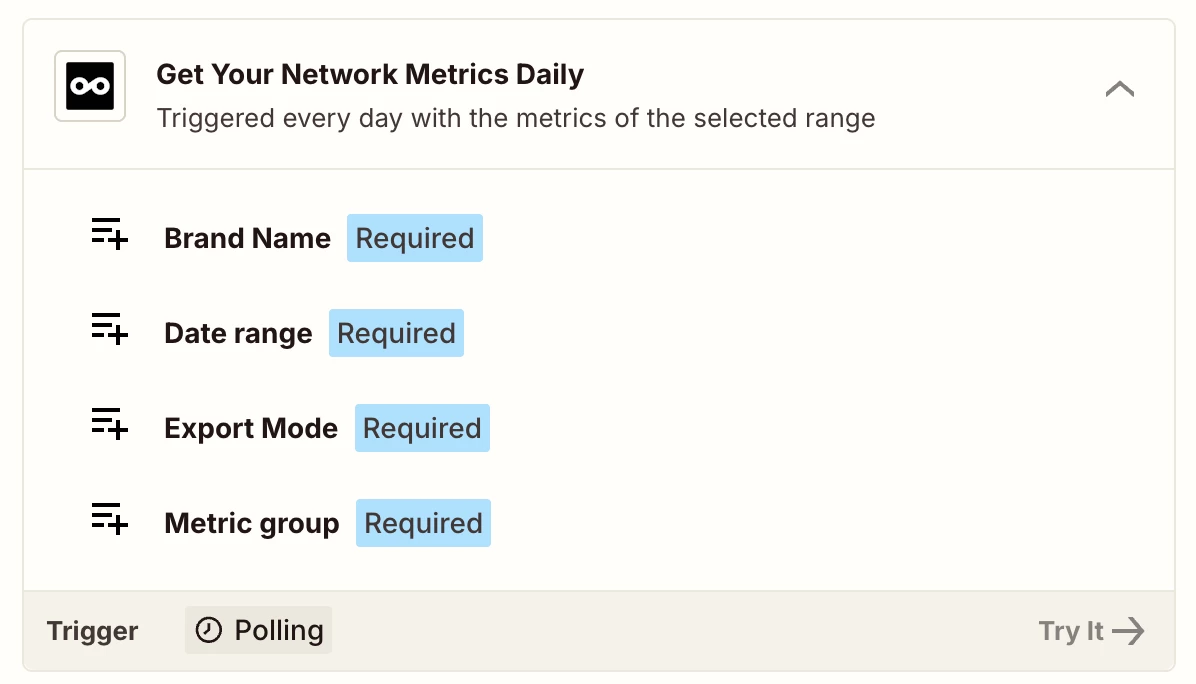
Yeah it’s possible. I would recommend using Get Your Network Metrics Daily triger from Metricool.
 

I would recommend using Create Item action for Monday so that you do have past data in the Monday dashboard. You can dynamically map the other data from the trigger. 

You may need to add other actions like Filter, Formatter etc as workflows are usually personalized to user’s needs. Hope it helps!


drtanvisachar
Forum|alt.badge.img+3
  • Zapier Solution Partner
  • January 18, 2026

Hi  ​@Olalekan   This is a good fit for a simple daily Zap.

Recommended pattern
Use Schedule by Zapier to run once per day. Pull the previous day’s network level analytics from Metricool. If multiple platforms are returned, use Looping by Zapier and create one Monday item per platform per date.

Monday structure
Item name example Instagram 2026 01 17
Use a Date column for the analytics date, a Status or Dropdown for platform, and Number columns for metrics.

New items vs updates
Create new items daily. This keeps historical data intact and makes dashboards reliable


​​​​​​​Dr. Tanvi Sachar
Monday Certified Partner, Tuesday Wizard   


  • Author
  • Beginner
  • January 20, 2026

Thanks ​@Sparsh from Automation Jinn and ​@drtanvisachar I followed your suggestion, but I am still running into an issue. When I test the trigger in Zapier, it only pulls sample test data instead of the real analytics. If I proceed and map this record to Monday.com, all the analytics values come through as zero. I will attach the Metricool analytics, the Zapier setup, and the Monday.com board for reference.


Sparsh from Automation Jinn
Forum|alt.badge.img+6

Hey ​@Olalekan,

I am not able to see any screenshots. Yeah for some of the apps it only shows the sample data in the triggering. Try using past runs as a sample data for your trigger. Here is a helpful article about it here- https://help.zapier.com/hc/en-us/articles/33561391372429-Modify-test-records-in-Zaps.

Referencing the process here-

In your Zap:

  1. In the left sidebar, click the Zap runs icon 8aeb328e01a50022821101e080183443.png. The sidebar will expand to display your latest Zap runs.
  2. Next to the Zap run you want to use as your trigger test record, click the settings icon 1b5d0948aaade9d038b3d80fd68f8e96.png . A dropdown menu will open.
  3. Select Use as test record.
  4. In your trigger step, the Zap run will appear as a test record with the title “Record from Zap Run”.

Hope it helps!

PS: If you need more active help, I’m happy to connect through my Zapier Solution Partner page if you’d like to reach out here- https://zapier.com/partnerdirectory/automation-jinn