

Question

Automating reminders for real estate showing events

  • December 23, 2025
  • 2 replies
  • 13 views

I work as a real estate agent and I want to automte reminders for all calendar events that have “Showing” at the start of event. 

I’ve built a zap that is scheduled to run at 8am every day as that is when I would like to send the same day confirmations for every event.  I start with schedule and then added on “Search” for google calendar.

My challenge is that I have many of these in one day.  I see that it will display the count but the attendees and times are all mixed up in the results. Am I missing something? 


The other option is to pre-schedule the reminder email when an event is created.  I’m worried about changes though and having to keep up with cancellations that may take place.  Any other ideas or work arounds? 


Thanks! 
2 replies

Troy Tessalone
Zapier Orchestrator & Solution Partner
Forum|alt.badge.img+14
  • Zapier Orchestrator & Solution Partner
  • December 24, 2025

Hi ​@ktdecodenyc 

Try these Zap steps:

  1. Trigger: Schedule - Daily
  2. Action: Formatter > Date & Time > Add/Subtract Time
    1. TBD if needed to adjust dates for searching in GCal step
  3. Action: Formatter > Date & Time > Format
    1. TBD if needed to adjust dates for searching in GCal step
  4. Action: GCal - Find Events
    1. Adjust the field setting to return all found events
      1. See screenshot below
  5. Action: Filter
    1. Make sure there are events to process
  6. Action: Looping - Create Loop from Line Items
    1. Help: https://zapier.com/apps/looping/integrations#help
    2. Map data from the GCal step
    3. Map data out from this step to the following action steps
  7. Action: Filter
    1. Condition: Title starts with “Showing”
  8. Action: [APP] - [EVENT]
    1. Up to you!


If you need to hire help, there is a directory of Zapier Partners: https://zapier.com/partnerdirectory


Sparsh from Automation Jinn
Forum|alt.badge.img+6

Hey ​@ktdecodenyc,

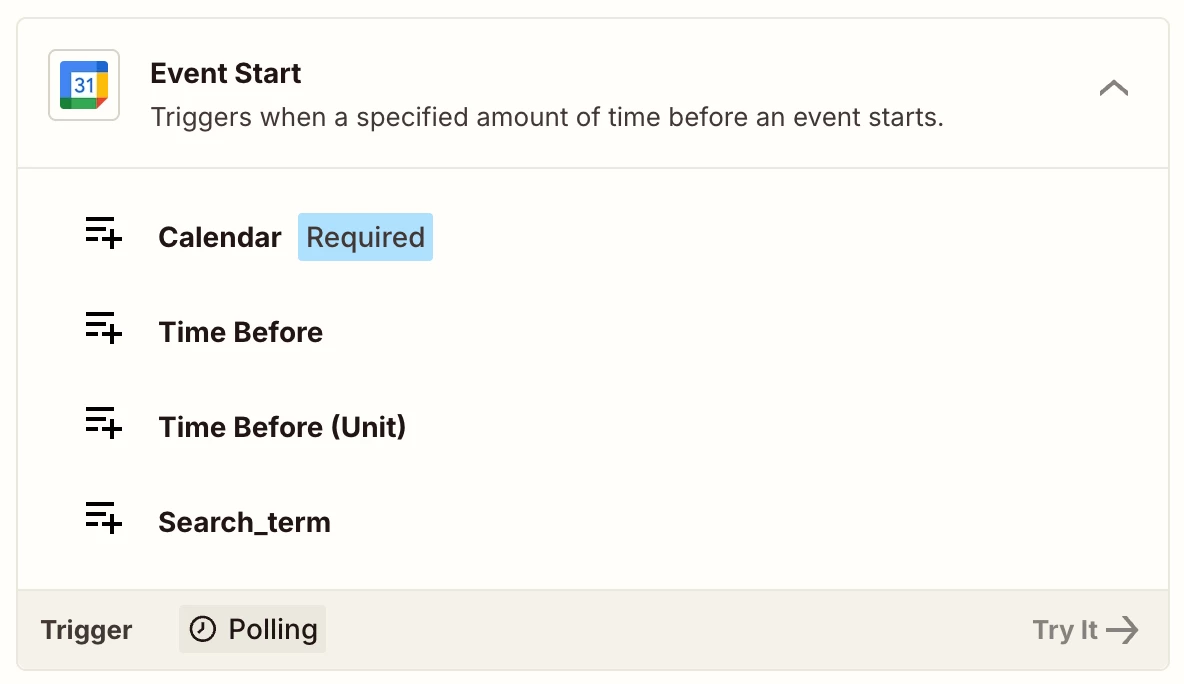
There is a easier workaround for this. Try using the Event Start trigger-


You can add a Filter action to filter for Showing in the Event title. You may need add some Formatter actions to get the attendee email as well as the name. Sometimes it’s hidden between fields and you will have to extract the details from there. This will take care of any cancellations or rescheduling as well as the event start time would have changed. Hope it helps!

PS: If you need more active help, I’m happy to connect through my Zapier Solution Partner page if you’d like to reach out here- https://zapier.com/partnerdirectory/automation-jinn







