Question

Automating rate updates in Monday.com with Zapier

  • January 7, 2026
  • 5 replies
  • 11 views

In Monday.com we have an apartments master log board and a rates tracker board that items connect via a two way connection. 

Workflow and automation needed if possible for Zapier: When Unit Status changes to ‘Countersigned - Renewal’ in Master log, then in another board, in connected item in the active rates group, copy and paste renewal rate into the active rate column. 

5 replies

SamB
Community Manager
Forum|alt.badge.img+11
  • Community Manager
  • January 12, 2026

Hi there ​@JDAY 👋

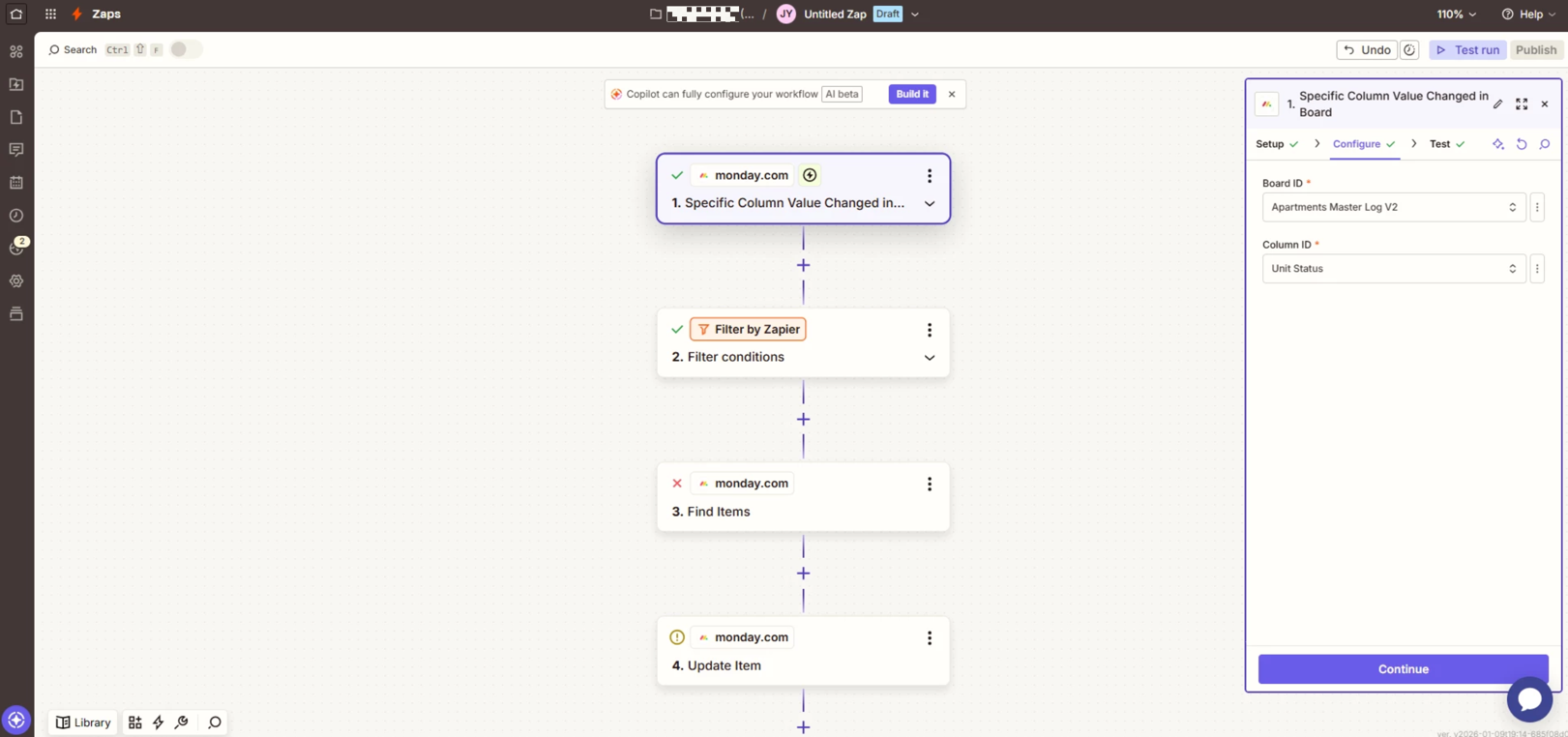
It should be possible to achieve that with Zapier! You’d likely need to use the following trigger and actions for the Zap:

  • Trigger: Specific Column Value Changed in Board (monday.com) - runs whenever there’s a new update to a column’s value in a specific board.
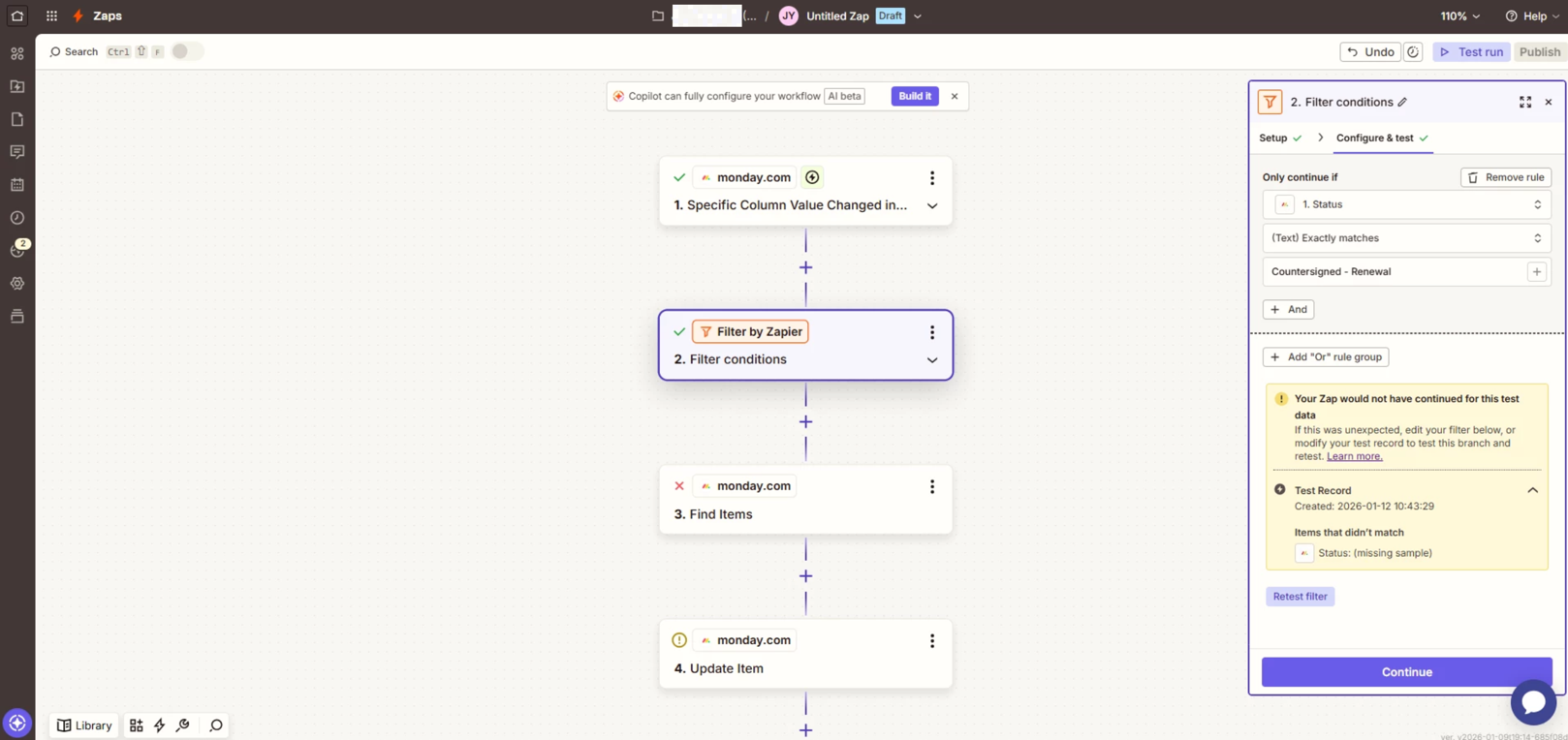
  • Action: Only Continue If... (Filter by Zapier) - set to Only continue if the Unit Status is "Countersigned - Renewal". See: Add conditions to Zaps with filters for details.
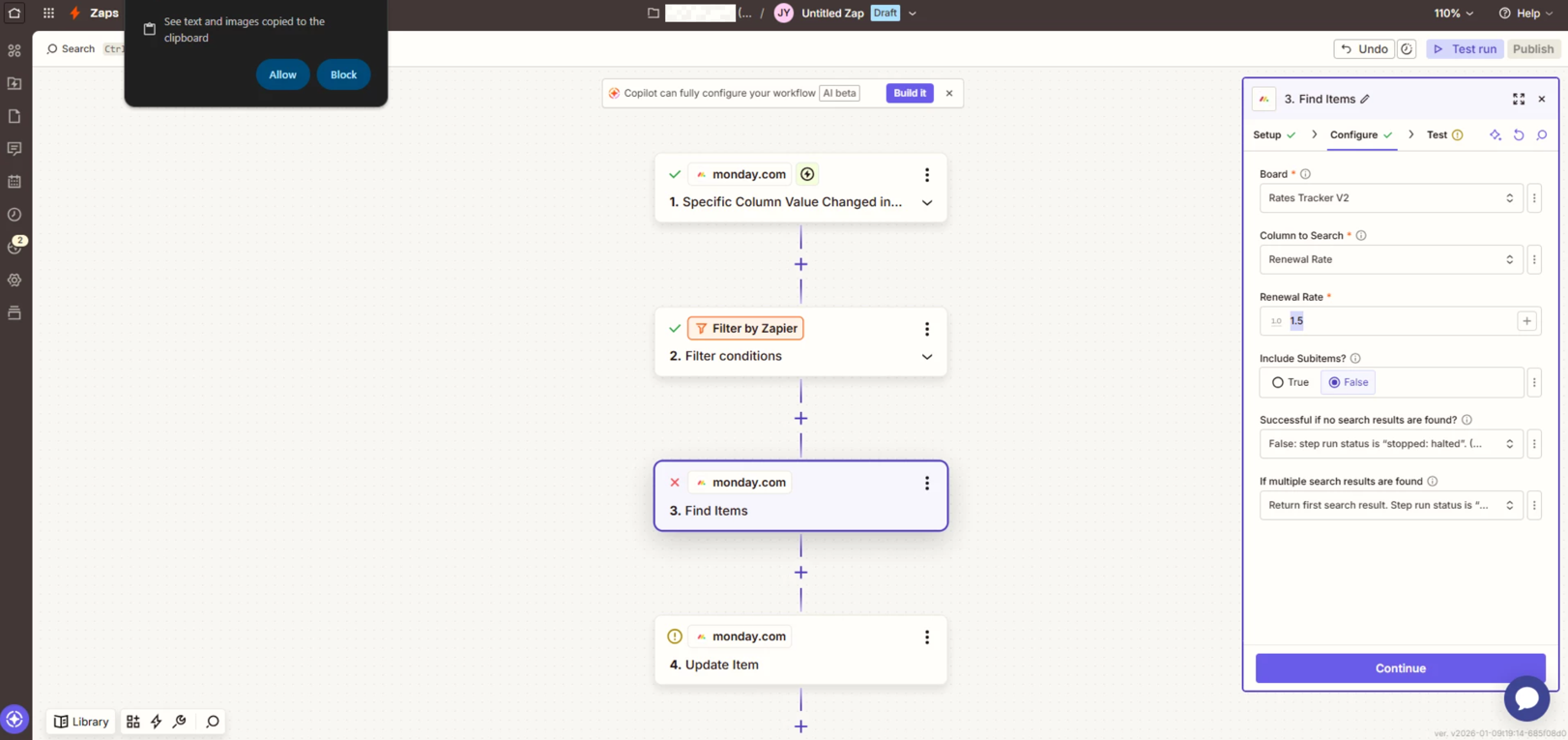
  • Action: Find Items (monday.com) - runs a search for the corresponding item in the other monday.com board using relevant details supplied by the trigger step.
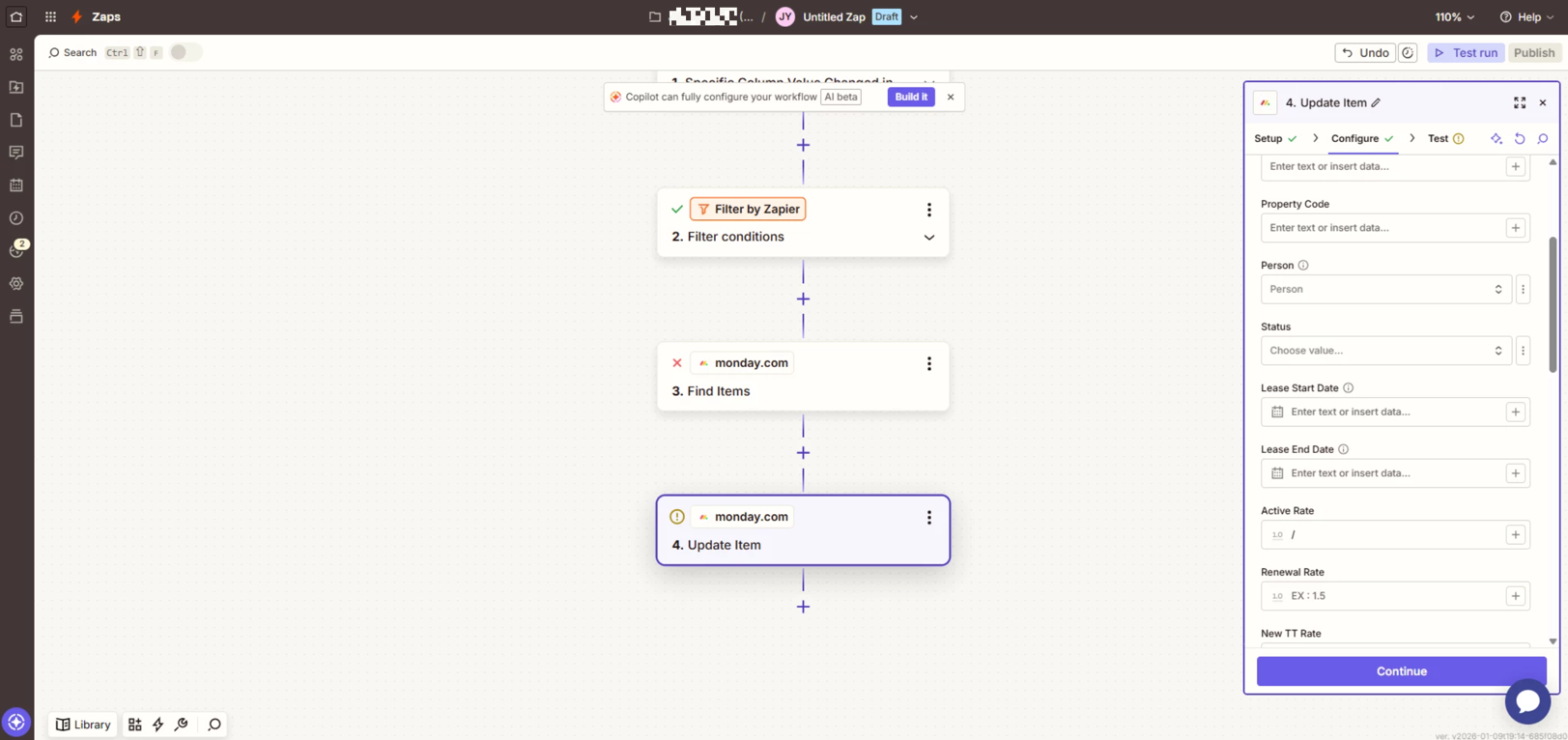
  • Action: Update Item (monday.com) - updates the item in the other monday.com board that was found by the previous action step.

Hope that helps to get you pointed in the right direction. If you run into any issues giving that a try or have further questions at all just let me know!


  • Author
  • Beginner
  • January 12, 2026

I’m having a issues getting the automation working. Any ideas what i could be doing wrong from the attached photos? 


I appreciate your help! 


333783926b3a8db4c8280cdeaec9fdf3.png
ee5bcaacc4a34b2f7605ef5da9348836.png
5eecc566000d9ea1cced79fb017e1bec.png
c8f1cbf71b6f5e7e533f16fe49a1fda5.png
 

This post has been edited by a moderator to remove personally identifiable information (PII). Please remember that this is a public forum and avoid sharing personal or potentially sensitive details.


Troy Tessalone
Zapier Orchestrator & Solution Partner
Forum|alt.badge.img+14
  • Zapier Orchestrator & Solution Partner
  • January 12, 2026

Hi ​@JDAY 

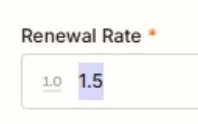
In Zap step 3, it seems like you would want to map a variable from Zap step 1 for the Renewal Rate.


From your screenshot, Zap step 3 is not finding an Item, thus the error.


Post screenshots from your Monday Board showing the matching Item you expected to be found and returned in Zap step 3.


SamB
Community Manager
Forum|alt.badge.img+11
  • Community Manager
  • January 13, 2026

Sorry to hear that ​@JDAY. I agree with ​@Troy Tessalone on this, seems like the Find Items action wasn’t able to find a matching item. 

Just want to check though, is the Renew Rate a unique value that would only exist for the corresponding item on the other board? 

If it’s not, I’d suggest searching for a more unique column value that is common to the corresponding items on both boards, for example a customer email address or some sort customer/contract ID number.

Keep us posted on how it goes!


  • Author
  • Beginner
  • January 13, 2026

@Troy Tessalone Pics of my boards are attached! FYI - All current data I'm working with is fake test data. 


Sorry, to clarify our workflow: When an item on Apartments Master Log V2 changes to the status of “Countersigned - Renewal” it will then locate the connected item in the pending rates group in the Rates Tracker V2, using the apartment ID and the group as the identifier, and then it will copy and paste the renewal rate to the active rate. 

Please let me know if you have any further questions. I appreciate you both as I'm newer to using Zapier!