Question

Automating deal assignments in HubSpot based on availability

  • April 16, 2025
  • 3 replies
  • 36 views

hi everyone! 


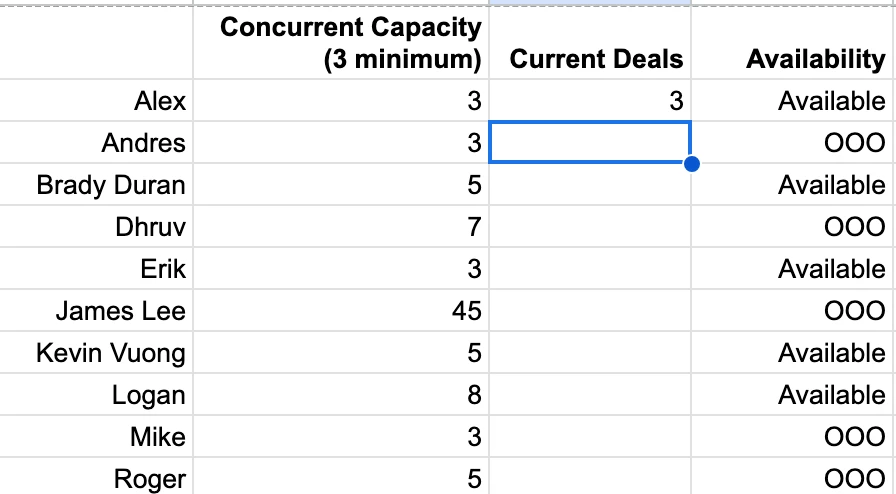
I’m attempting to create an automation that will automatically assigns deals to representatives in Hubspot based on varying availability/capacity (which we have outlined in a google sheet). 


what is the best way to go about this?

This post has been closed for comments. Please create a new post if you need help or have a question about this topic.

3 replies

Troy Tessalone
Zapier Orchestrator & Solution Partner
Forum|alt.badge.img+14
  • Zapier Orchestrator & Solution Partner
  • April 16, 2025

Hi ​@natpointme 

That depends on:

  • the logic you are trying to implement
  • the various cases to handle
  • how the data is structured in the GSheet


For us to have more info, outlined specific examples and provide screenshots with how the data is structured in the GSheet.


  • Author
  • New
  • April 16, 2025


essentially, i want it to automate assignments based on 

  1. are they available 
  2. if so, are they below capacity 
  3. if both of these are yes — assign 

Troy Tessalone
Zapier Orchestrator & Solution Partner
Forum|alt.badge.img+14
  • Zapier Orchestrator & Solution Partner
  • April 16, 2025

@natpointme 

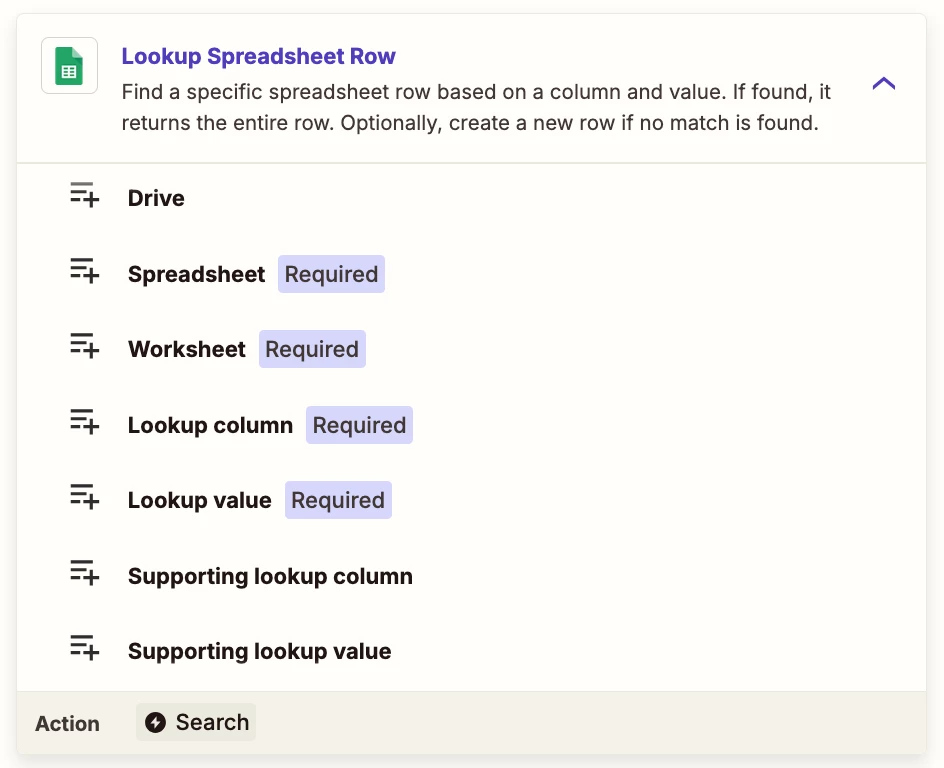
Zap Action: GSheets - Lookup Row

NOTE: There are only 2 available pairs of lookup column/values available.


You may be better served using Airtable instead of GSheets.

With Airtable you can create Views, which are segments of Table data that can be sorted, filtered, etc.

The idea being you create a View that sorts itself based on filter conditions after records are updated.

Then you can use this Zap action: Airtable - Find Record

That will return 1 record each time to use/update.


NOTES:

You’ll need to set a header for the Rep column.

You’ll need to define the logic for:

  • if there are 0 matching rows/records
  • if there are 2+ matching rows/records
  • if you want to do round robin assignment or a different assignment approach
    • e.g. assign all leads to 1 rep until they hit cap, then move to next rep, repeat
  • when the concurrent capacity and current deals reset
    • e.g. daily, weekly, etc.


If you are looking to hire help, there is a Directory of Certified Zapier Experts: https://zapier.com/experts