Question

Automatically updating multiple fields in ClickUp based on the scheduled date being before today

  • May 13, 2025
  • 2 replies
  • 29 views

I need help building a zap for ClickUp that automatically tracks meeting hours once the date has passed.


Here is what I am trying to accomplish, in layman’s terms. 


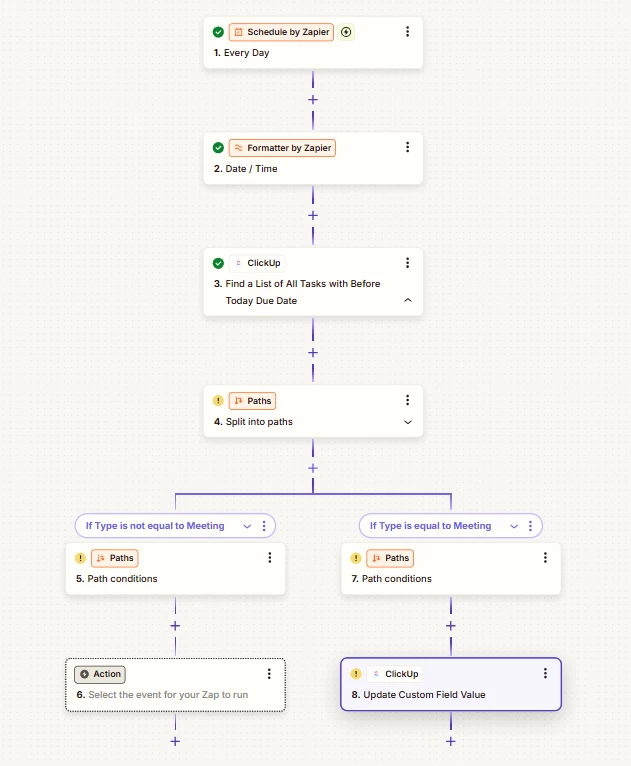
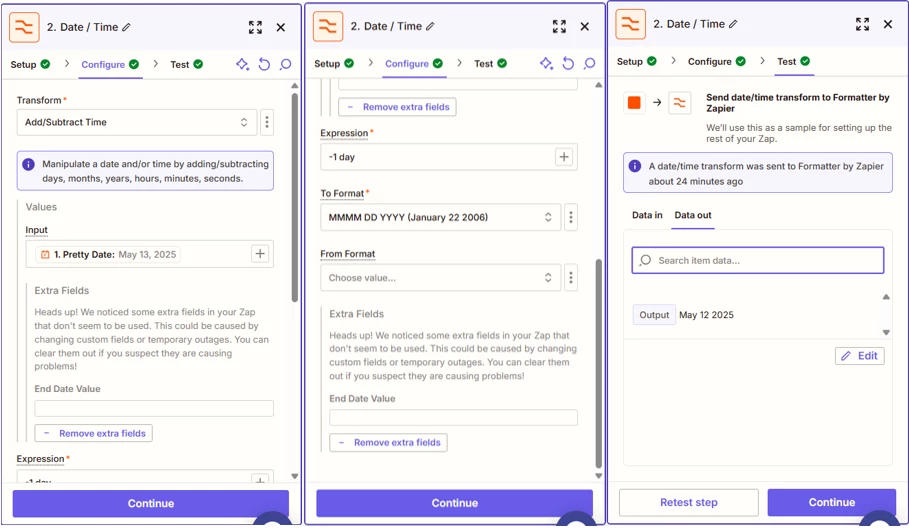
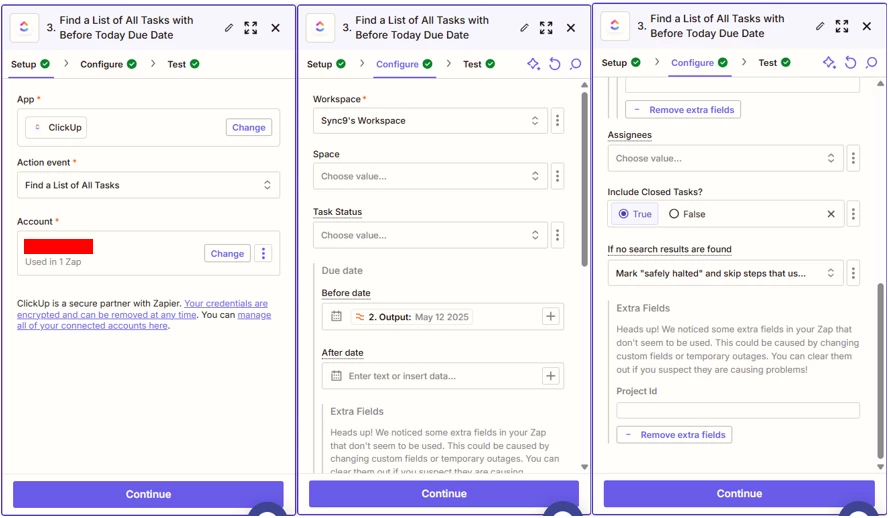
Across all spaces and folders in ClickUp, if a task has a Type equal to Meeting, and the Scheduled Date is before today, mark the Status as Complete and update the Track Time field with the number of hours in the Time Estimate field.


This post has been closed for comments. Please create a new post if you need help or have a question about this topic.

2 replies

Sync9-Solutions
Forum|alt.badge.img+1

Hello ​@DigitalRain ,

Try making the workflow below as a guide:
 

Hope this helps!


SamB
Community Manager
Forum|alt.badge.img+11
  • Community Manager
  • May 21, 2025

Hi there, ​@DigitalRain 👋

How did you get on with the set up Sync9-Solutions suggested here—did it work for your needs?

Keep us posted on how it’s going, eager to make sure you’ve got everything sorted! 🙂