Question

Automatically rename invoice PDFs in Dropbox using date/vendor/amount (Zapier)

  • January 15, 2026
  • 3 replies
  • 11 views

I’m trying to automate invoice PDF renaming so files like “invoice.pdf” become something searchable like:
YYYY-MM-DD_Vendor_Amount_InvoiceNo.pdf

Workflow I want:
- Trigger when a new PDF lands in Dropbox (Invoices folder)
- Extract fields (date, vendor, total, invoice number) from the PDF (mix of text-based PDFs + scans)
- Build a consistent filename
- Rename the file (or upload renamed copy + delete original)

Questions:
1) What’s the recommended way in Zapier to extract text from PDFs (especially scanned invoices) — built-in options vs OCR tools?
2) For “rename”, is the best practice to upload a new file with the new name and then delete the original?
3) Any pitfalls with date/decimal formats or special characters in filenames?

If helpful I can share the exact filename format + a sample of what the PDFs look like (text vs scan).
3 replies

Troy Tessalone
Zapier Orchestrator & Solution Partner
Forum|alt.badge.img+14
  • Zapier Orchestrator & Solution Partner
  • January 15, 2026

Hi ​@Narratas 

Action: AI by Zapier - Analyze and Return Data

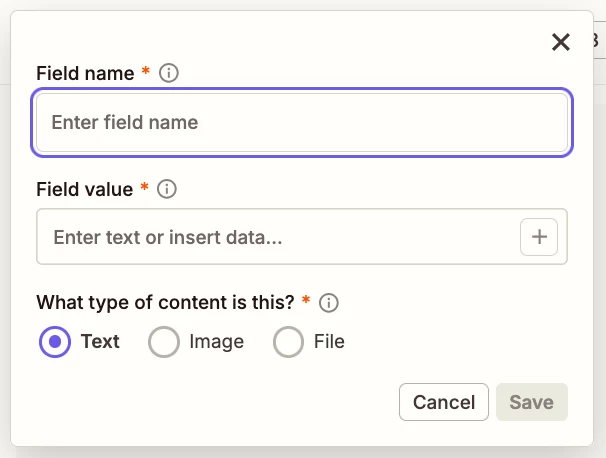
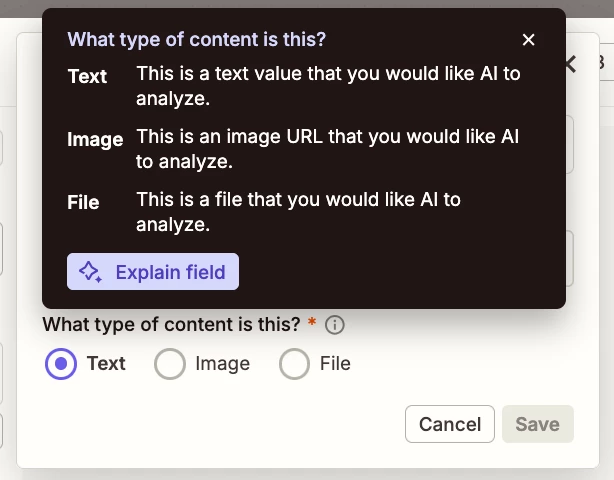
Indicate the field value is a “file” type.

Help: https://zapier.com/apps/ai/integrations#help


Troy Tessalone
Zapier Orchestrator & Solution Partner
Forum|alt.badge.img+14
  • Zapier Orchestrator & Solution Partner
  • January 15, 2026

@Narratas 

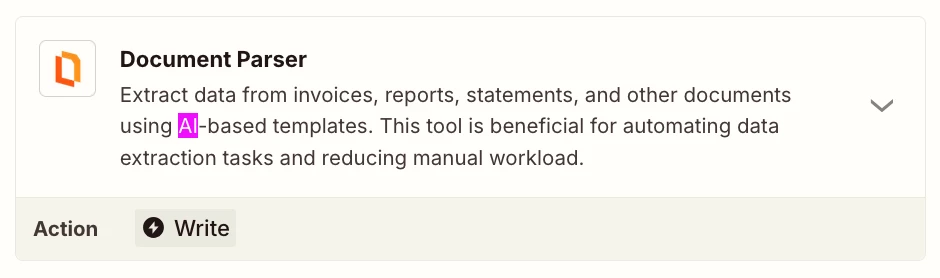
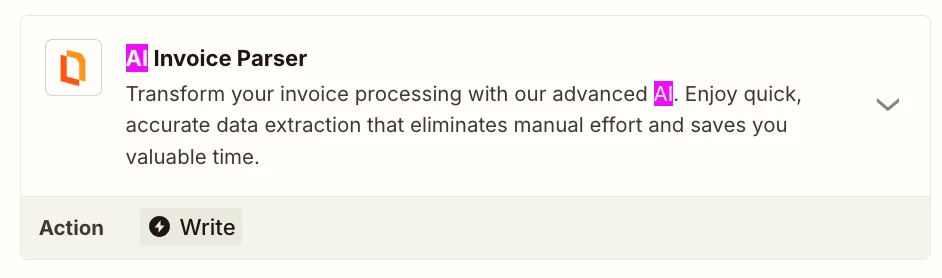
There are other Zap app integrations that can do PDF parsing.


EXAMPLE (see screenshots below)


  • Author
  • New
  • January 15, 2026

Thanks Troy — super helpful.

I’ll (1) set the AI by Zapier input field to type = File and pass the Dropbox PDF, and also (2) review the “Documents” category options like PDF.co / invoice parsers for extraction.

Once I’ve tested it end-to-end, I’ll let you know the exact Zap step list (extract → formatter → upload renamed copy → delete original).