Hi All,
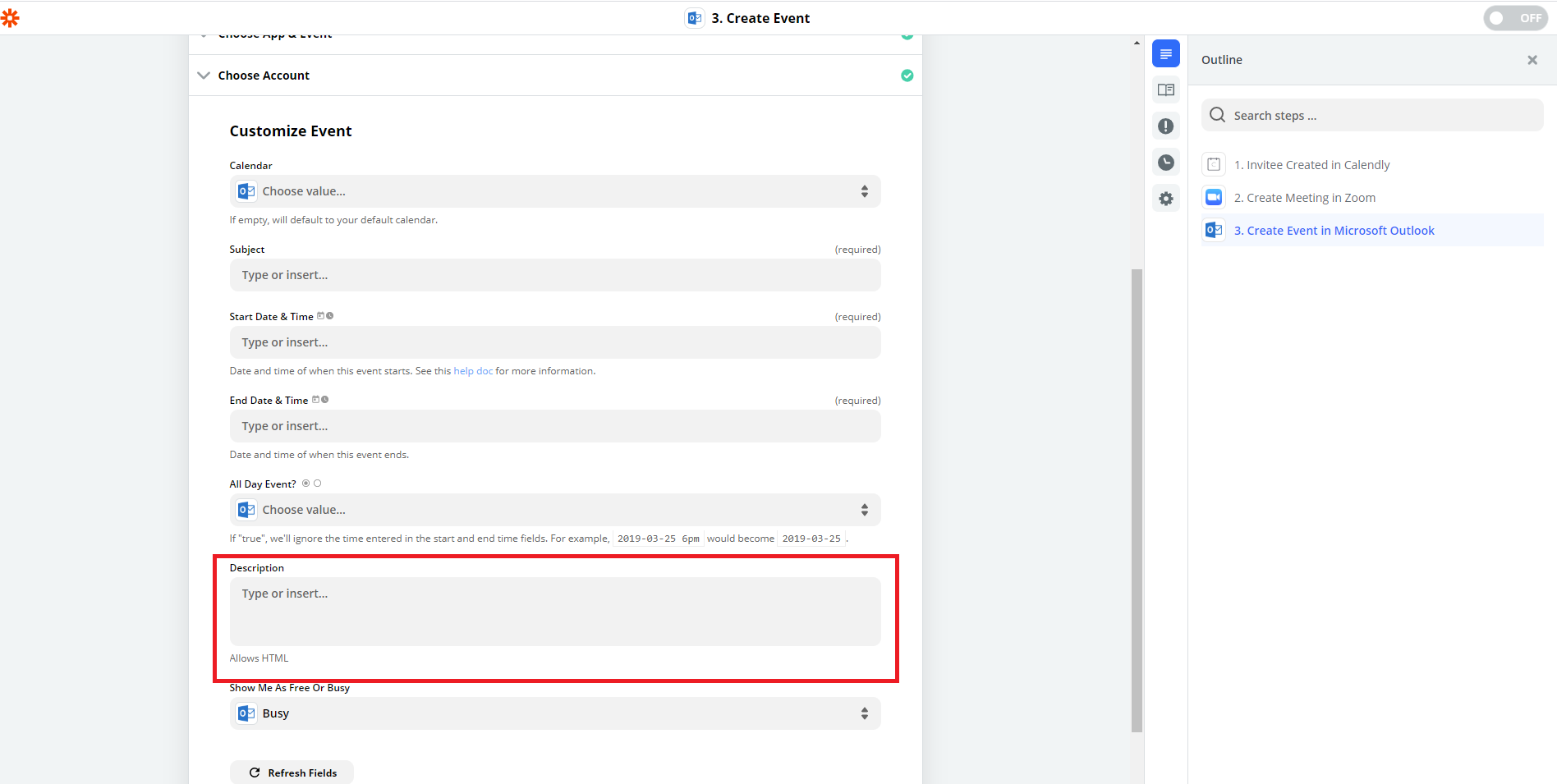
I am trying to create an event in Microsoft Outlook 365 as part of a workflow, but the Attendees field is missing. My understanding is that it should appear under the Description field. What could be causing this?
Thanks!

Hi All,
I am trying to create an event in Microsoft Outlook 365 as part of a workflow, but the Attendees field is missing. My understanding is that it should appear under the Description field. What could be causing this?
Thanks!
Best answer by steph.n
Hi there
At this time, we don't have this feature available in the zap workflow process. Bummer, I know! But I was able to locate your support ticket and will add your request to our feature wish list. Once we have an update to share, you'll hear from us.
Thank you for letting us know and please let me know if you have any further questions.

Build and deploy automations from AI tools you already use. With Agentic Management, if anything breaks, the agent diagnoses the issue and proposes a fix.

Join us September 23rd, 2026 for a free, one-day virtual event with 30+ sessions on AI automation. Get live build-alongs, playbooks, and strategies to lead AI transformation at your organization.
No account yet? Create an account
Enter your E-mail address. We'll send you an e-mail with instructions to reset your password.