


Question

Analyzing sales data in Zapier tables after transitioning from Excel

  • January 26, 2026
  • 2 replies
  • 6 views

Forum|alt.badge.img

I historically used an Excel spreadsheet to analysis the sales/leads/consults throughout the year based on a series of critiera (where the lead came from, whether it lead to a sales, etc).


I have now moved my lead tracker to Zapier tables and the data spreadsheet into Zapier tables, but I can’t figure out the mechanism to do the analysis. Do I set up a Zap to send to Excel? Can I do it within the table?

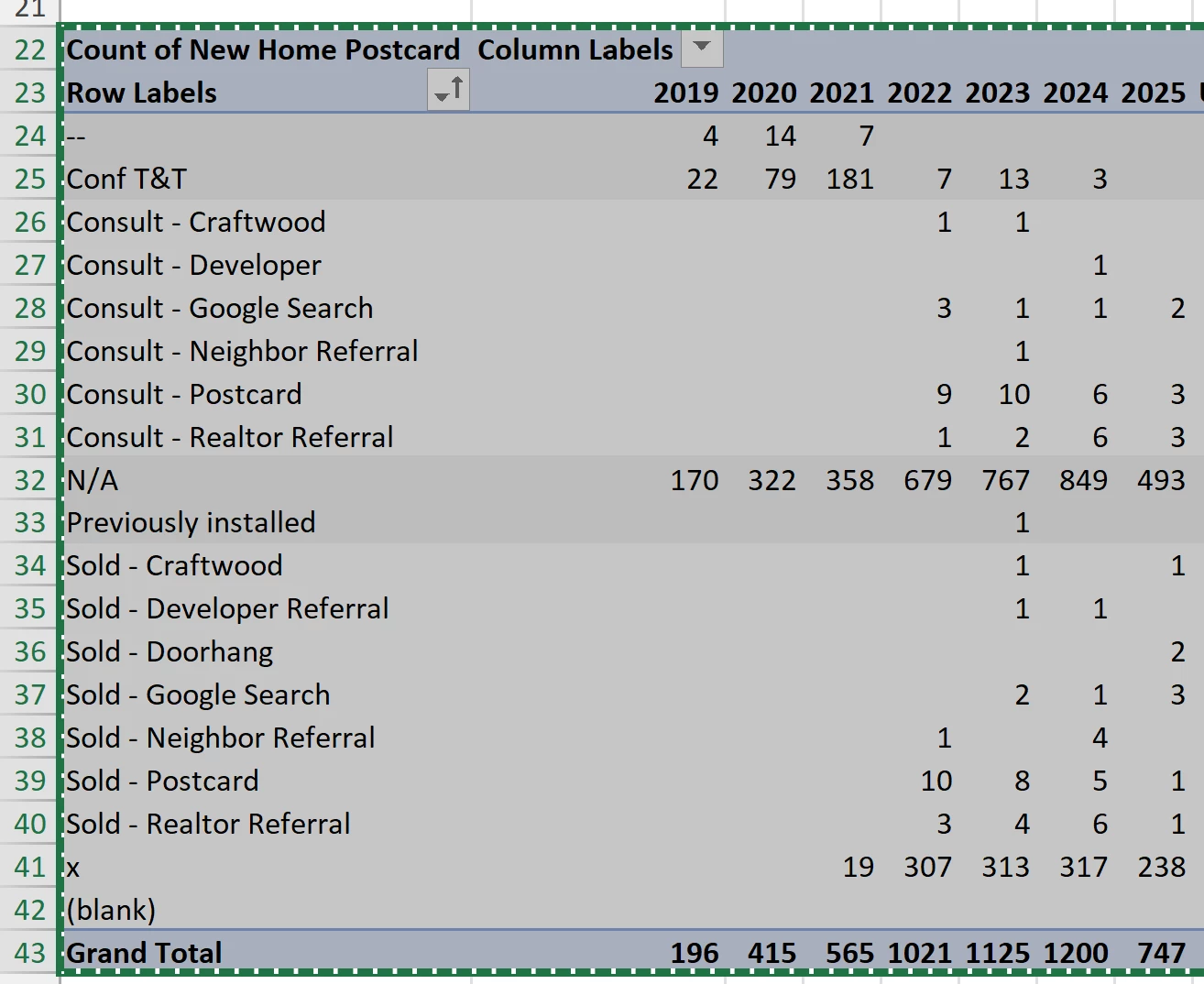
I added a picture below of the Pivot table that we use to pull from the Excel lead tracker to get the raw numbers. And based on these numbers, we do a series of calculations (% to close because of x, % of consults that lead to sales, etc).


2 replies

Troy Tessalone
Zapier Orchestrator & Solution Partner
Forum|alt.badge.img+14
  • Zapier Orchestrator & Solution Partner
  • January 26, 2026

Hi ​@ashland 

That will depend on how your Zapier Table is configured.

Info about summary formulas in Zapier Tables: https://help.zapier.com/hc/en-us/articles/33235712860045-Add-a-summary-formula-to-a-field-in-Zapier-Tables


drtanvisachar
Forum|alt.badge.img+4
  • Zapier Solution Partner
  • January 26, 2026

Hello ​@ashland 

Zapier Tables doesn’t support pivot tables yet.

Best approach is to use Tables as the data source and sync rows to Google Sheets or Excel with a Zap, then keep your pivots and % calculations there.

You can do small calculations in Zaps with Formatter, but not full pivot style analysis.


Dr. Tanvi Sachar
Monday Certified Partner, Tuesday Wizard






