Best answer

Adding pictures to automatic emails going out.

  • December 31, 2020
  • 6 replies
  • 926 views

I need to add a picture to my outgoing automatic email when I get a new Facebook lead. I found a related article but the steps are not working. I receive the test email but the picture is not there.


Thanks for the help.

Best answer by Troy Tessalone

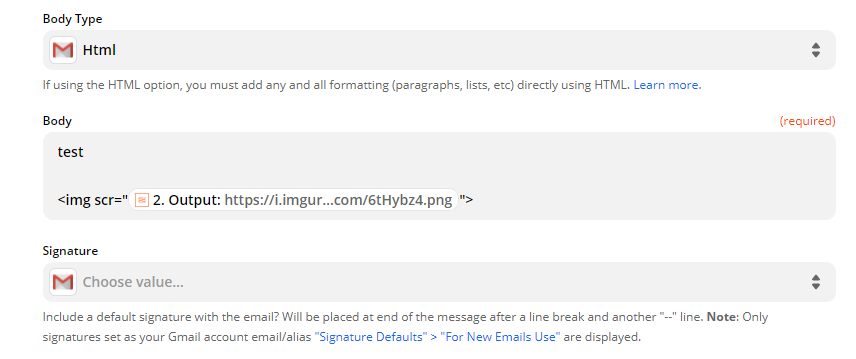
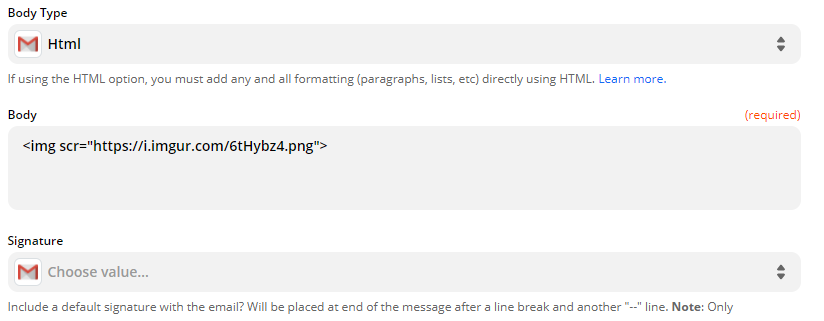
Should be “src” instead of “scr”


This post has been closed for comments. Please create a new post if you need help or have a question about this topic.

6 replies

Troy Tessalone
Zapier Orchestrator & Solution Partner
Forum|alt.badge.img+14
  • Zapier Orchestrator & Solution Partner
  • December 31, 2020

What app are you using to send the email? (e.g. Gmail)

Are you using HTML in your email template to add the IMG?

Here’s a resource about the IMG tag: https://www.w3schools.com/tags/tag_img.asp


  • Author
  • Beginner
  • December 31, 2020

Hey Troy, thanks for replying.


I am using Gmail. And I am using HTML for the body of the text. Now, my image is saved on Imgur, and I am adding the direct link that finishes in ‘.png’ to the <img> Tag.

Do I have to save the picture I want to send somewhere else?


Again, thanks for the help!


Troy Tessalone
Zapier Orchestrator & Solution Partner
Forum|alt.badge.img+14
  • Zapier Orchestrator & Solution Partner
  • December 31, 2020

Can you provide a screenshot of how your HTML is configured for the email with the IMG tag?

FYI: The image URL needs to be publicly accessible for it to render in the sent email.


  • Author
  • Beginner
  • December 31, 2020

Yes. 

I also tried a formatter to select the image from a list with no luck.

Thanks!


Troy Tessalone
Zapier Orchestrator & Solution Partner
Forum|alt.badge.img+14
  • Zapier Orchestrator & Solution Partner
  • Answer
  • December 31, 2020

Should be “src” instead of “scr”


  • Author
  • Beginner
  • December 31, 2020

LOL… fixed. Thanks.