Hey guys,
I’m trying to update a card in trello with new data, but instead of replacing the description, I want to add something to it (below)!
Is that possible?


Hey guys,
I’m trying to update a card in trello with new data, but instead of replacing the description, I want to add something to it (below)!
Is that possible?
Best answer by ForYourIT
Found a better solution for you
It would look like this:
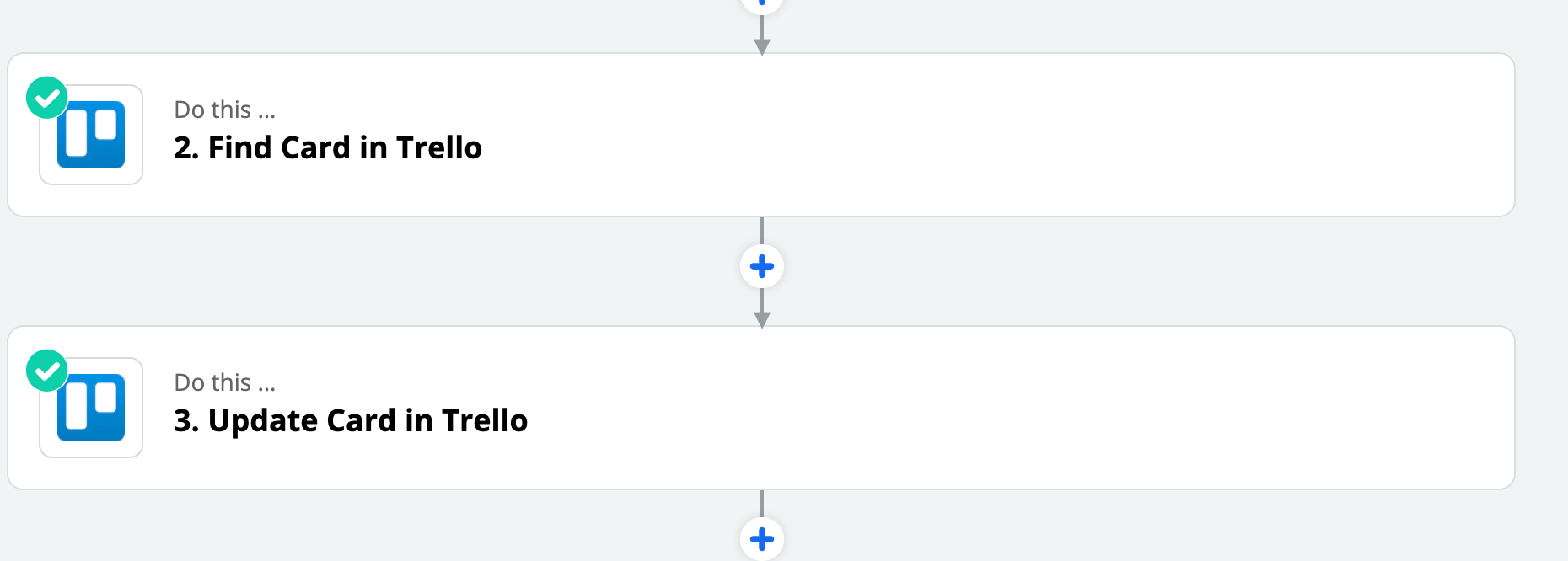
And with the fields in 3. from 2. plus any extra description you want to add.
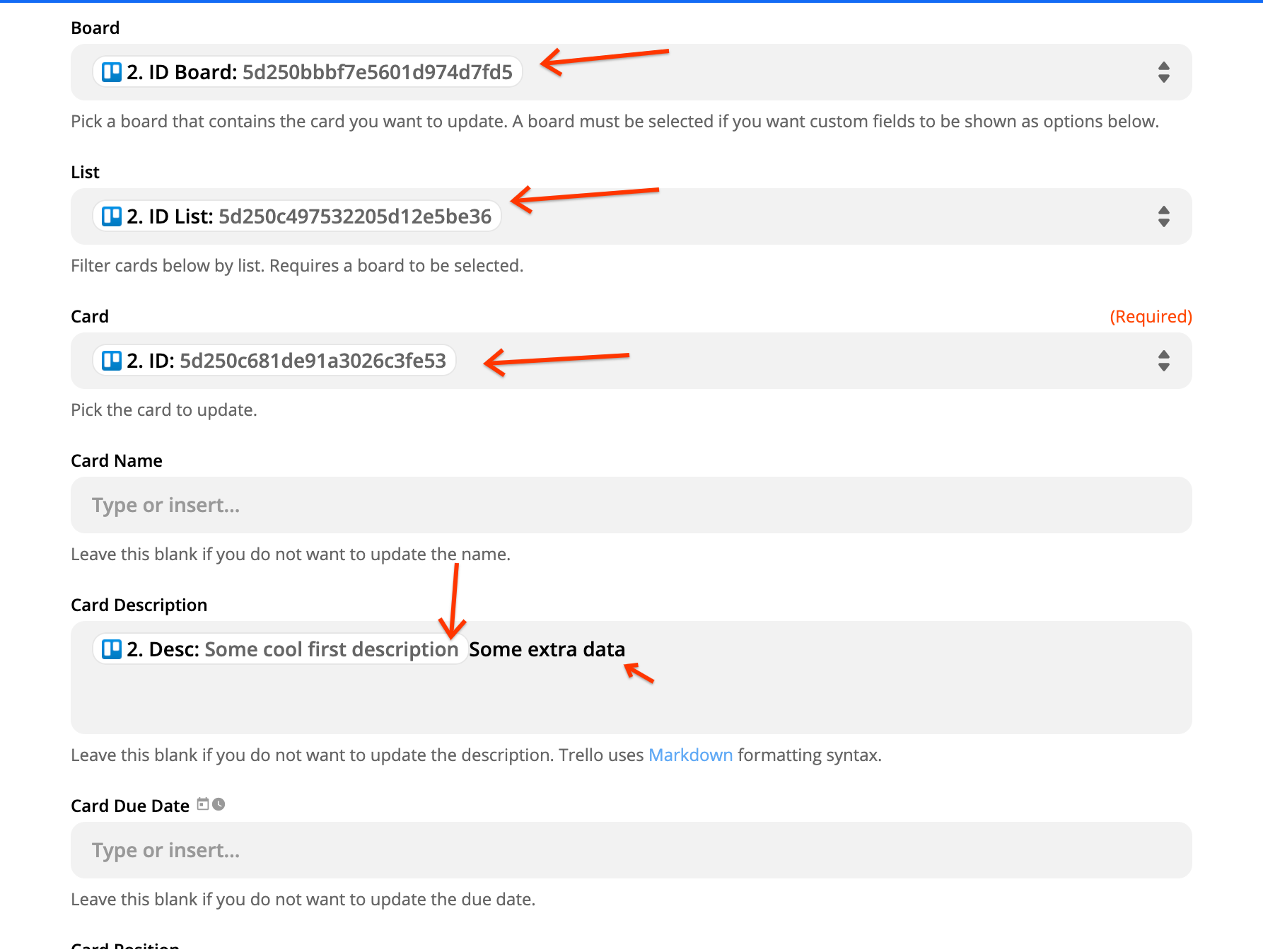
Hope this helps you! Let me know :D
~Bjorn

Build and deploy automations from AI tools you already use. With Agentic Management, if anything breaks, the agent diagnoses the issue and proposes a fix.

Join us September 23rd, 2026 for a free, one-day virtual event with 30+ sessions on AI automation. Get live build-alongs, playbooks, and strategies to lead AI transformation at your organization.
No account yet? Create an account
Enter your E-mail address. We'll send you an e-mail with instructions to reset your password.