Answer

Add new Typeform responses to a Google Doc in a new Google Folder with the file and uploaded files

  • December 14, 2020
  • 5 replies
  • 84 views

I have a Zapier with 4 tasks.


  1. Trigger from Typeform
  2. Create a new folder with the First and Last Name.
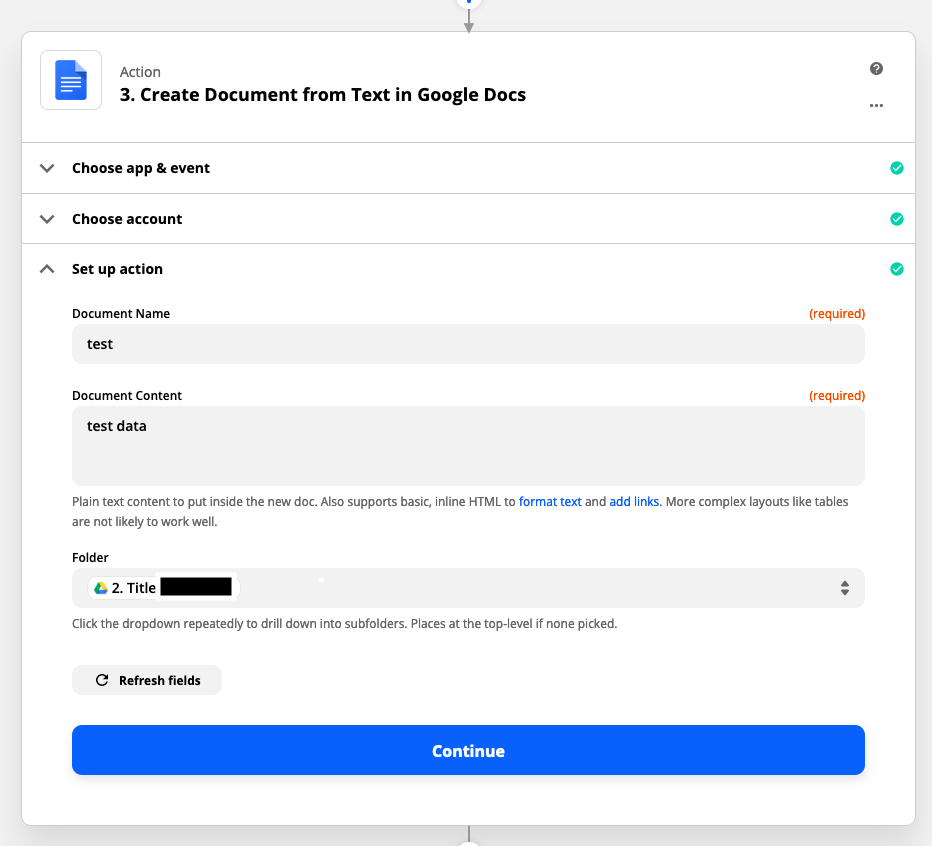
  3. Create Document from Text in Google Docs that would have the form fields and add it to the dynamically created folder that was done in part 2
  4. Upload file(s) to google drive’s created folder


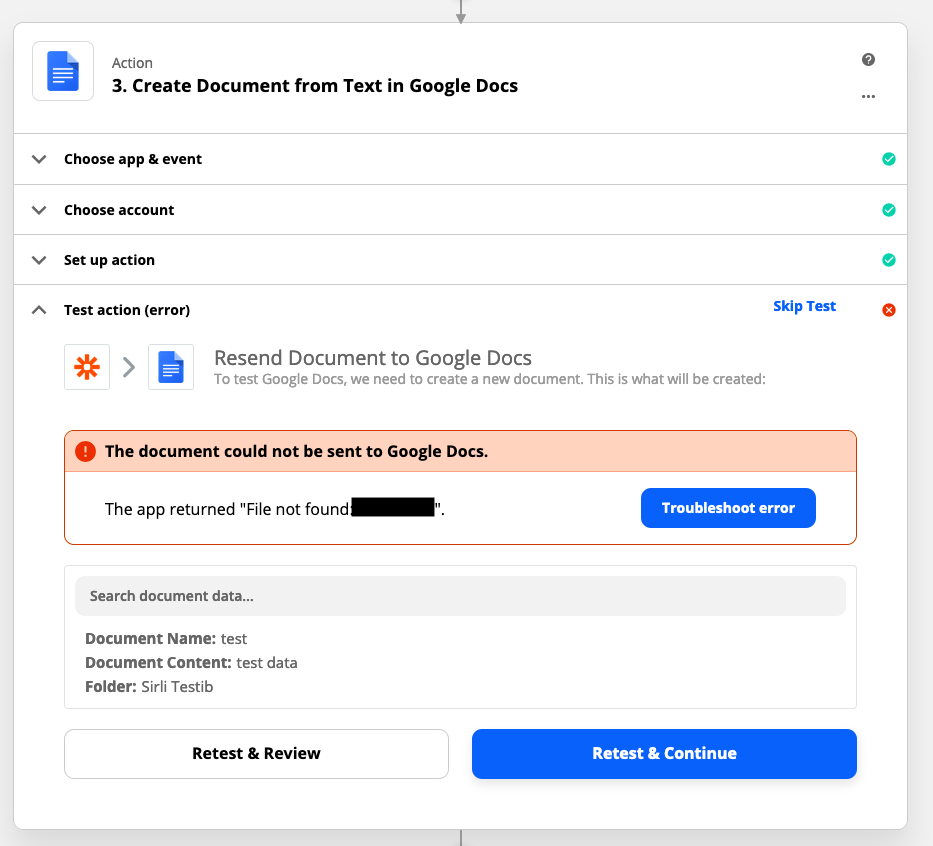
Task 2 works, it creates a folder with the sign up name. Tasks 3 and 4 don’t work as I get an error “The document could not be sent to Google Docs.”. Clicking the troubleshoot error button it gives me info that its a 404 error.


Best answer by Troy Tessalone

You need to pass the ID of the GDrive Folder from Step 2 for this data point, rather than the Title of the GDrive.


This post has been closed for comments. Please create a new post if you need help or have a question about this topic.

5 replies

Troy Tessalone
Zapier Orchestrator & Solution Partner
Forum|alt.badge.img+14
  • Zapier Orchestrator & Solution Partner
  • December 14, 2020

Is the error coming from Step 3 or Step 4?

Perhaps provide screenshots of how your Zap Steps 3 & 4 are configured.


  • Author
  • Beginner
  • December 14, 2020

Its coming from Step 3


Troy Tessalone
Zapier Orchestrator & Solution Partner
Forum|alt.badge.img+14
  • Zapier Orchestrator & Solution Partner
  • Answer
  • December 14, 2020

You need to pass the ID of the GDrive Folder from Step 2 for this data point, rather than the Title of the GDrive.


  • Author
  • Beginner
  • December 15, 2020

You need to pass the ID of the GDrive Folder from Step 2 for this data point, rather than the Title of the GDrive.


You are correct. Can you explain why ID works and not Title?


Troy Tessalone
Zapier Orchestrator & Solution Partner
Forum|alt.badge.img+14
  • Zapier Orchestrator & Solution Partner
  • December 15, 2020

Most apps rely upon system generated ID which will always be unique.