
Best answer

Acuity Scheduling appointments not added into Monday.com - “invalid value” error

  • Aug 17, 2021 9:59 PM UTC
  • 7 replies
  • 162 views

Hi, 

I've been trying to setup this integration appointment scheduled in acuity scheduling > create new item in monday.com.


After entering the column values in the fields to the left, and entering in the information that I need in JSON format in the right fields. After I’ve setup the zap and test it out, I either get an error message that says “invalid value” or the item is never created. 

I’ve contacted the Zapier team and the Monday.com team and neither have been helpful.


I’m hoping someone from this community can help! 

Thanks

Best answer by Troy Tessalone

@laneyeavly

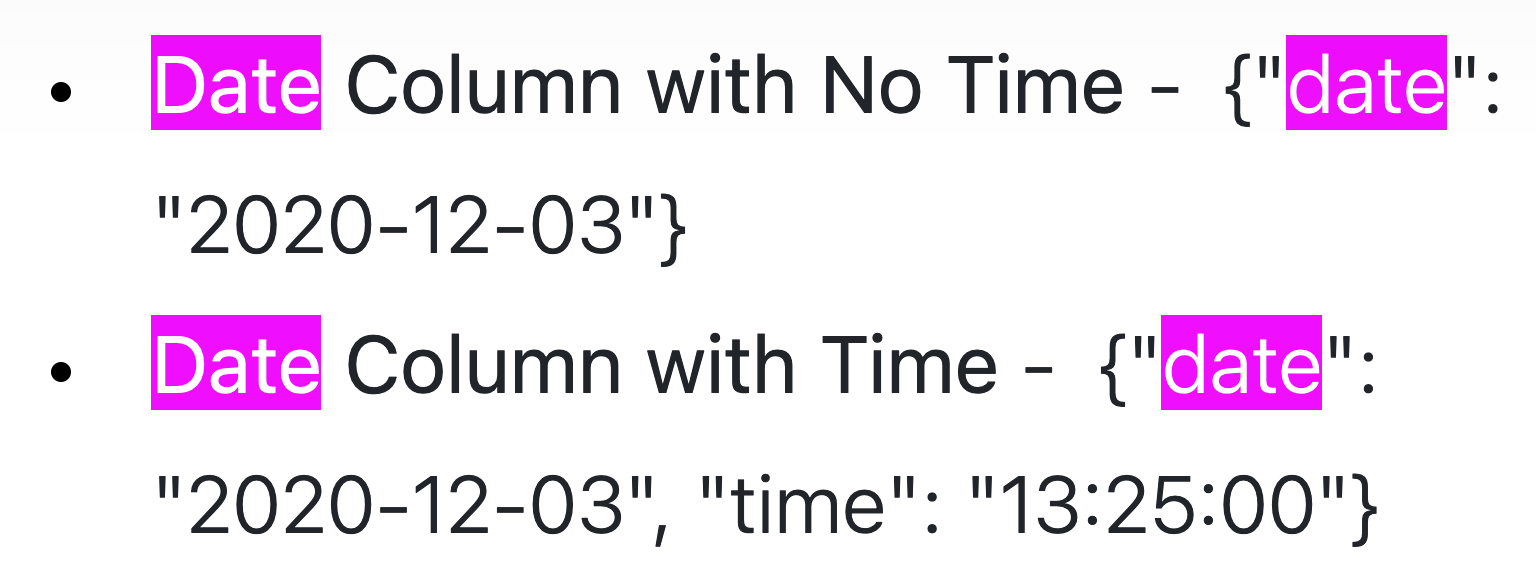
Date and Time needs to be in this format as indicated in the help article:

Date: YYYY-MM-DD

Time: HH:MM:SS

You can use Formatter steps in the Zap to prep these data points: https://zapier.com/help/doc/how-use-formatter-functions


View original
This post has been closed for comments. Please create a new post if you need help or have a question about this topic.

7 replies

Troy Tessalone
Zapier Orchestrator & Solution Partner
Forum|alt.badge.img+14
  • Zapier Orchestrator & Solution Partner
  • Aug 17, 2021 10:10 PM UTC

Hi @laneyeavly 

Please post screenshots of how your Zap steps are configured, thanks.

NOTE: The Monday Zap app integration can be tricky to use, and sometimes you have to do process of elimination to determine which data point is not formatted correctly.

Help article: https://support.monday.com/hc/en-us/articles/360014205860-Zapier-JSON-Formatting-Examples


  • Author
  • Beginner
  • Aug 17, 2021 11:07 PM UTC

Hi Troy, 

Thank you for your reply. I’ve read this article many times and I have not found it helpful as it’s not solving my problem. 

I’m going to reply to this thread twice with the two main issues I’ve been experiencing to better organize them. 

First issue: 

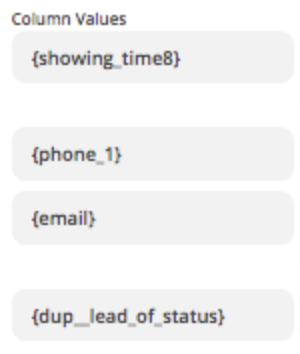
When I format both columns like it says to in the JSON monday:zapier formatting article, I get an error message. 


Troy Tessalone
Zapier Orchestrator & Solution Partner
Forum|alt.badge.img+14
  • Zapier Orchestrator & Solution Partner
  • Answer
  • Aug 17, 2021 11:09 PM UTC

@laneyeavly

Date and Time needs to be in this format as indicated in the help article:

Date: YYYY-MM-DD

Time: HH:MM:SS

You can use Formatter steps in the Zap to prep these data points: https://zapier.com/help/doc/how-use-formatter-functions


  • Author
  • Beginner
  • Aug 17, 2021 11:12 PM UTC

Another issue I’m having is if I format the left column like this: {text}, the item gets created in Monday.com but none of the info from Acuity Scheduling shows up within the item. 


Troy Tessalone
Zapier Orchestrator & Solution Partner
Forum|alt.badge.img+14
  • Zapier Orchestrator & Solution Partner
  • Aug 17, 2021 11:16 PM UTC

@laneyeavly

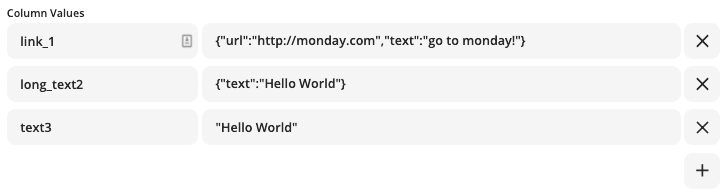
The left side values should NOT be enclosed in bracket.


Example from help article:


  • Author
  • Beginner
  • Aug 18, 2021 12:45 AM UTC

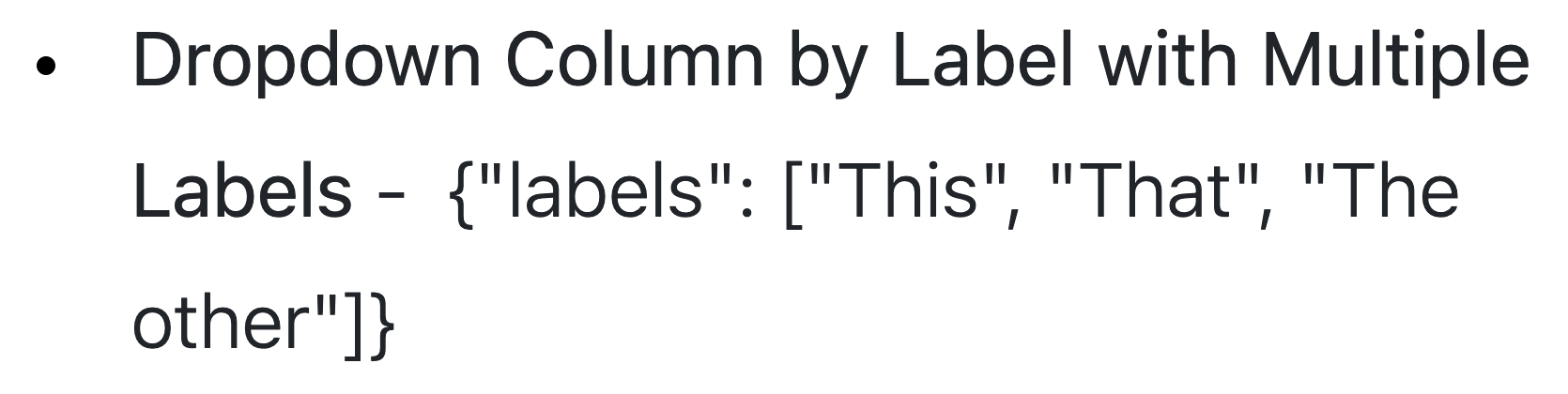
Thank you so much Troy! I was finally able to achieve this by using the formatter app. There is one last thing that I need help with. The only information that isn’t adding is this drop down menu. 


This is how I’m formatting it and the drop down menu that I have. 


Troy Tessalone
Zapier Orchestrator & Solution Partner
Forum|alt.badge.img+14
  • Zapier Orchestrator & Solution Partner
  • Aug 18, 2021 3:57 AM UTC

@laneyeavly 

Will depend on what type of column it is: Dropdown OR Status

“Blank” doesn’t appear to be an option on the other screenshot, so that might be the issue.