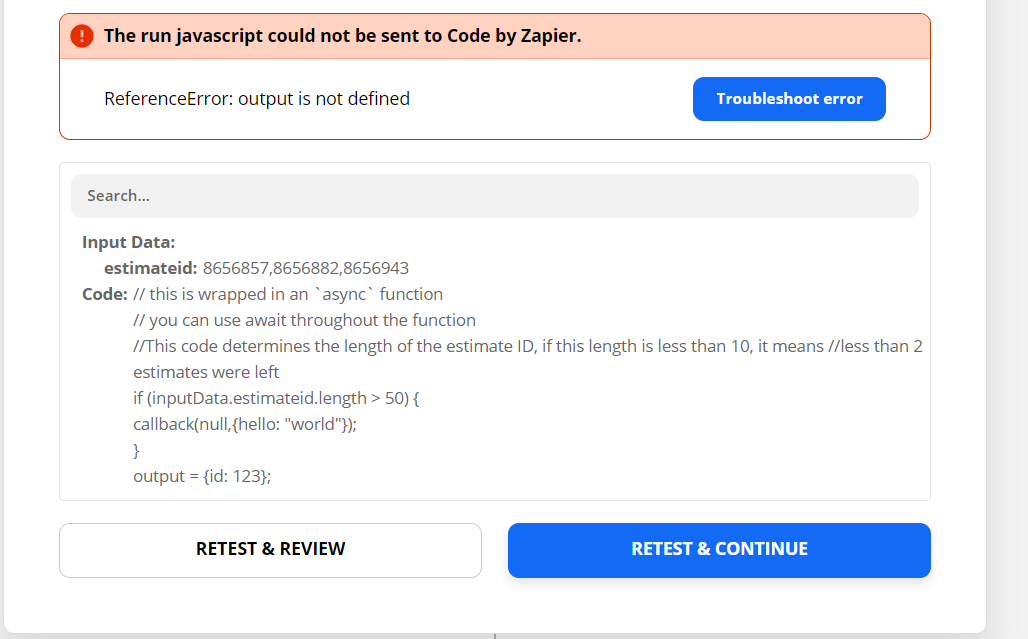
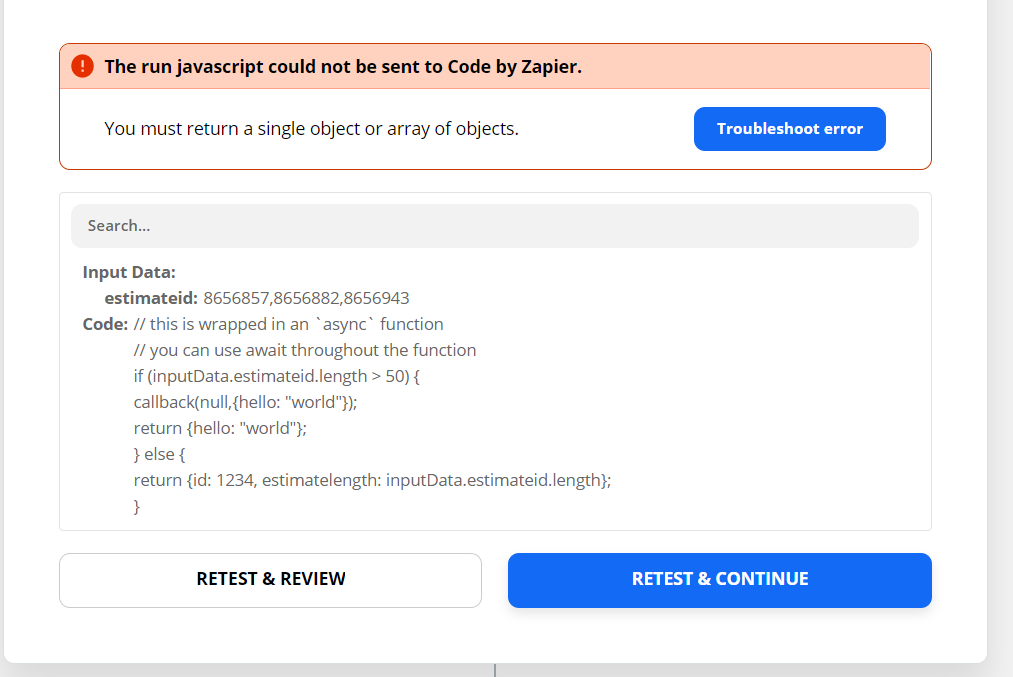
When the IF statement allows the callback I have no issues, but if the IF statement is false and proceeds to the ELSE then I get “Output not defined”. I have also tried without the ELSE. Same thing, says output not defined.
IN CASE BELOW IF estimateid.length is greater than 50 the Callback works, if it is less than 50 then I get the error shown below. I have tried any type of output even the basic hello world, same thing.
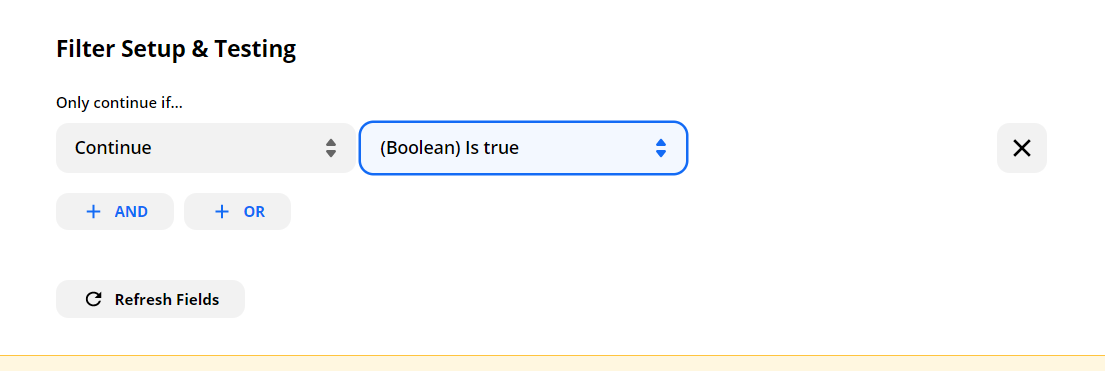
@ITplumber if you use callback in this way you won’t get the desired result. It’s supposed to be used for asynchronous execution. If you’d like to test for a condition and then stop execution based on that condition then follow these 2 steps:
1. Use a Code step like you are doing now to evaluate the condition and set a variable based on the result of the condition. Example:
Thanks @AndrewJDavison_Luhhu - Looks like this question is about Code by Zapier app. No worries though! I’ve moved it back to the right spot so we can get more attention on it. Thanks for the help!
But the task will go on to the next step in both cases, which would use up more Action Steps. That is the main problem I am trying to save on Action steps. I don’t just need the execution stopped I need the entire Zap stopped if the IF statement is TRUE.
Sorry, I am knew to JavaScript and Code by Zapier. I can get the code to work in every example except when I used CALLBACK() INSIDE OF IF()
@ITplumber if you use callback in this way you won’t get the desired result. It’s supposed to be used for asynchronous execution. If you’d like to test for a condition and then stop execution based on that condition then follow these 2 steps:
1. Use a Code step like you are doing now to evaluate the condition and set a variable based on the result of the condition. Example:
Thank you. That explains it well. Unfortunately it will still use the extra filter Step I am trying to avoid because this is an expensive Zap. But thank you for the good explanation.
@ITplumber you won’t be charged a task for a filter that doesn’t pass. So no need to worry.
Early access
Next Gen Zaps
Build and deploy automations from AI tools you already use. With Agentic Management, if anything breaks, the agent diagnoses the issue and proposes a fix.
Join us September 23rd, 2026 for a free, one-day virtual event with 30+ sessions on AI automation. Get live build-alongs, playbooks, and strategies to lead AI transformation at your organization.