Question

Webhook payload not being processed correctly

  • December 31, 2025
  • 8 replies
  • 67 views

I’ve created a Zap to expose a Catch Raw Hook webhook to then ultimately send an email with the attachment from the webhook payload. Going from the webhook directly to Gmail wasn’t working for me, so I’m trying to upload to GDrive instead so I can see what the output is like.

These are some of the fields coming through from the webhook:

Data from webhook

The attachment is a PNG file, and the header is set as such. You can see the PNG chunk details in the data - PNG, IHDR, IEND etc. along with the binary data.

I tried writing this directly to GDrive as a PNG file. It creates a file of some sort, but cannot be opened as a PNG. So I tried writing it to GDrive as a .bin file instead and then downloaded and opened in TextEdit to see the content - it looks like it does in Zapier:
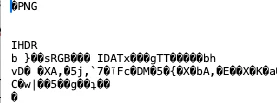
bin file from Zapier in TextEdit
​​​​​

If I open a legit PNG file with TextEdit then it looks a little different. It still has the PNG chunk markers but the binary data is totally different:
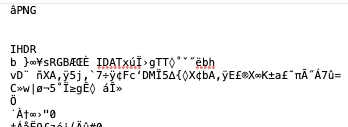
Legit PNG file in TextEdit

So my guess is that the raw data from the webhook as actually being interpreted as ASCII/UTF-8 rather than as actual raw data, even though the header is set to image/png

Has anyone else seen this issue? Is there a way to fix it?

Thanks in advance!

8 replies

  • New
  • December 31, 2025

The raw webhook payload is likely getting mangled because Zapier treats it as text by default, converting binary to escaped strings or UTF-8. Switch to a Code by Zapier step (JavaScript or Python) to handle it as base64 or bytes properly, then pass the clean buffer to Google Drive upload. That usually fixes corrupted PNGs from raw hooks. If still stuck, share your exact steps for a closer look.


This is a pretty common gotcha with Catch Raw Hooks in Zapier.

What you’re seeing usually happens because Zapier is treating the incoming payload as text (UTF-8 / ASCII) instead of true binary, even though the header says image/png. Once that happens, the file is already corrupted before it ever reaches Google Drive.

A few things that usually fix this:

• Make sure the webhook sender is base64-encoding the file
• In Zapier, pass the file using a File object (not raw body text)
• If base64 is used, add a Utilities → Line-itemizer / Utilities → Utilities (Decode Base64) step before uploading
• Upload to Google Drive using the File (Exists but not shown) field, not a mapped text field

Zapier doesn’t reliably handle raw binary streams end-to-end. Encoding → decoding is almost always required, even if the content-type looks correct.

If you want, I’m happy to sanity-check the webhook payload structure or suggest a cleaner handoff pattern.


Troy Tessalone
Zapier Orchestrator & Solution Partner
Forum|alt.badge.img+14
  • Zapier Orchestrator & Solution Partner
  • December 31, 2025

Hi ​@clivado 

Help us have more info by answering these questions:

  1. What app is sending the webhook? (name)
  2. What app event is causing the webhook to be sent? (e.g. new record, updated record, etc.)


  • Author
  • New
  • January 1, 2026

@Krzysztof and​ @AKINLOLU ABDULMUQEET thanks for your responses.

  • I don’t have any control over the content other than the file type (e.g. PNG, PDF etc.) - I can’t send as Base64
  • There is no File object field available from the Catch Raw Hook step, just the raw body along with all the HTTP headers 
  • I am using the File field to upload to GDrive. It creates the file, but is corrupted.


@Troy Tessalone 

  • The app is Omni, a business intelligence platform
  • The event is a dashboard delivery, e.g. send the sales dashboard at 9am each day to a webhook

Troy Tessalone
Zapier Orchestrator & Solution Partner
Forum|alt.badge.img+14
  • Zapier Orchestrator & Solution Partner
  • January 1, 2026

  • Author
  • New
  • January 1, 2026

@Troy Tessalone we’re looking at Zapier to give more flexibility around deliveries than what’s currently available in Omni. Specifically the idea is to allow email deliveries from different domains based on content - we can only have one vanity domain in Omni currently.


Troy Tessalone
Zapier Orchestrator & Solution Partner
Forum|alt.badge.img+14
  • Zapier Orchestrator & Solution Partner
  • January 1, 2026

@clivado 

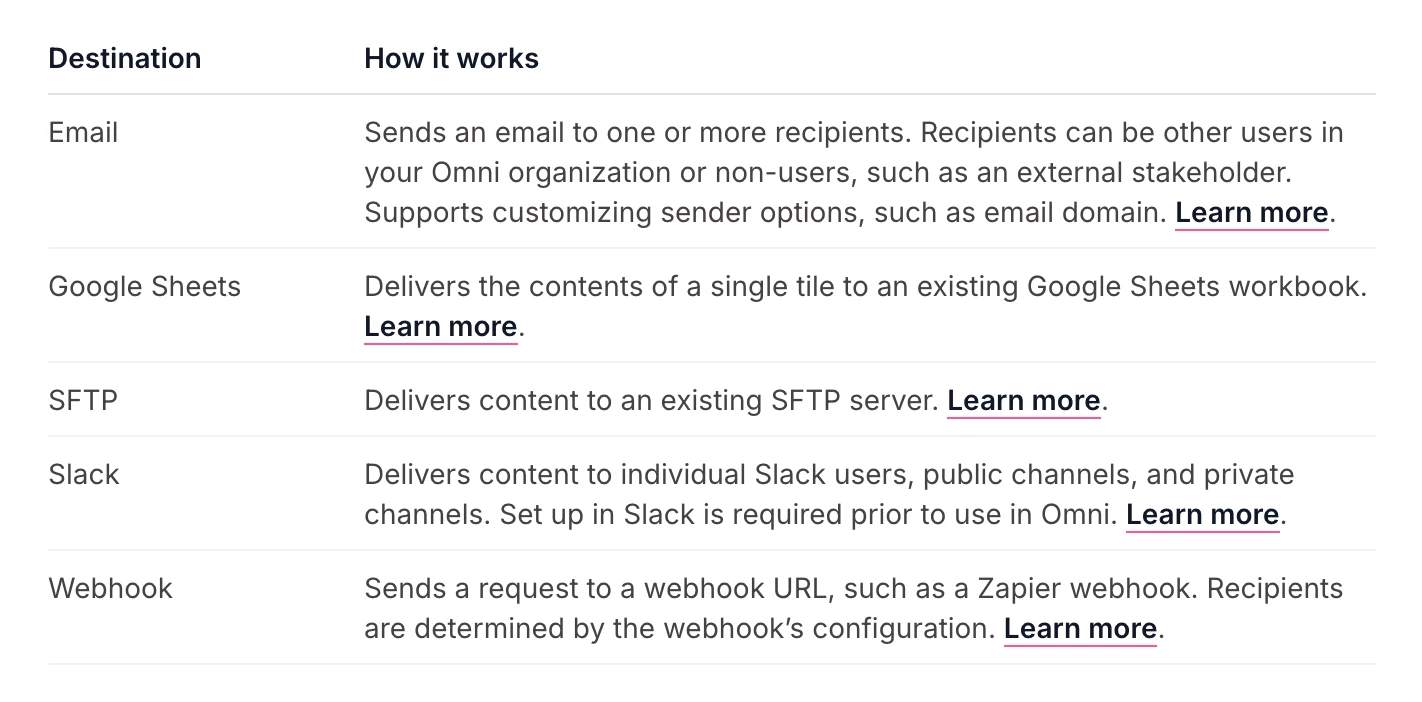
Concept would be to configure Omni delivery destination to send an email or to a SFTP Folder, then use that as the Zap trigger step.


Zap steps

  1. Trigger: Gmail - New Attachment 
  2. Action: Filter
  3. Action: Gmail - Send Email


Zap steps

  1. Trigger: SFTP - New or Updated File
  2. Action: Filter
  3. Action: Gmail - Send Email


  • Author
  • New
  • January 1, 2026

That could work, thanks ​@Troy Tessalone!