
Best answer

Using a Webhook API to process responses in Zapier

  • February 17, 2026
  • 8 replies
  • 61 views

dailyaistudio

Just seeing if I a missing something here. It is a really good feature in other system that enable you to setup a Webhook and then have it wait to respond to the incoming data before you reply with the results.


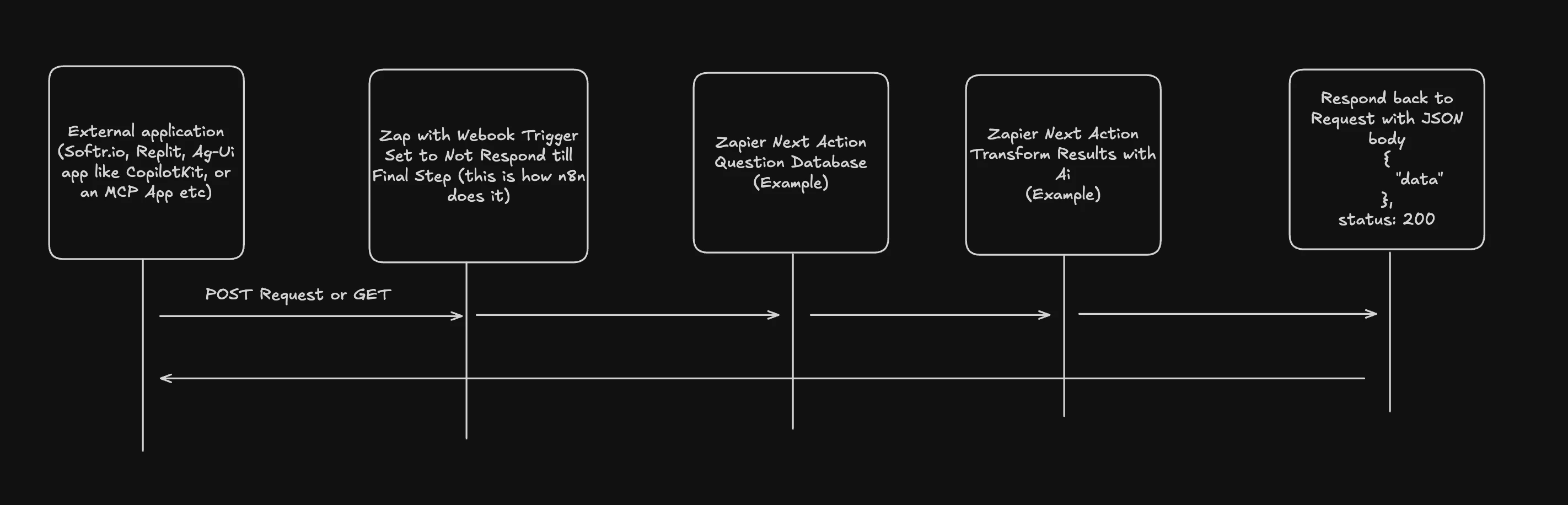
Request → Webhook API → query database → ask llm → save results to database → Respond to Request with JSON


Is that possible right now in Zapier? From what I see it responds right away with JSON and 200? (In my current use case I had a Slack Slash command triggering the Webhook)

Here is an example use case. 

I have a system that sends an API request to a Webhook (in another automation tool) that webhook is set to wait will the system takes the incoming request passes it to an llm to process with the tools it has then returns the results back to the API request using the final Webhook or step output. The First Webhook is set to not reply till the entire workflow is done.


I have a ton of working examples where this no-code pattern to building APIs really pays off. 

Any help would be appreciated. 

Best answer by Troy Tessalone

@dailyaistudio 

It’s not that the API would respond twice, because it would be different events.


The configuration would need to be as an async job using these types of triggers/actions:

  • Trigger: Job Completed
  • Action: Start Job
  • Action: Check Job Status
  • Action: Get Job Result
  • Action: Cancel Job


Example from PDF.co of different modes (async / sync): https://docs.pdf.co/api-reference/async-and-sync-mode


8 replies

Troy Tessalone
Zapier Orchestrator & Solution Partner
Forum|alt.badge.img+14
  • Zapier Orchestrator & Solution Partner
  • February 17, 2026

Hi ​@dailyaistudio 

Help links for using the Webhooks Zap app: https://zapier.com/apps/webhook/integrations#help


Currently, you can NOT configure the webhook response.

This is in place because a Zap could be configured that takes a long time to respond, which is not ideal. (e.g. wait for N hours, lots of steps, errors could happen, etc.)


There have been many feature requests by users to be able to configure the webhook response. (e.g. signature)

If that functionality does become implemented, I expect it will be required to be as part of the Zap trigger step configuration or as a Zap step 2.


You may want to explore a different approach, such as with multiple Zaps:


drtanvisachar
Forum|alt.badge.img+5
  • Zapier Solution Partner
  • February 17, 2026

Hello ​@dailyaistudio 
 

You are not missing anything. Zapier Webhooks respond immediately with a 200 and then run the Zap asynchronously. They do not keep the request open and wait to return the final JSON from later steps.

For Slack slash commands, the typical pattern is to acknowledge right away, then send the final result using the provided response URL or a follow up message. If you truly need a synchronous request and response flow, you would need to host your own endpoint that can hold the connection until processing is complete.

For monday.com webhooks, remember your endpoint must also respond quickly and handle the initial challenge verification.

Dr. Tanvi Sachar
Monday Certified Partner, Tuesday Wizard


dailyaistudio
  • Author
  • Beginner
  • February 17, 2026

Hi ​@dailyaistudio 

Help links for using the Webhooks Zap app: https://zapier.com/apps/webhook/integrations#help


Currently, you can NOT configure the webhook response.

This is in place because a Zap could be configured that takes a long time to respond, which is not ideal. (e.g. wait for N hours, lots of steps, errors could happen, etc.)


There have been many feature requests by users to be able to configure the webhook response. (e.g. signature)

If that functionality does become implemented, I expect it will be required to be as part of the Zap trigger step configuration or as a Zap step 2.


You may want to explore a different approach, such as with multiple Zaps:

Thanks for the idea. The thing is some systems would be confused if the API responded twice.

it will still work as an Event based system just not an APi which is kind of a big deal honestly.

With the rise of the AG-UI protocol and other things it could make a great backend for these systems.


Troy Tessalone
Zapier Orchestrator & Solution Partner
Forum|alt.badge.img+14
  • Zapier Orchestrator & Solution Partner
  • Answer
  • February 17, 2026

@dailyaistudio 

It’s not that the API would respond twice, because it would be different events.


The configuration would need to be as an async job using these types of triggers/actions:

  • Trigger: Job Completed
  • Action: Start Job
  • Action: Check Job Status
  • Action: Get Job Result
  • Action: Cancel Job


Example from PDF.co of different modes (async / sync): https://docs.pdf.co/api-reference/async-and-sync-mode


dailyaistudio
  • Author
  • Beginner
  • February 18, 2026

Thanks ​@Troy Tessalone and ​@drtanvisachar  
 

— I appreciate the responses and I think we're almost on the same page. Let me clarify what I'm after.

I'm not looking for an async job pattern. What I need is a synchronous request/response flow — the same pattern any REST API uses:

1. External app sends a POST request to a webhook
2. The webhook holds the connection open
3. Zapier runs the automation steps (query a database, call an LLM, transform data, etc.)
4. Once all steps complete, Zapier responds to the original request with custom JSON and a status code

The caller waits for the response — no polling, no second webhook, no callback URL needed.

I have this working in n8n today using their "Respond to Webhook" node. The first webhook trigger is set to "not respond immediately" and the final node sends back the JSON payload to the original caller. Here's a short video walkthrough showing it in action: https://youtu.be/ycfJxZTEoWQ (sorry it does drag on a bit)

So my question is specifically: can Zapier hold a webhook connection open and respond with custom JSON at the end of the Zap, rather than immediately returning a 200? If the answer is "no, not currently supported" — that's totally fair and good to know. I just want to confirm I'm not missing a setting somewhere.

And you can see a full video from a while back of me explaining the concept (sorry it is quite old) 


Troy Tessalone
Zapier Orchestrator & Solution Partner
Forum|alt.badge.img+14
  • Zapier Orchestrator & Solution Partner
  • February 18, 2026

@dailyaistudio 

Zapier does not offer the ability to create your own API via Zaps.

Webhook triggers respond instantly with a 200 success, which can’t be configured.

Help links for using the Webhooks by Zapier Zap app that covers this limitation: https://zapier.com/apps/webhook/integrations#help


dailyaistudio
  • Author
  • Beginner
  • February 18, 2026

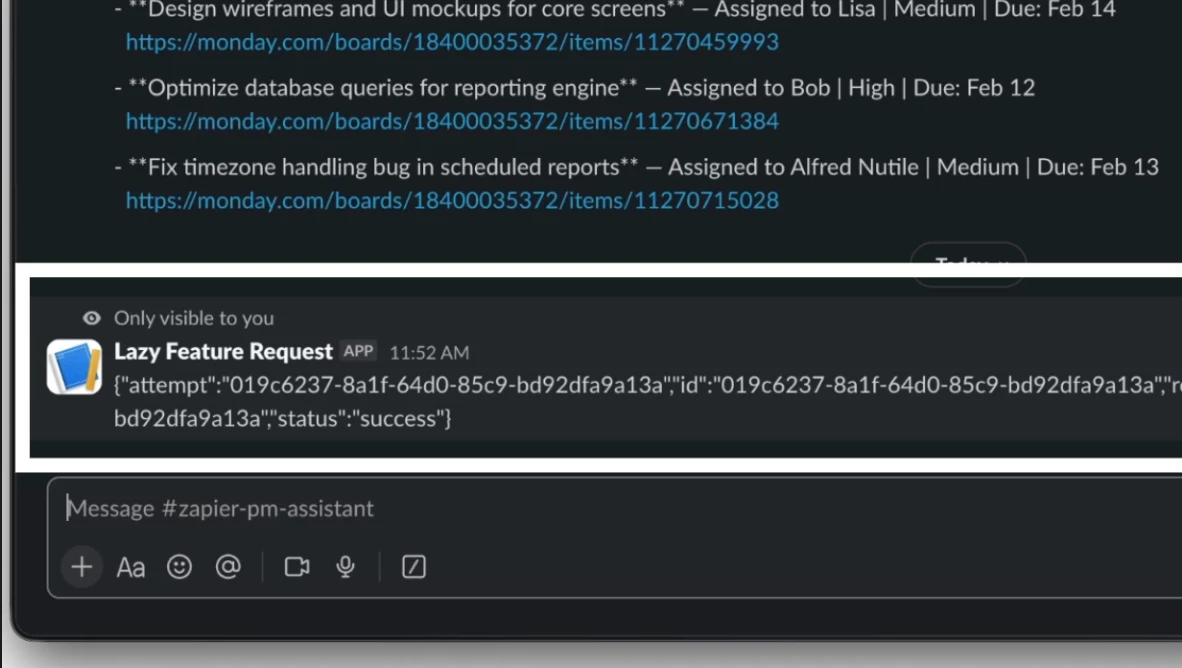
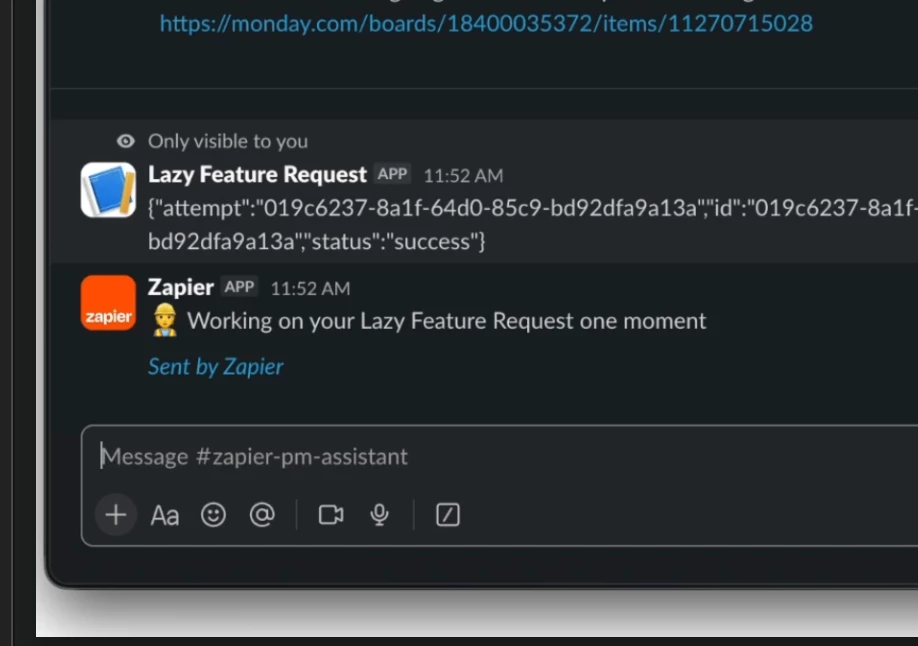
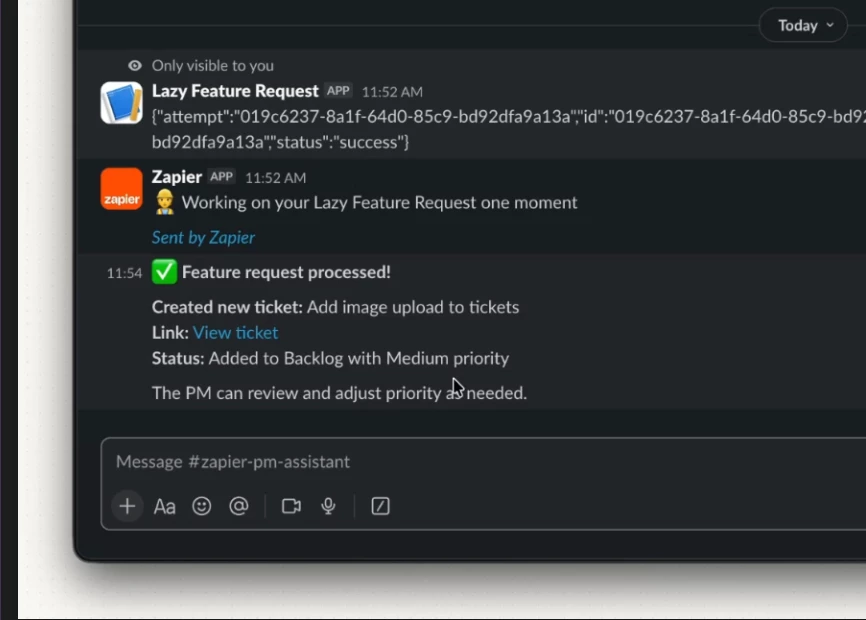
Just to share more info here as I later will try and make a proper feature request. Here is a great example a common use case is Slack Slash commands, they require a Webhook URL but when I use a webhook I could not keep it from doing this 

Ideally it would have been more synchronous and as noted above “waited” till the last action took place. In this case the Agent replies back 

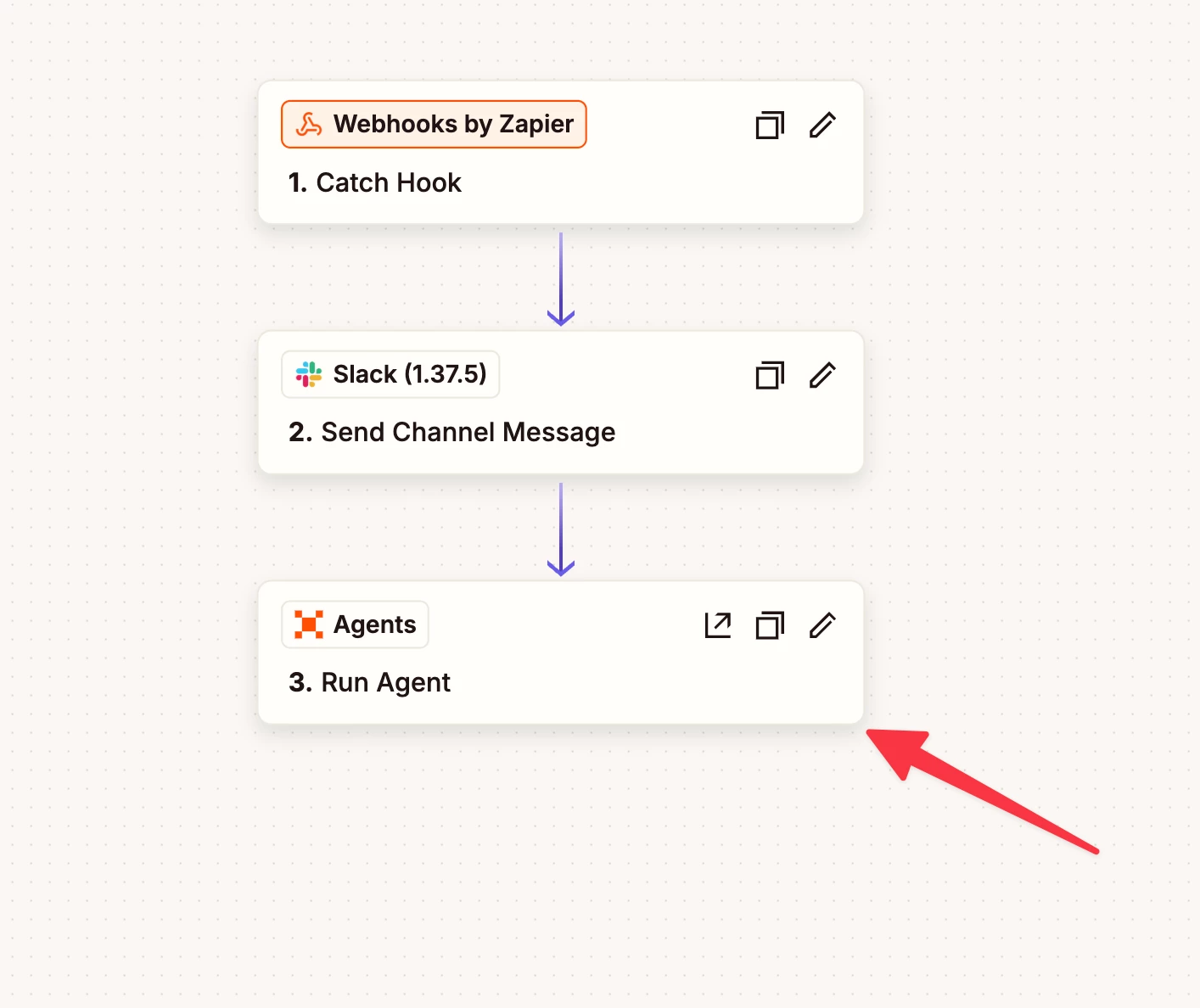
Though I could have replied at the end here as well, I just am working on a Supervisor Agent that manages all the communications. 

The Slack there just sends a quick update to the user while the agent does the work 


This Zap is set to wait for the Agent to be done but it could have from here gone either way async or sync


Troy Tessalone
Zapier Orchestrator & Solution Partner
Forum|alt.badge.img+14
  • Zapier Orchestrator & Solution Partner
  • February 18, 2026

@dailyaistudio 

Totally understand what you are describing.

It’s just not currently possible with Zapier to treat a Zap Webhook URL as an API endpoint.

There have been feature requests for years just to be able to configure the webhook response (still not possible), let alone create your own API endpoint.


Plus, your concept requires both origin/destination apps to work.

Origin app would have to hold open the connection long enough to get a response from the destination, and that may not be something you can control/configure, such as with Slack.


For more advanced approaches…

  • Explore using the Zapier Developer Platform
  • Slack Developer Docs
    • https://docs.slack.dev/
    • Can do more advanced formats and functionality
    • Would allow you to use a custom immediate response from the Zap webhook