
Question

URL Parameter must be an array

  • July 15, 2023
  • 4 replies
  • 406 views

Frankwin

I’m working on getting the Housecall Pro API integrated into my Zapier Zaps and I’ve been mostly successful, except when it comes to passing an array in a URL parameter. Here’s what my Zapier code looks like:
 

const options = {

  url: 'https://api.housecallpro.com/estimates',

  method: 'GET',

  headers: {

    'Accept': 'application/json',

    'Authorization': `Bearer ${bundle.authData.api_key}`

  },

  params: {

    'page': 1,

    'page_size': 3,

    'work_status': ["scheduled","unscheduled","in_progress","completed"]

  }

}

return z.request(options)

  .then((response) => {

    response.throwForStatus();

    const results = response.json;

    // You can do any parsing you need for results here before returning them

    return results.estimates;

  });

Here’s the error message the API returns:

The app returned "work_status filter must be an array".

This post has been closed for comments. Please create a new post if you need help or have a question about this topic.

4 replies

Troy Tessalone
Zapier Orchestrator & Solution Partner
Forum|alt.badge.img+14
  • Zapier Orchestrator & Solution Partner
  • July 15, 2023

Hi @Frankwin 

Good question.

Try adding each option as it’s own key/value parameter.

&work_status=unscheduled&work_status=scheduled&work_status=in_progress&work_status=completed&work_status=canceled

Frankwin
  • Author
  • Beginner
  • July 15, 2023

Hi @Frankwin 

Good question.

Try adding each option as it’s own key/value parameter.

&work_status=unscheduled&work_status=scheduled&work_status=in_progress&work_status=completed&work_status=canceled

I tried that, but that didn’t work.


Troy Tessalone
Zapier Orchestrator & Solution Partner
Forum|alt.badge.img+14
  • Zapier Orchestrator & Solution Partner
  • July 15, 2023

@Frankwin 

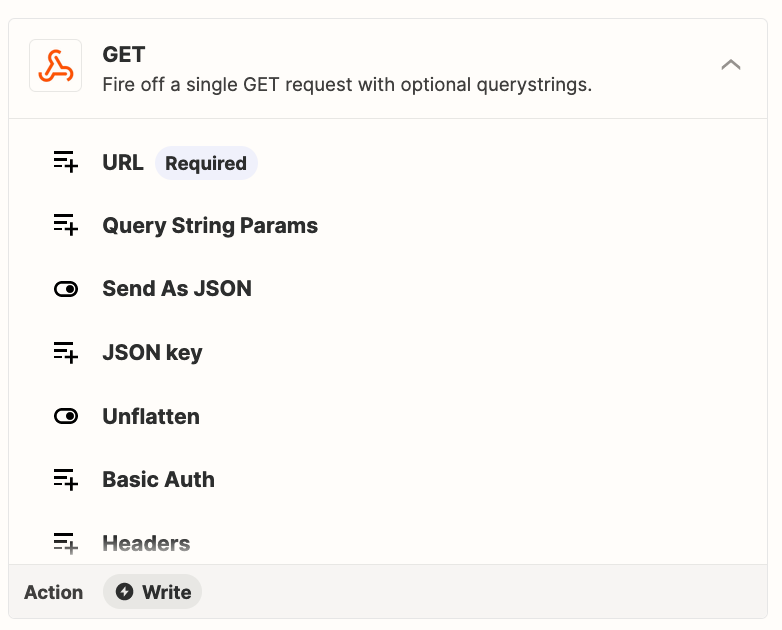
Have you tried using this Zap action: Webhook - GET


Frankwin
  • Author
  • Beginner
  • July 15, 2023

Yeah tried that too, didn’t work either. I “fixed” it by just filtering after getting the results:

return results.jobs.filter((x)=>x.work_status === "completed");