Best answer

Update an address of a contact in Constant Contact using their API

  • February 18, 2021
  • 6 replies
  • 167 views

For whatever reason the Constant Contact built in app doesn’t allow me to update an address of a contact. From reading some other places it looks like I might need to use a Webhook and do this utilizing Constant Contacts API.

I’m not sure where to start though, I’ve looked through the Reference on the Constant Contact API and I think I can put the code together I need but when I add a PUT Webhook there’s no place for that code. What am I missing?


Best answer by Troy Tessalone

@tim829

Constant Contact API error codes: https://v3.developer.constantcontact.com/api_guide/glossary_responses.html


401: Unauthorized

Example error message: The access token used is invalid.

Description: The access token or API key that you provided is not valid or has expired.

Action: Please provide a valid access token or use the OAuth flow to generate a new token.

Learn more: Authentication


I’ve used the Constant Contact API for a few clients, it’s authentication is not the simplest to configure and requires a few steps to store/retrieve/refresh the access token.

DM me if you’d like to arrange for paid work.

This post has been closed for comments. Please create a new post if you need help or have a question about this topic.

6 replies

Troy Tessalone
Zapier Orchestrator & Solution Partner
Forum|alt.badge.img+14
  • Zapier Orchestrator & Solution Partner
  • February 18, 2021

Hi @tim829 

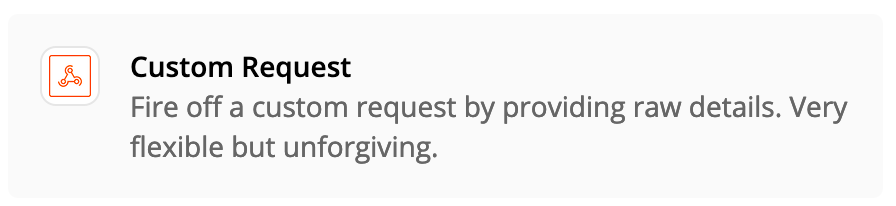
Try using the Custom Request option then selection the Method as PUT for the Webhook action.


  • Author
  • Beginner
  • February 19, 2021

Thanks for the information, I think I’m almost there but I’m getting “The app returned "unauthorized".” so obviously I’m still missing something in it to do with authorization. I guess this isn’t something you can help with since it’s the Constant Contact API that’s returning this error?


8.6.0

Troy Tessalone
Zapier Orchestrator & Solution Partner
Forum|alt.badge.img+14
  • Zapier Orchestrator & Solution Partner
  • Answer
  • February 19, 2021

@tim829

Constant Contact API error codes: https://v3.developer.constantcontact.com/api_guide/glossary_responses.html


401: Unauthorized

Example error message: The access token used is invalid.

Description: The access token or API key that you provided is not valid or has expired.

Action: Please provide a valid access token or use the OAuth flow to generate a new token.

Learn more: Authentication


I’ve used the Constant Contact API for a few clients, it’s authentication is not the simplest to configure and requires a few steps to store/retrieve/refresh the access token.

DM me if you’d like to arrange for paid work.


  • Author
  • Beginner
  • February 19, 2021

Thanks for the information. I think I have what I need on the CC end but I need to put a redirect_uri for Zapier in on the CC end after authorization to return back to Zapier.

8.6.0

jesse
Forum|alt.badge.img+9
  • Architect
  • May 5, 2021

Hey @tim829 and @Troy Tessalone! Just wanted to check in to see if you were both able to come to a resolution here. Let us know!


  • Author
  • Beginner
  • May 5, 2021

Hey @tim829 and @Troy Tessalone! Just wanted to check in to see if you were both able to come to a resolution here. Let us know!

Nope, it wasn’t worth the hassle and Constant Contact support wasn’t helpful. I just moved on to Mailchimp instead. 

8.7.3