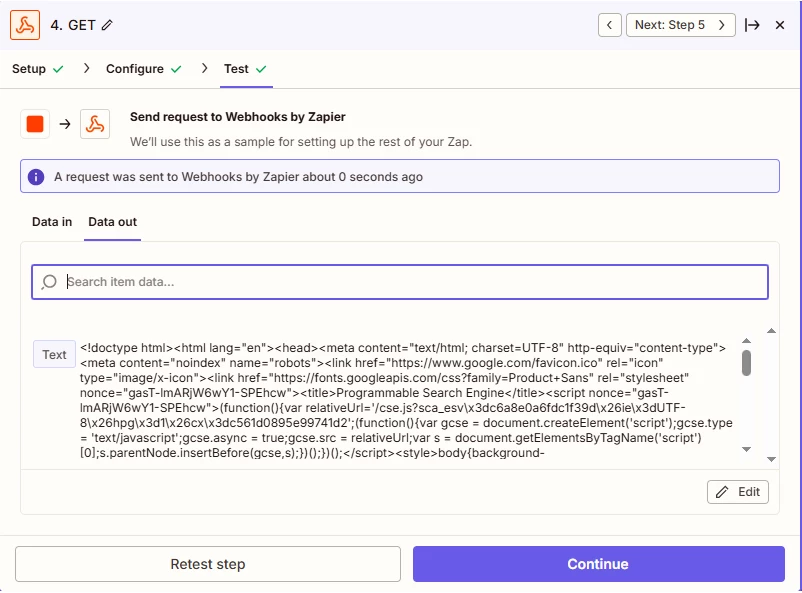
We are running a project where we need to include in our zap a web search of city images.
For example, if London is the target city of the report, we want to find a way to have AI or an agent? to search the internet and retrieve a couple of images for this particular city, so we that we can add them to our pdf report.
ChatGPT with Zappier only gives us text results.
How can we set this up?
Thank you!
Best answer by SamB
Thanks for sharing those screenshots @Dionysis X 🙂
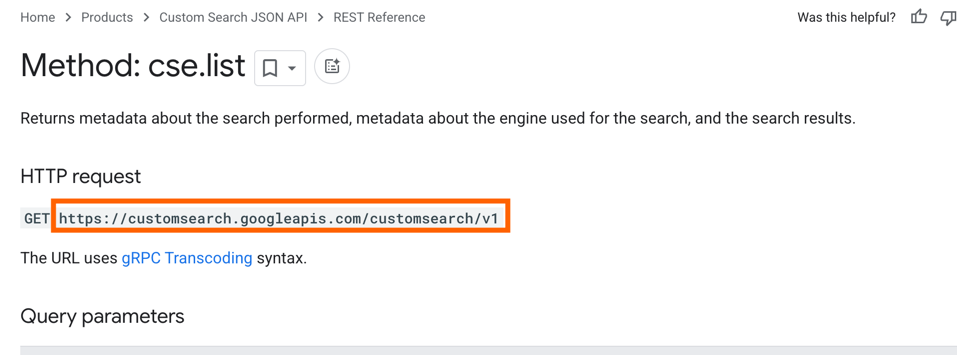
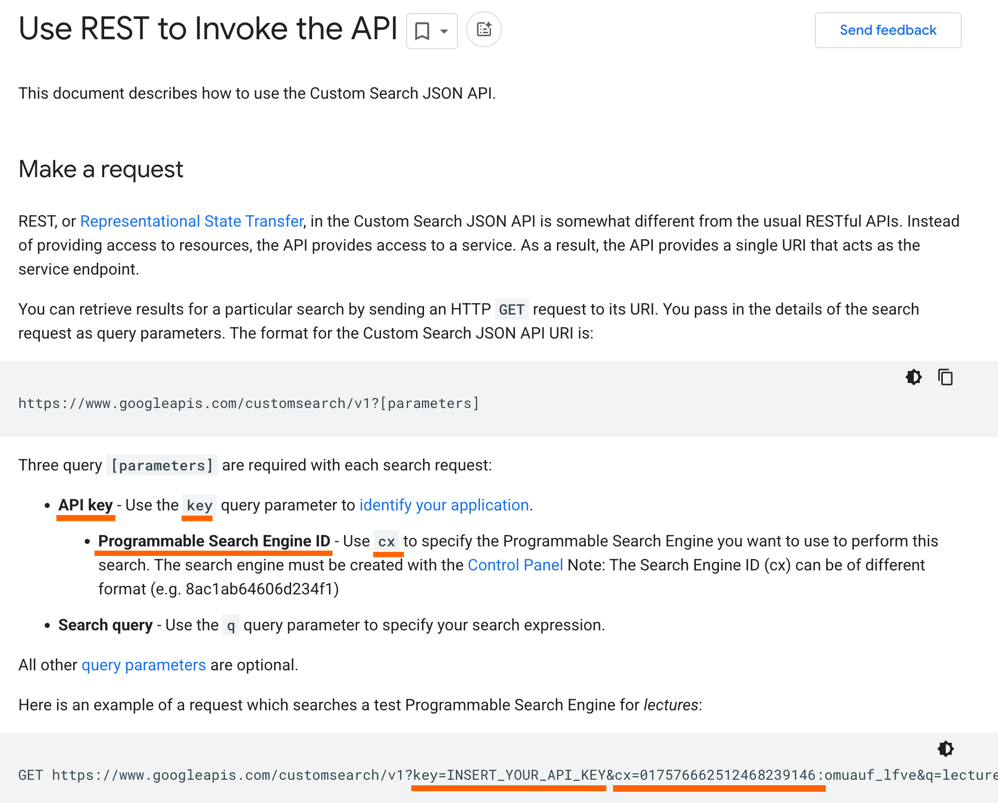
To automate adding city images to your Zapier workflow, use an image search API like Bing or Google Custom search. With Zapier's Webhooks app, you can send the city name as a parameter to the API and retrieve image URLs. Then, use Zapier to download the images and include them in a PDF report using tools like PDF.co or Crafmypdf. Test the workflow to ensure images are correctly retrieved and embedded. This setup lets you dynamically generate image-rich reports with minimal manual effort.
Feel free to ask if you need further help or have additional questions. We're here to assist you.
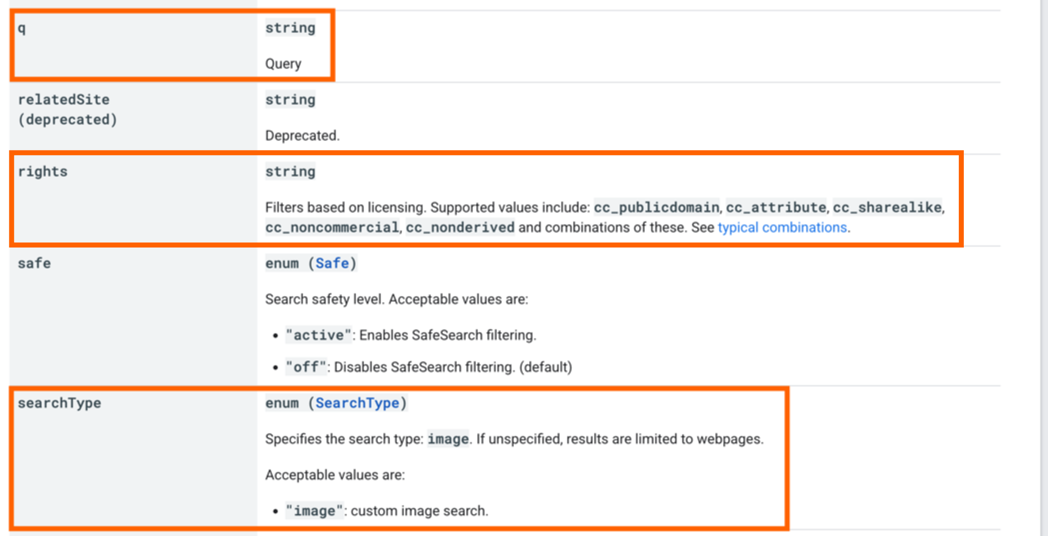
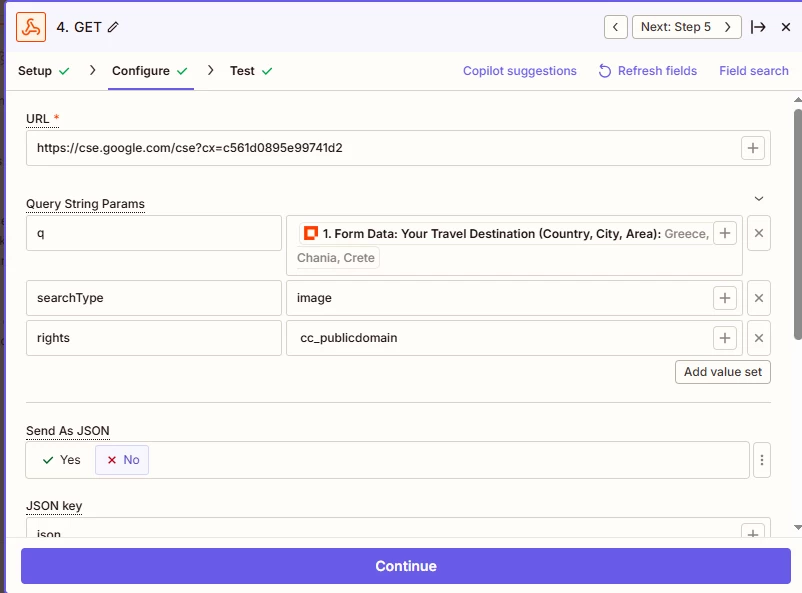
Hope you doing mind me hopping in to lend a hand in setting up the webhook. I had a quick look at the API documentation for Google’s Custom Search JSON API here and it looks like the q query parameter is where you’d want to map the Destination City field field to. To filter results by copyright type I’d suggest using the rights parameter. Also, be sure to set the searchType parameter to image to ensure it runs an image search:
I’d recommend checking out our Send webhooks in Zaps guide to learn more about using Webhooks in a Zap.
If you’re still stuck after that, can you share some screenshots of the setup of the Webhooks action and any errors you might run into? Make sure to blur/remove any personal info (names, emails etc.) before sharing—you can use a tool like Zappy for that.
Hope that helps to get you pointed in the right direction. If you run into any issues or have further questions just let us know! 🙂
That’s fantastic news, @Dionysis X! 🎉 I’m so glad that helped to get it set up correctly.
Let us know if you run into any trouble filtering the results. In the meantime, happy Zapping! 😁⚡
Early access
Next Gen Zaps
Build and deploy automations from AI tools you already use. With Agentic Management, if anything breaks, the agent diagnoses the issue and proposes a fix.