



Best answer

Keyerror in code step but it works when testing data

  • July 21, 2023
  • 1 reply
  • 176 views

greenhouseautomation
Forum|alt.badge.img

Dear community,

I have set up the following workflow where I get an error in step 5:
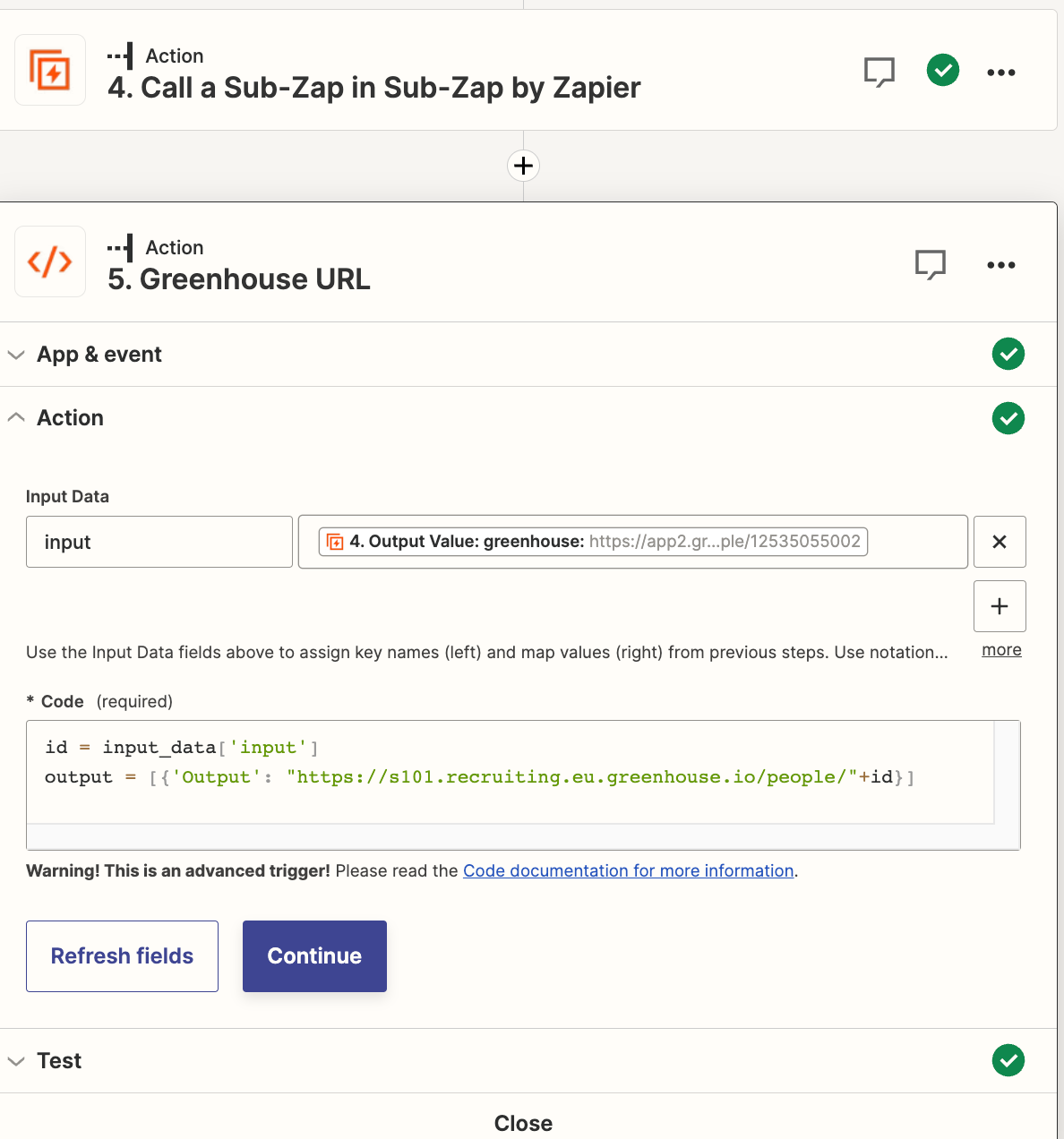
Traceback (most recent call last):

File "<string>", line 8, in the_function KeyError: 'input'

id = input_data['input']

output = [{'Output': "https://s101.recruiting.eu.greenhouse.io/people/"+id}]


I don’t understand why it throws the error as the Key input should exist and also when testing it, it seems to work:
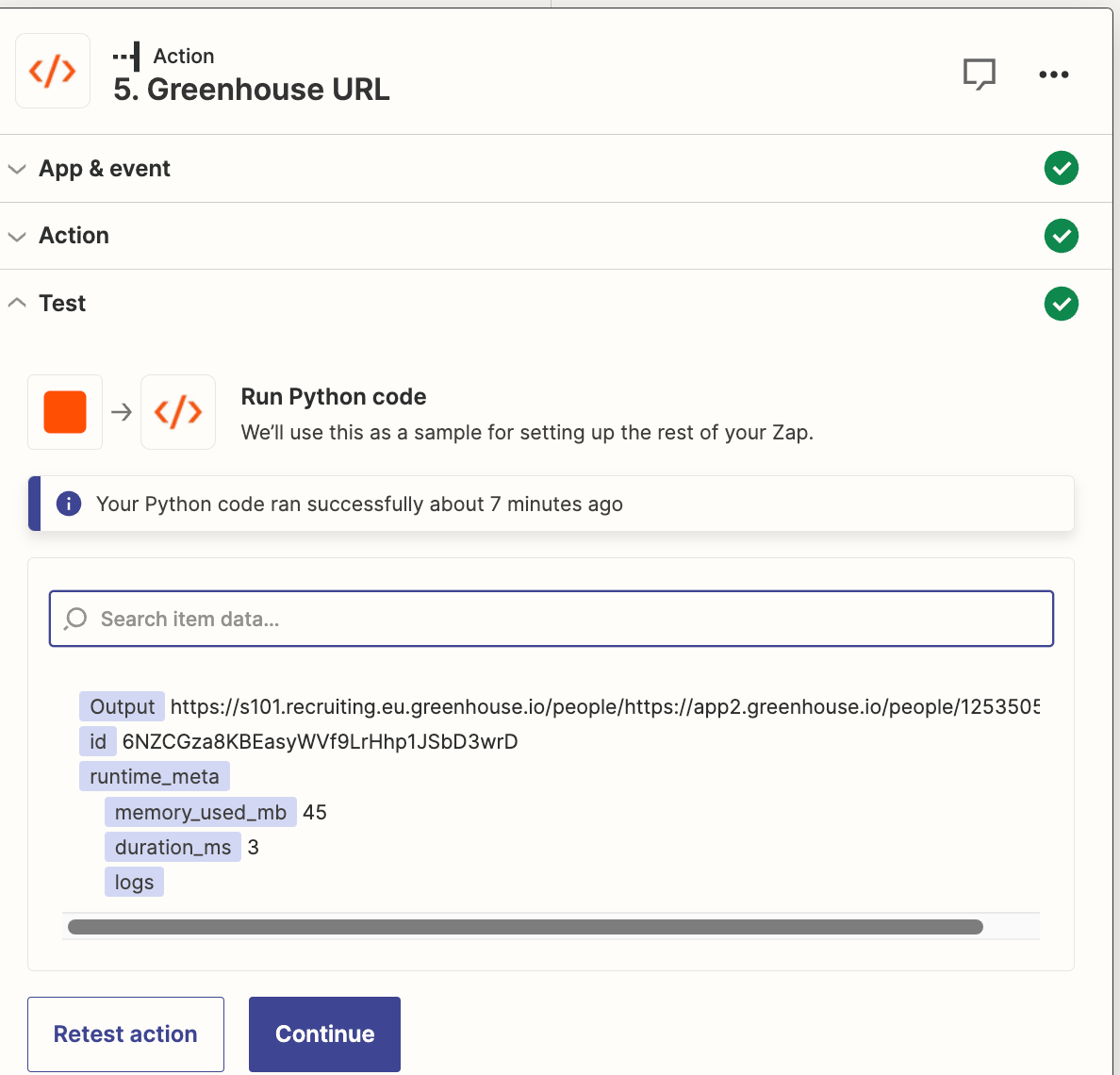
 

Do you have any ideas and would it be possible to use a “try and catch” logic for Zapier so that if this node fails, it still continues?


Best answer by Troy Tessalone

Hi @greenhouseautomation 

Good question.

Try using a different variable name than “input” as some keywords are reserved and can cause issues.

This post has been closed for comments. Please create a new post if you need help or have a question about this topic.

1 reply

Troy Tessalone
Zapier Orchestrator & Solution Partner
Forum|alt.badge.img+14
  • Zapier Orchestrator & Solution Partner
  • Answer
  • July 21, 2023

Hi @greenhouseautomation 

Good question.

Try using a different variable name than “input” as some keywords are reserved and can cause issues.


