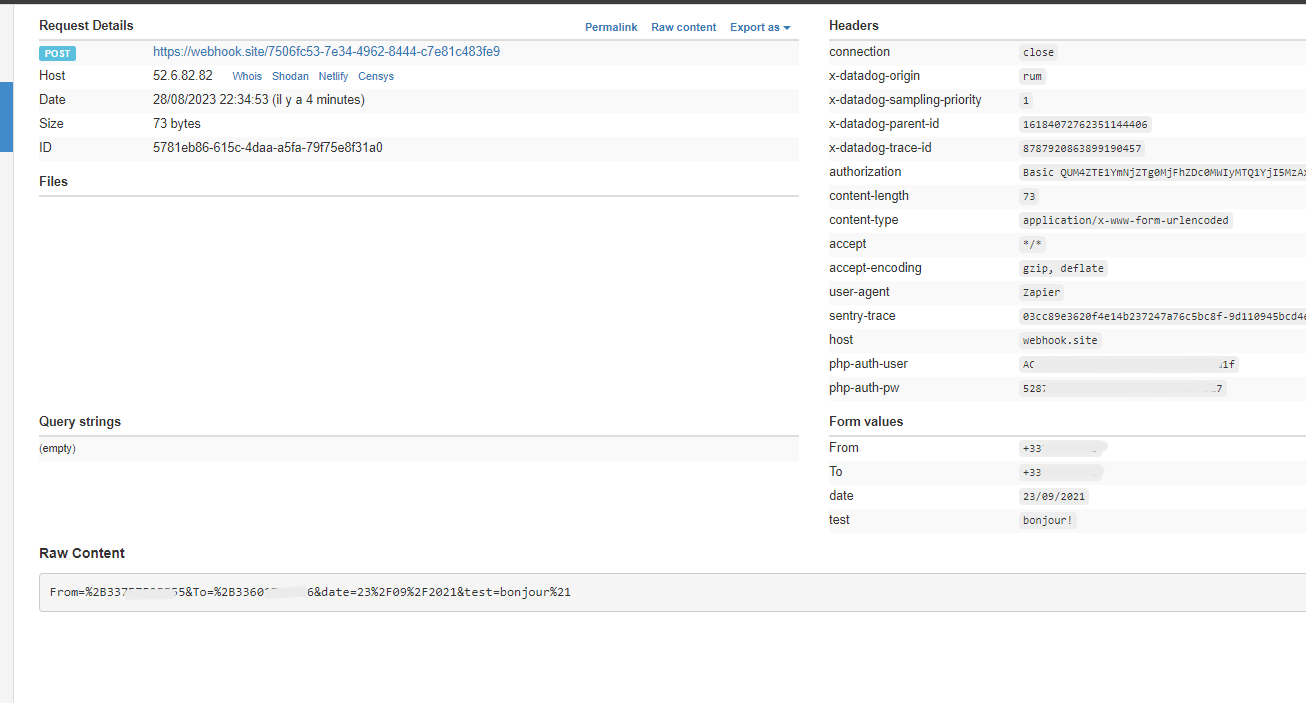
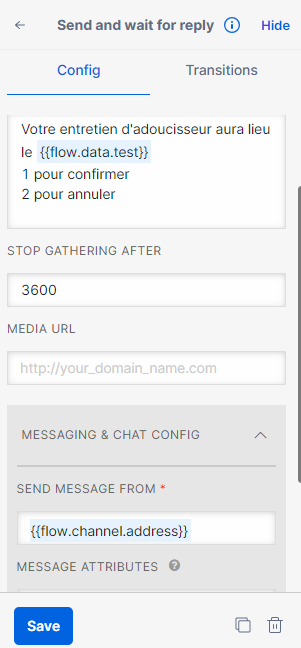
hi, i can’t understand how to call datas from my gsheet in twilio. When i take a look at the request, there is no variables in “parameters”.
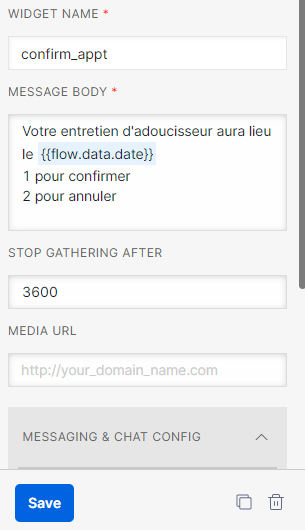
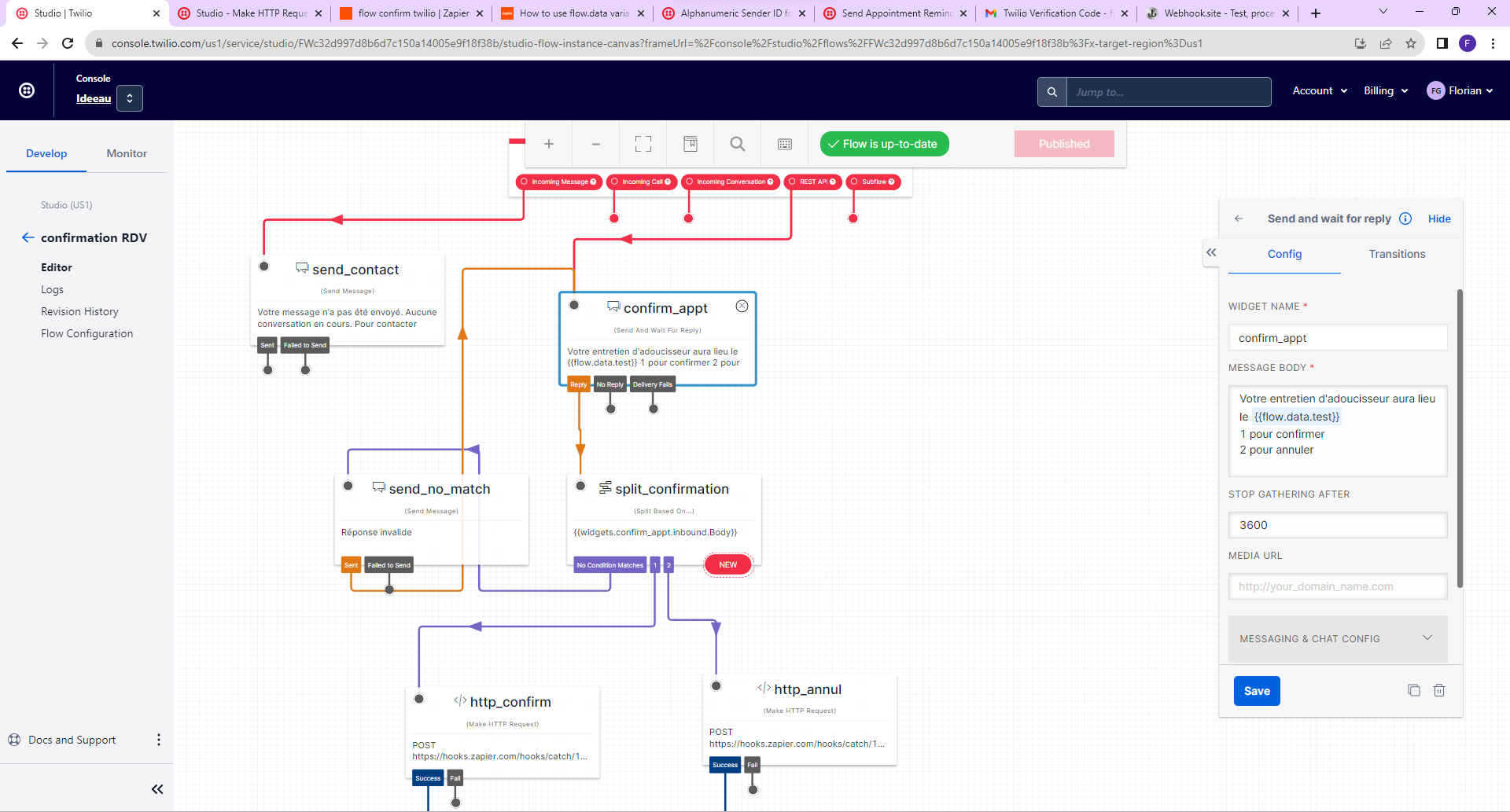
i try to put in a sms body a date with {{flow.data.date}} but it stay empty.
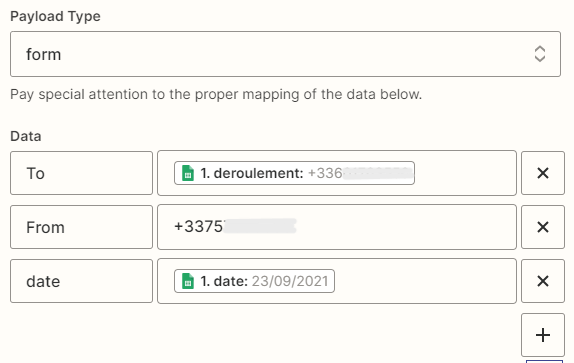
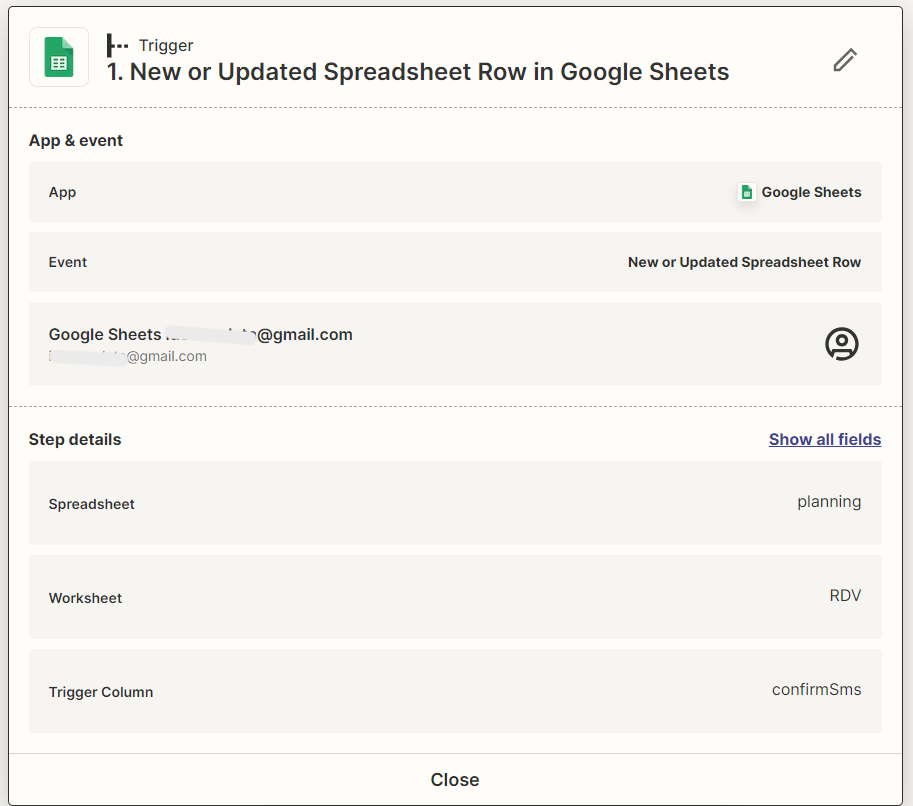
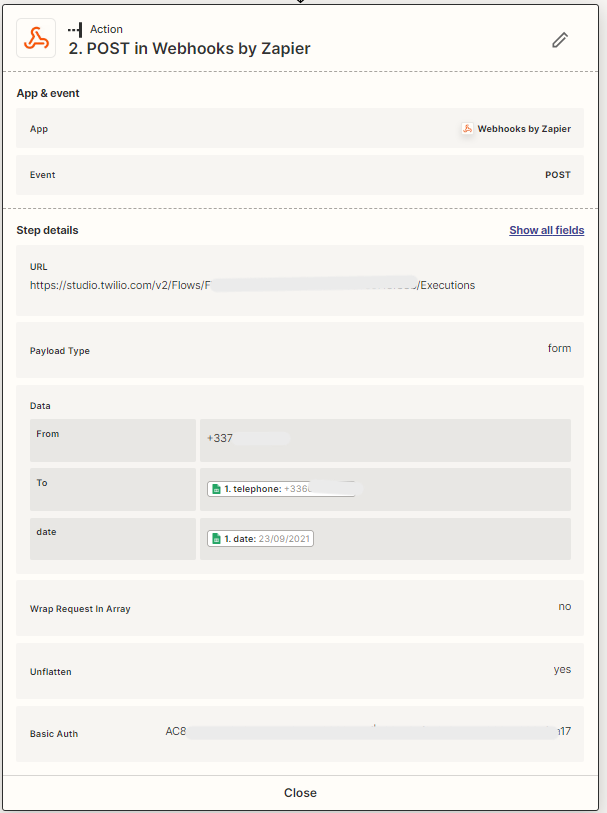
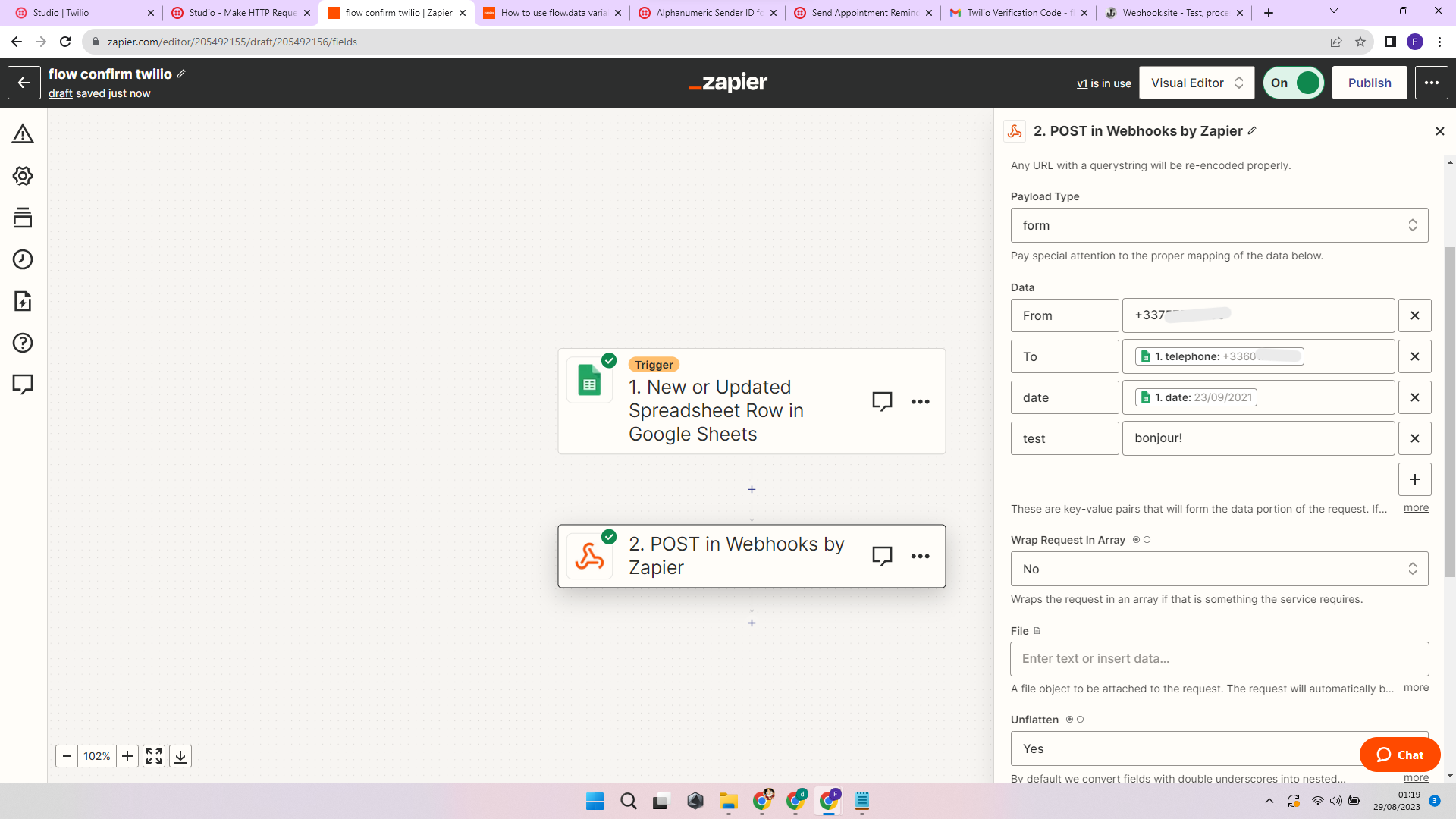
my zap action :
I need help please.
Best answer by Flo
I find the way to do it thanks to twilio’s support. here is there answer :
Partha Paul05:45 PM
Hi Florian,
Thank you for reaching out to us. I'm Partha, and I'll be assisting you today.
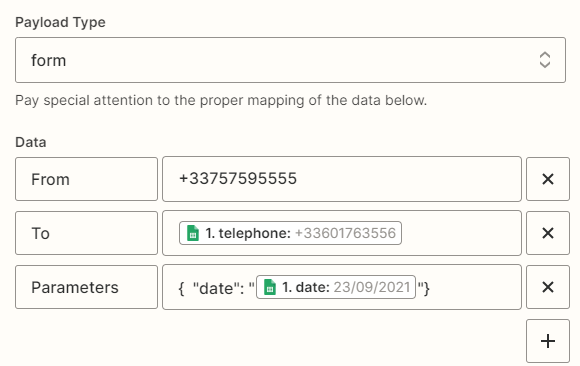
Based on the attached screen-print, I can observe that the parameter 'test' is being passed to the Studio REST API during execution triggering. However, it's important to note that Studio API does not include a parameter called 'test'. When creating a Studio execution with custom parameters, the value should be included in the API request as JSON data within the 'Parameters' property, as demonstrated below:
For Zapier, you'll need to pass the parameter using the 'Parameters' property with a JSON payload, like this:
Property name: Parameters Payload:
{ "test": "bonjour!"}
In your flow, the parameters you've passed will be accessible through a variable in the form of {flow.data.parameter_name}. Whenever we encounter this syntax, we'll automatically replace it with the corresponding parameter's value.
To confirm: Zapier is correctly triggering Twilio, Twilio is sending the SMS to the correct number based on what Zapier sent (e.g. it’s not hard-coded in Twilio), but the data is not coming through?
Can you show how the target phone is set up in Twilio - assuming that part is working correctly?
I’d also re-check your variables in zapier for extra spaces or what-have-you. Maybe even create something under date called “date2” that has a hardcoded value of “Bonjour!”. Then you can test whether that comes into your SMS to try to narrow down the problem.
To confirm: Zapier is correctly triggering Twilio, Twilio is sending the SMS to the correct number based on what Zapier sent (e.g. it’s not hard-coded in Twilio), but the data is not coming through?
exactly
I tried to add “test” with “bonjour!” as value. But it doesn’t work either.
I find the way to do it thanks to twilio’s support. here is there answer :
Partha Paul05:45 PM
Hi Florian,
Thank you for reaching out to us. I'm Partha, and I'll be assisting you today.
Based on the attached screen-print, I can observe that the parameter 'test' is being passed to the Studio REST API during execution triggering. However, it's important to note that Studio API does not include a parameter called 'test'. When creating a Studio execution with custom parameters, the value should be included in the API request as JSON data within the 'Parameters' property, as demonstrated below:
For Zapier, you'll need to pass the parameter using the 'Parameters' property with a JSON payload, like this:
Property name: Parameters Payload:
{ "test": "bonjour!"}
In your flow, the parameters you've passed will be accessible through a variable in the form of {flow.data.parameter_name}. Whenever we encounter this syntax, we'll automatically replace it with the corresponding parameter's value.
Build and deploy automations from AI tools you already use. With Agentic Management, if anything breaks, the agent diagnoses the issue and proposes a fix.