Question

How to loop through paginated API response using Webhook to fetch all data?

  • October 14, 2024
  • 3 replies
  • 241 views

Hi everyone,
 

I need to extract all data from a provider through their Webhook API, but I'm facing an issue with pagination. The API returns a paginated response, meaning it only fetches 100 records per page. To retrieve assets from a specific page, I need to specify the page number in the API endpoint, like so:
 

https://XXXXXX.com/assets.api?page=3


This will fetch the assets from the third page. The total number of pages (19 in this case) is included in the API response.

How can I create a loop to increment the page parameter in the URL and fetch data from all pages, until I have all records?
 

Any help or guidance would be greatly appreciated!


Thanks in advance!

This post has been closed for comments. Please create a new post if you need help or have a question about this topic.

3 replies

Troy Tessalone
Zapier Orchestrator & Solution Partner
Forum|alt.badge.img+14
  • Zapier Orchestrator & Solution Partner
  • October 14, 2024

Hi @JFerreira 

Best would be to use a custom Code step to make the API request, handle the pagination, and aggregate the data.

Try asking ChatGPT for help.

Or try using the AI helper in the Code step: https://help.zapier.com/hc/en-us/articles/15666688064013-Generate-a-Code-step-using-AI-Beta


SamB
Community Manager
Forum|alt.badge.img+11
  • Community Manager
  • October 22, 2024

Hi @JFerreira! 👋

Just came across your post here and wanted to check how things are progressing. Did you have any luck using a Code step or asking ChatGPT as Troy suggested?

Let us know if you need any further help! 🙂


  • Author
  • Beginner
  • October 22, 2024

Hey there,

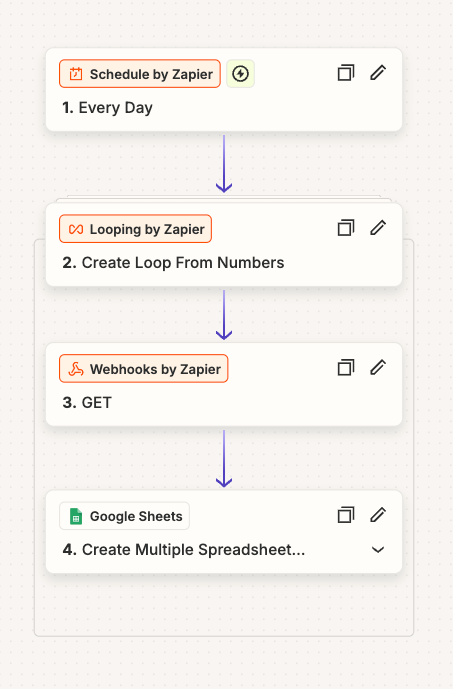
I tried to use the code, but i was struggling with the data collection in google sheet, so i decided to use the “Looping by Zapier” and change the api page withe the loop. 
It was something like this: