Best answer

How to filter objects out of JSON?

  • November 12, 2025
  • 7 replies
  • 44 views

Hi,

I have an action that gets data from our a job management system. It returns some data, and in that data is a array called “assigneds”. It is an array of people who have been assigned to the job. However, it is a history, so people who are no longer assigned are included. You can see who is still assigned by seeing if the “dateunassigned” field is blank.
I tried using a code step to filter these out but am currently having little luck. I believe this is because the data is not in actual JSON structure for some reason. I tried returning the raw data from the code step and it gives the below.

dateassigned: 2025/10/09
dateunassigned:
org: {'orgid': 'JSdKKyZQLEAgCg==', 'orgname': 'Org'}
readtask: true
readtaskdatetime: 2025/10/27 07:52:39
timeassigned: Oct 9, 2025 9:53:06 AM
timeunassigned:
user: {'userid': 'JSQqVyFRTEwgCg==', 'username': 'Adam P'}

dateassigned: 2025/10/08
dateunassigned: 2025/10/09
org: {'orgid': 'JSdKKyZQLEAgCg==', 'orgname': 'Org'}
readtask: false
readtaskdatetime:
timeassigned: Oct 8, 2025 2:57:42 PM
timeunassigned: Oct 9, 2025 9:53:06 AM
user: {'userid': 'JSQqVyNQXEQgCg==', 'username': 'Aidan F'}

I have no experience in Javascript which doesn’t help either.
I appreciate any help you can provide.


Best answer by AndrewJDavison

@Bradon K Building on what Sparsh suggests, use the “AI by Zapier” step.

One input filed “JSON”, and then you should map the JSON returned from the action step.

For the prompt, use something like this: “Return the ID of the currently assigned user. It is the one where ‘dateunassigned” is left blank”.

This will 100% work. Much easier than a code step :)

If you need help: https://zapier.com/partnerdirectory/andrewjdavison

7 replies

Sparsh from Automation Jinn
Forum|alt.badge.img+6

Hey ​@Bradon K,

What exactly you need to get from the data? Please post screenshots of Data In, Data Out as well as how each Zap step is configured for us to have more context.

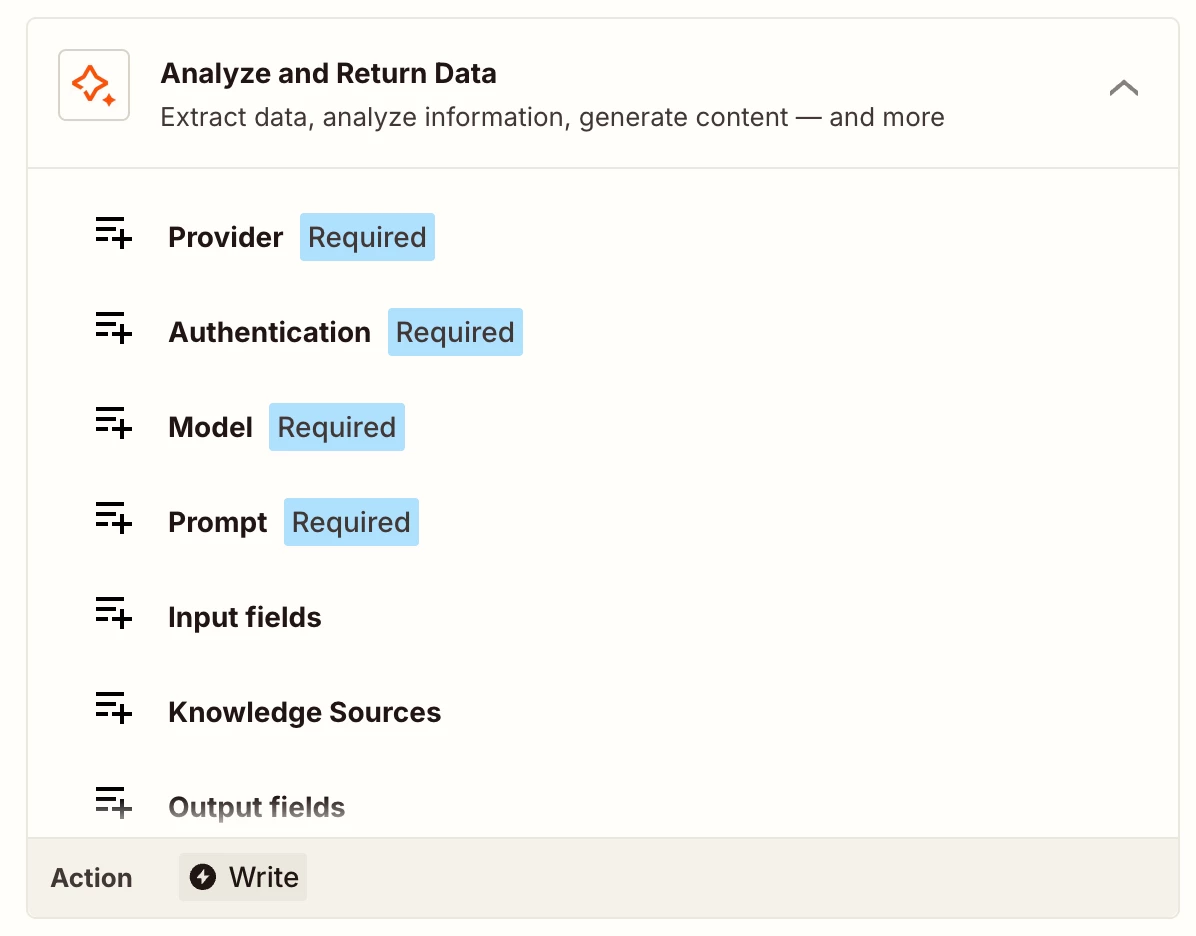
I can understand Code by Zapier can get a bit more technical and complex. The easy workaround is to use AI by Zapier- Analyze and return data action.
 

Hope it helps!

PS: If you need more active help, I’m happy to connect through my Zapier Solution Partner page if you’d like to reach out here- https://zapier.com/partnerdirectory/automation-jinn


AndrewJDavison
Forum|alt.badge.img+11
  • Zapier Solution Partner
  • Answer
  • November 12, 2025

@Bradon K Building on what Sparsh suggests, use the “AI by Zapier” step.

One input filed “JSON”, and then you should map the JSON returned from the action step.

For the prompt, use something like this: “Return the ID of the currently assigned user. It is the one where ‘dateunassigned” is left blank”.

This will 100% work. Much easier than a code step :)

If you need help: https://zapier.com/partnerdirectory/andrewjdavison


Troy Tessalone
Zapier Orchestrator & Solution Partner
Forum|alt.badge.img+14
  • Zapier Orchestrator & Solution Partner
  • November 12, 2025

Hi ​@Bradon K 

What data points are you trying to parse from the text string?


If you are trying to use a Zap Code step, then try asking ChatGPT for help configuring the custom code logic. (definitely doable)


If you are looking to hire help, there is a directory of Zapier Experts: https://zapier.com/partnerdirectory


  • Beginner
  • November 12, 2025

Hi Brandon, 

With structured data like yours, rigid and deterministic approach with code or formatter may be the best. 
AI tools may look easier, but in my experience they may hallucinate with hard-to-predict outcomes (impossible to debug) and may be slower than a simple sorter.

No experience in coding is not a real issue, a Copilot in Zapier can vibe-code a decent parser as you speak to it, and so do Claude, GPT, Gemini and others.


  • Author
  • Beginner
  • November 12, 2025

@Bradon K Building on what Sparsh suggests, use the “AI by Zapier” step.

One input filed “JSON”, and then you should map the JSON returned from the action step.

For the prompt, use something like this: “Return the ID of the currently assigned user. It is the one where ‘dateunassigned” is left blank”.

This will 100% work. Much easier than a code step :)

If you need help: https://zapier.com/partnerdirectory/andrewjdavison

Thanks for the suggestion, this did work for me.

I was hesitant to use AI for this as I was worried the AI might not consistent in it’s ability to pull the data correctly. Only time will be able to tell on that one.


  • New
  • November 13, 2025

Hi Brandon, 

With structured data like yours, rigid and deterministic approach with code or formatter may be the best. 
AI tools may look easier, but in my experience they may hallucinate with hard-to-predict outcomes (impossible to debug printed SOLD hang tags) and may be slower than a simple sorter.

No experience in coding is not a real issue, a Copilot in Zapier can vibe-code a decent parser as you speak to it, and so do Claude, GPT, Gemini and others.

Filtering objects out of a JSON file or array involves extracting only the data that meets specific criteria while ignoring the rest. This process is commonly used in programming languages like JavaScript or Python. For example, in JavaScript, you can use the filter() method to return only the objects that match certain conditions, such as const result = data.filter(item => item.age > 25); to get all objects where the age is greater than 25.


  • Author
  • Beginner
  • November 13, 2025

Hi Brandon, 

With structured data like yours, rigid and deterministic approach with code or formatter may be the best. 
AI tools may look easier, but in my experience they may hallucinate with hard-to-predict outcomes (impossible to debug printed SOLD hang tags) and may be slower than a simple sorter.

No experience in coding is not a real issue, a Copilot in Zapier can vibe-code a decent parser as you speak to it, and so do Claude, GPT, Gemini and others.

Filtering objects out of a JSON file or array involves extracting only the data that meets specific criteria while ignoring the rest. This process is commonly used in programming languages like JavaScript or Python. For example, in JavaScript, you can use the filter() method to return only the objects that match certain conditions, such as const result = data.filter(item => item.age > 25); to get all objects where the age is greater than 25.


Hi,

A filter through code would have been my goto but since my original data is not structured in JSON format, but rather one long string, i had all sorts of trouble trying to format it as JSON.

As I mentioned in my other reply, while I don’t really like using the AI action, it did mean I don’t have to format the data, and the data I am pulling is not critical, so if it gets it wrong every now and then it isn’t really an issue.