Question

Help with Zapier workflow: Sending Stripe line items as separate invoice lines to Moneybird

  • August 13, 2025
  • 4 replies
  • 33 views

Subject: Help with Zapier workflow: Sending Stripe line items as separate invoice lines to Moneybird

Goal
I want to create a workflow where, when a customer completes a Stripe Checkout Session, all purchased products — including potential upsells — are sent to Moneybird as separate invoice lines on one sales invoice.

Current setup

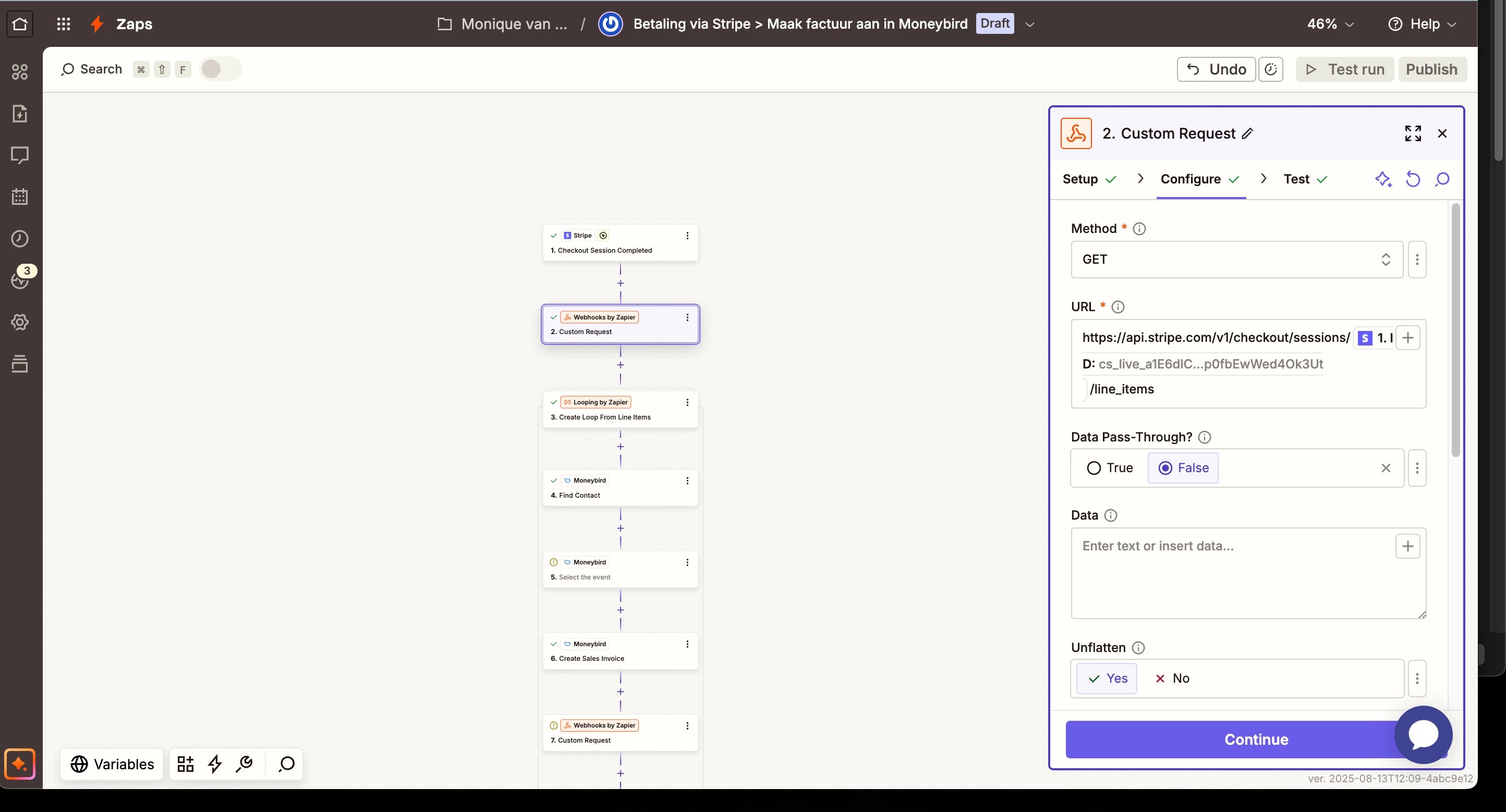
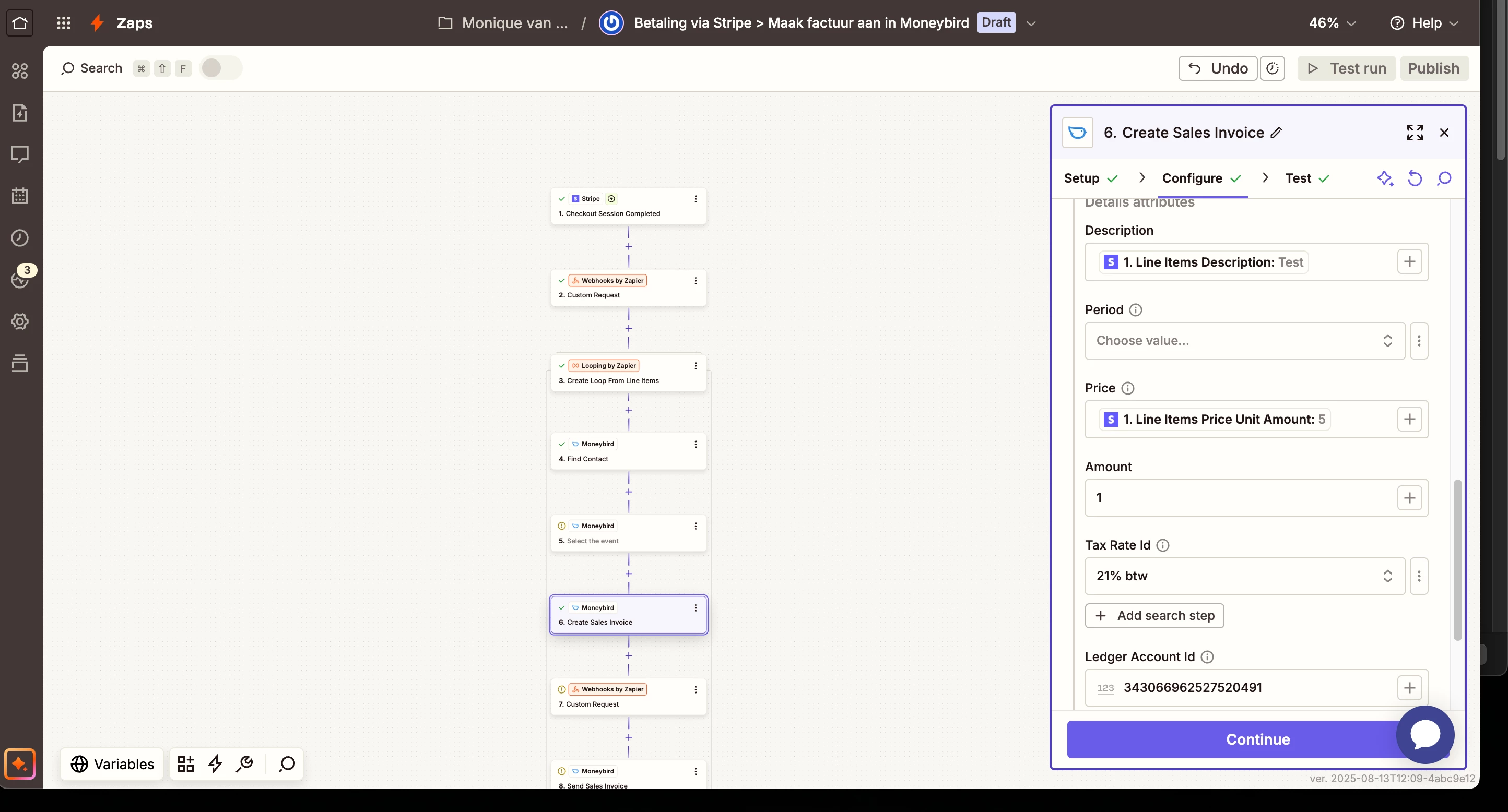
  1. Trigger: Stripe – Checkout Session Completed

  2. Action: Webhooks by Zapier – Custom Request (to GET https://api.stripe.com/v1/checkout/sessions/{{ID}}/line_items using Bearer authentication with Stripe secret key) to retrieve the line items.

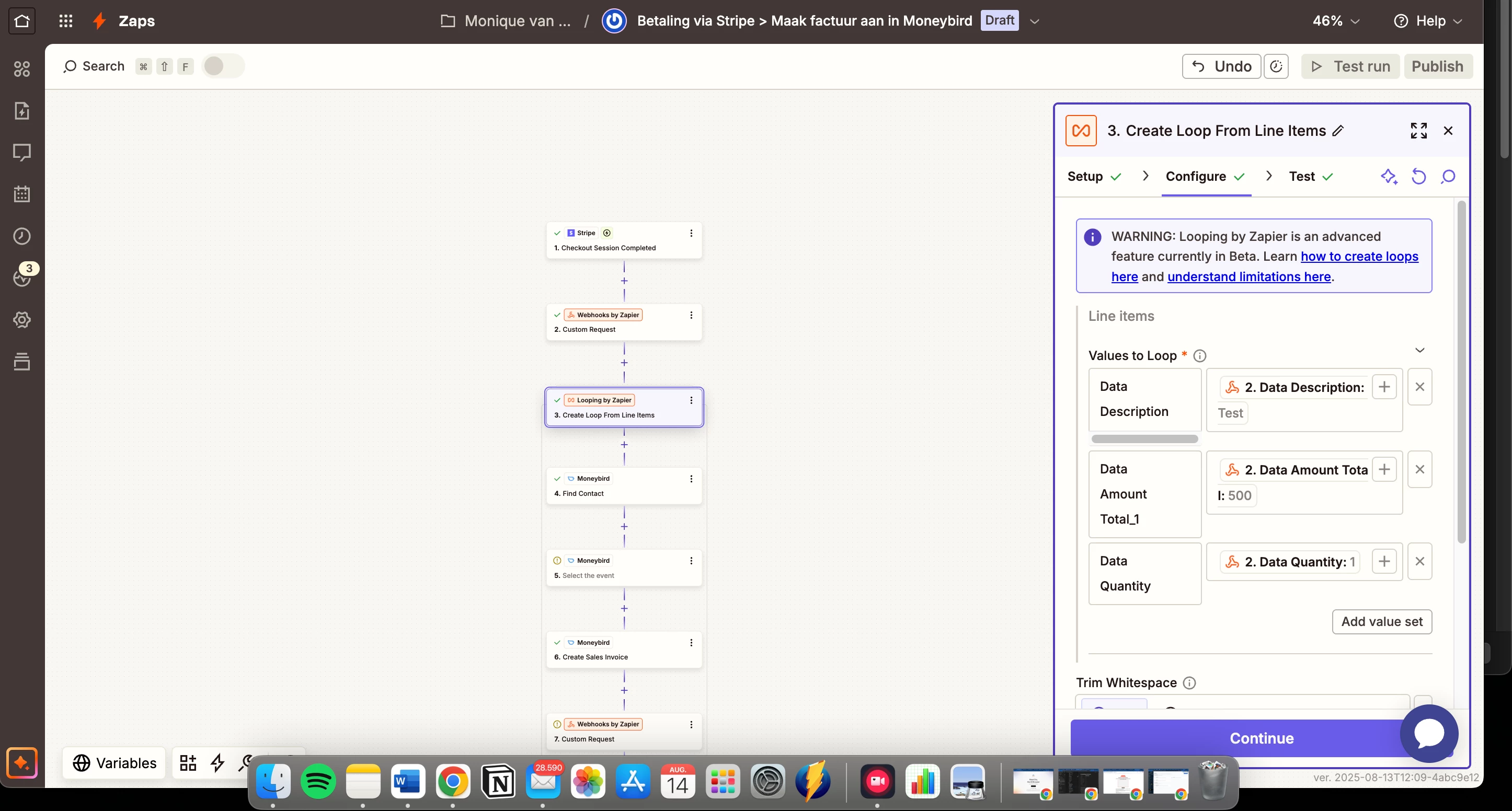
  3. Action: Looping by Zapier – Create Loop from Line Items (so each product in the order can be processed individually).

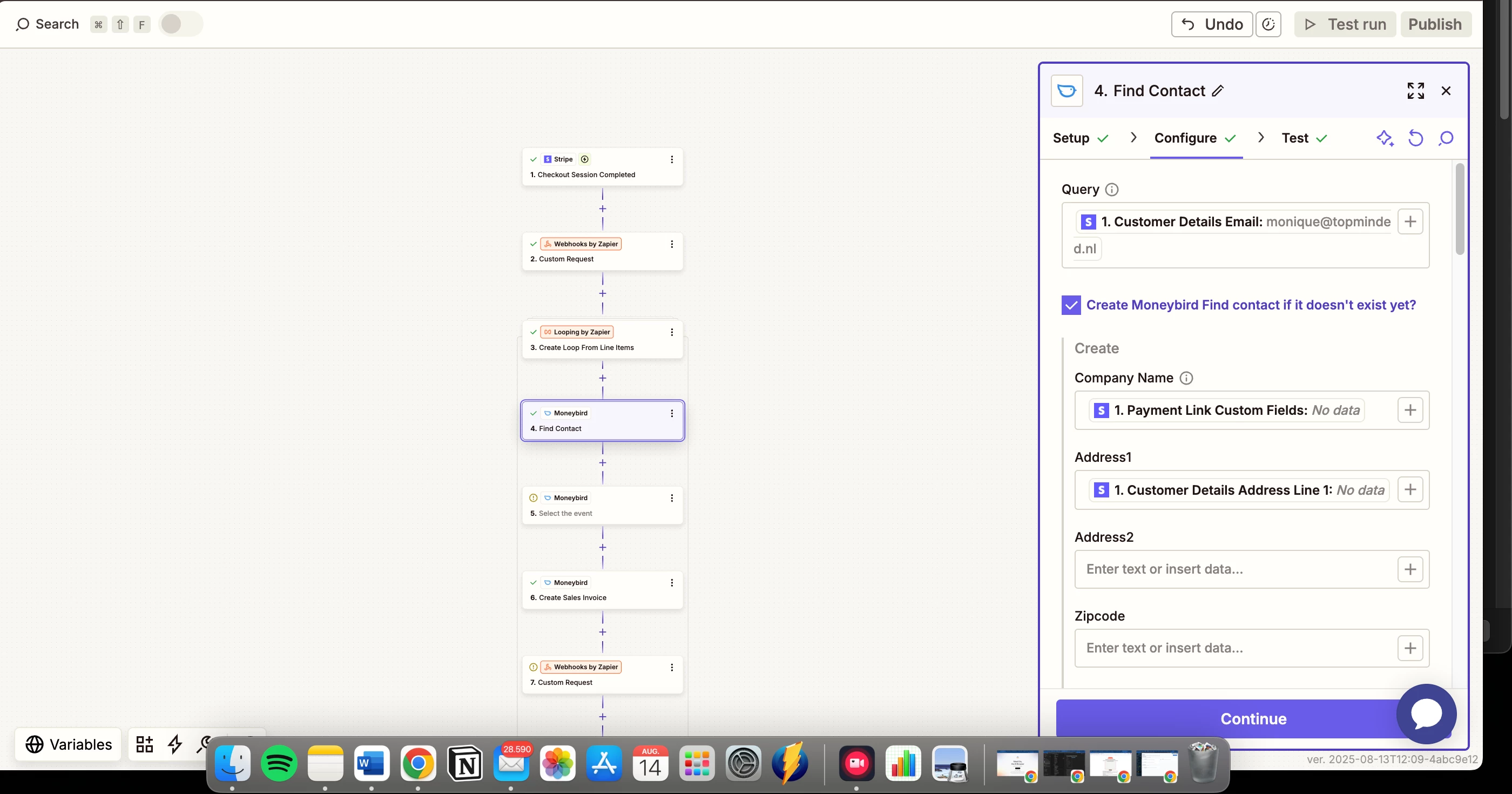
  4. Action: Moneybird – Find Contact (based on email address from Stripe).

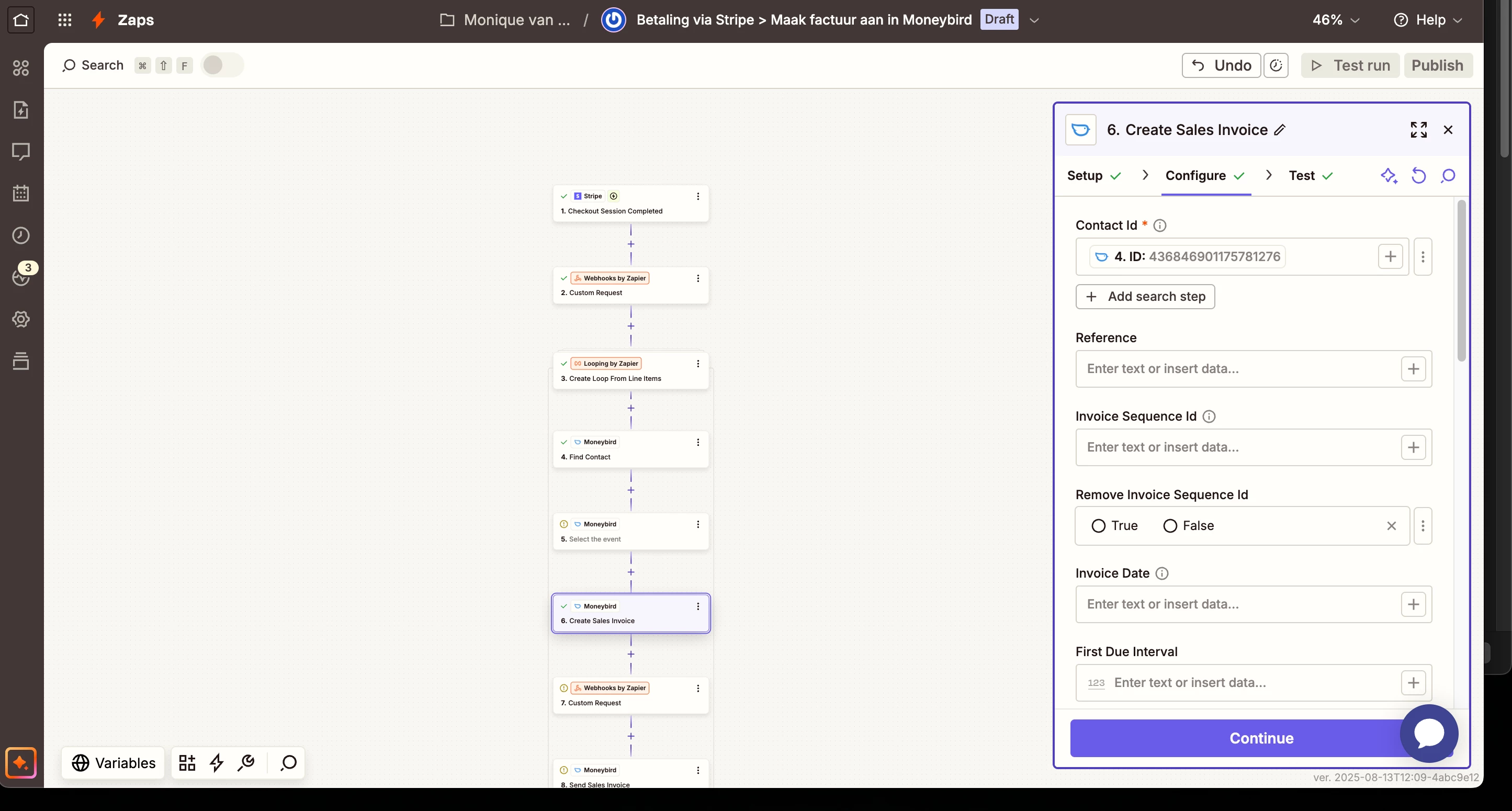
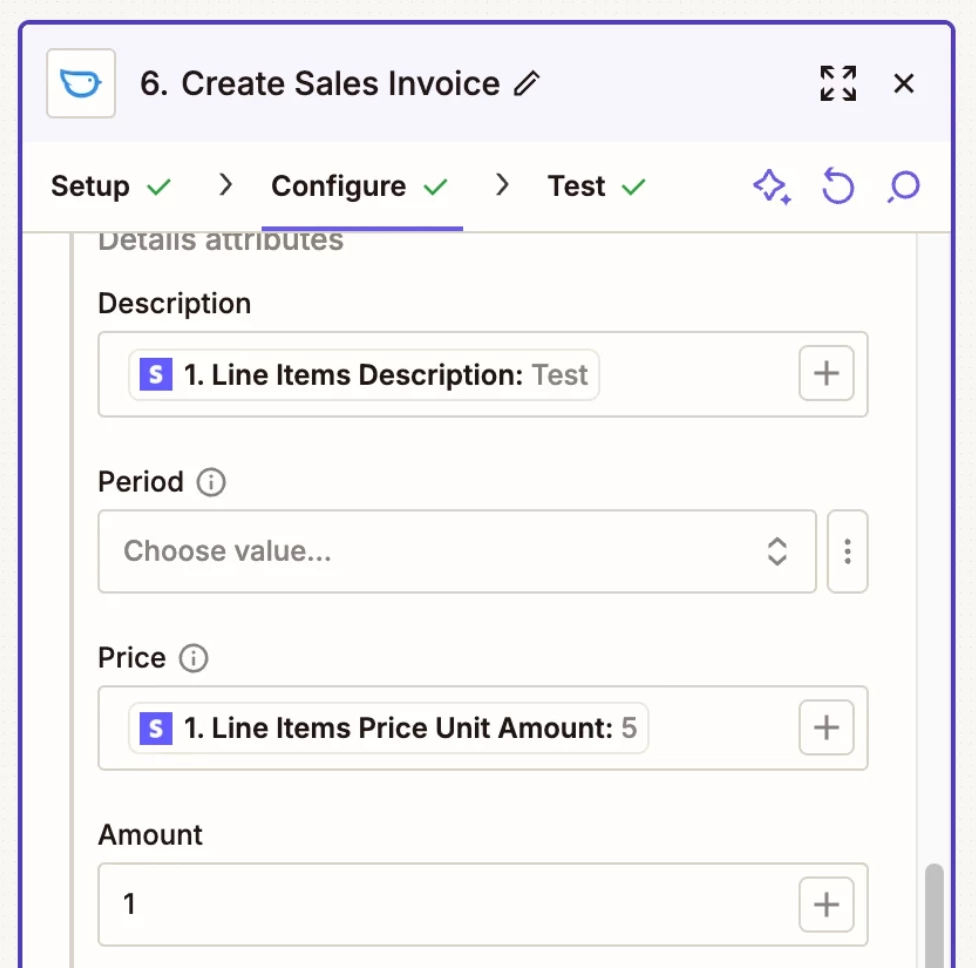
  5. Action: Moneybird – Create Sales Invoice.

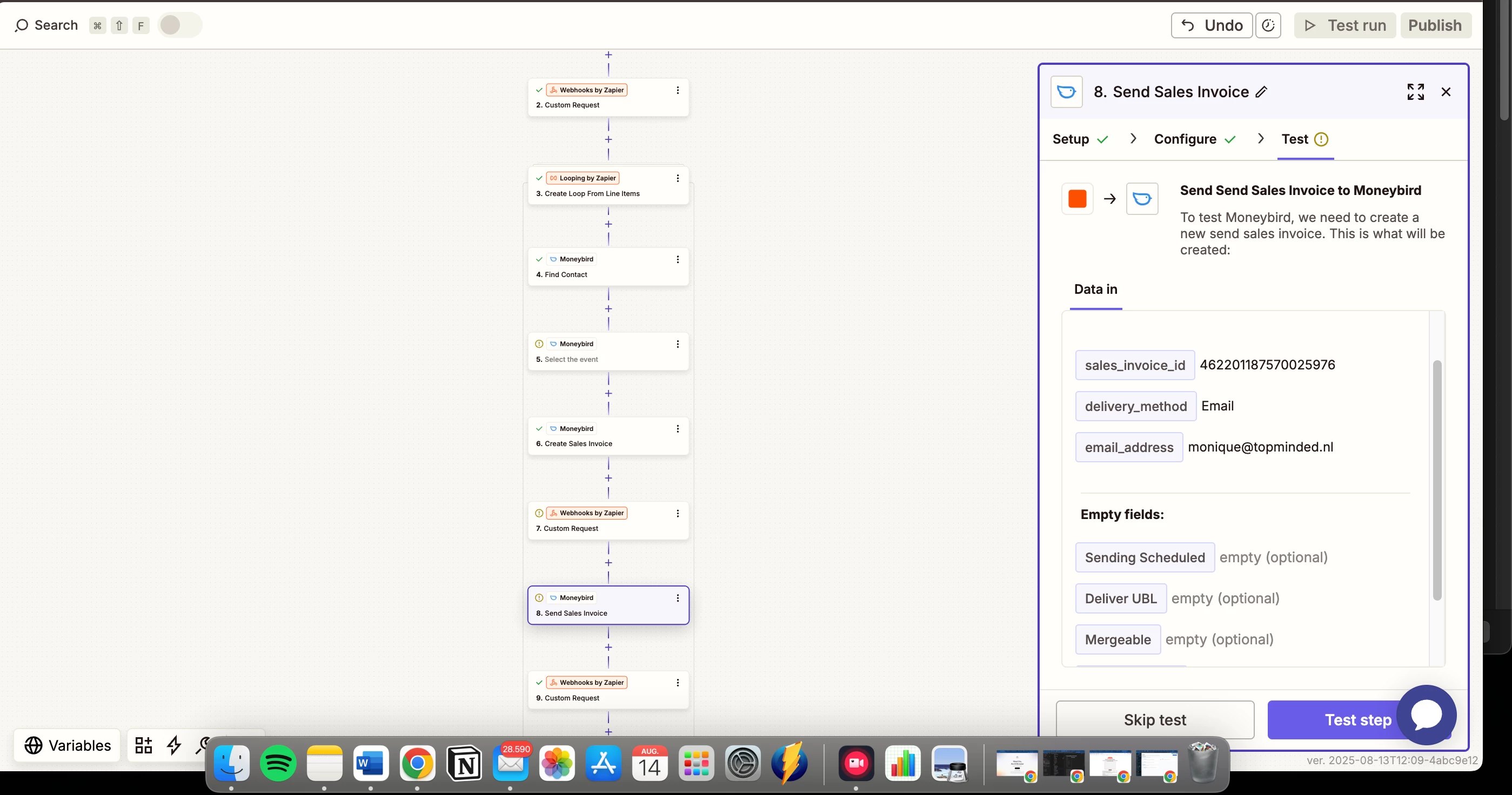
  6. Action: Moneybird – Send Sales Invoice.

  7. Action: Webhooks by Zapier – Send data to GoHighLevel.

What’s not working / my challenges

  • Moneybird’s Zapier integration does not seem to have an “Add Line Item to Sales Invoice” action, which I need inside the loop to add each product separately.

  • If I create the invoice in one step without looping, all products end up as one combined line item instead of separate ones.

  • I’m unsure how to structure the Moneybird step after the loop so that all line items get added to the same invoice correctly.

Question to the community/support

  • Is there a way in Zapier to loop through Stripe line items and add each as a separate invoice line in Moneybird before sending the invoice?

  • If Moneybird’s current Zapier integration doesn’t allow adding line items in separate steps, what would be the recommended workaround?


This post has been closed for comments. Please create a new post if you need help or have a question about this topic.

4 replies

Troy Tessalone
Zapier Orchestrator & Solution Partner
Forum|alt.badge.img+14
  • Zapier Orchestrator & Solution Partner
  • August 13, 2025

Hi ​@Monique van Roekel 

Help us have more info by posting screenshots showing how your Zap steps are outlined and configured in EDIT mode with the field mappings visible in the CONFIGURE tab, along with any encountered errors testing Zap steps.


The problem is that i cant choose or select that the field for example 2 different products in stripe like main product and uppsel that they not going to be combined in the moneybird invoice.

The have to be seperated per product on lines on the moneybird invoice


Troy Tessalone
Zapier Orchestrator & Solution Partner
Forum|alt.badge.img+14
  • Zapier Orchestrator & Solution Partner
  • August 14, 2025

@Monique van Roekel 

You do NOT need to use LOOPING in a Zap step.

For the Zap step Moneybird Create Sales Invoice, then Details Attributes sections can handle line items.

That means data for 2+ line items must be structured as an array of items.


The data from Zap step 2 Stripe is likely already being returned as an array of items for the line items.


Help links about using line items in Zaps: 


Help link for expected values in dropdown list fields: https://help.zapier.com/hc/en-us/articles/8496241696141-Add-custom-values-to-dropdown-menu-fields-in-Zaps


SamB
Community Manager
Forum|alt.badge.img+11
  • Community Manager
  • August 22, 2025

Hey there, ​@Monique van Roekel 👋 Did Troy’s latest reply help you to get things solved? 

Want to make sure this gets sorted, so please let us know whether you still need help at all! 🙂