
Question

Geocode with Zapier

  • July 7, 2023
  • 5 replies
  • 911 views

Zach123

Hello,

Using this simple string we can pull info about an adress. Im importing addresses from Airtable and I’m wondering if it is possible to automatically paste the addresses in the green area. Then I want to take out the lat long from the result I get and paste it into two other fields (see below).


Is this possible? Can someone help me?


Geocoder request code:

https://maps.googleapis.com/maps/api/geocode/json?address=1600+Amphitheatre+Parkway,+Mountain+View,+CA&key=YOUR_API_KEY


Here is the result from the code above, I want to extract the green strings (the lat and long) and paste them into two separate fields to another form:


{   "results" : [      {         "address_components" : [            {               "long_name" : "Google Building 40",               "short_name" : "Google Building 40",               "types" : [ "premise" ]            },            {               "long_name" : "1600",               "short_name" : "1600",               "types" : [ "street_number" ]            },            {               "long_name" : "Amphitheatre Parkway",               "short_name" : "Amphitheatre Pkwy",               "types" : [ "route" ]            },            {               "long_name" : "Mountain View",               "short_name" : "Mountain View",               "types" : [ "locality", "political" ]            },            {               "long_name" : "Santa Clara County",               "short_name" : "Santa Clara County",               "types" : [ "administrative_area_level_2", "political" ]            },            {               "long_name" : "California",               "short_name" : "CA",               "types" : [ "administrative_area_level_1", "political" ]            },            {               "long_name" : "United States",               "short_name" : "US",               "types" : [ "country", "political" ]            },            {               "long_name" : "94043",               "short_name" : "94043",               "types" : [ "postal_code" ]            }         ],         "formatted_address" : "Google Building 40, 1600 Amphitheatre Pkwy, Mountain View, CA 94043, USA",         "geometry" : {            "bounds" : {               "northeast" : {                  "lat" : 37.4226618,                  "lng" : -122.0829302               },               "southwest" : {                  "lat" : 37.4220699,                  "lng" : -122.084958               }            },            "location" : {               "lat" : 37.4223878,               "lng" : -122.0841877            },            "location_type" : "ROOFTOP",            "viewport" : {               "northeast" : {                  "lat" : 37.42372298029149,                  "lng" : -122.0825951197085               },               "southwest" : {                  "lat" : 37.4210250197085,                  "lng" : -122.0852930802915               }            }         },         "place_id" : "ChIJj38IfwK6j4ARNcyPDnEGa9g",         "types" : [ "premise" ]      }   ],   "status" : "OK"}


This post has been closed for comments. Please create a new post if you need help or have a question about this topic.

5 replies

Troy Tessalone
Zapier Orchestrator & Solution Partner
Forum|alt.badge.img+14
  • Zapier Orchestrator & Solution Partner
  • July 7, 2023

Hi @Zach123 

Good question.

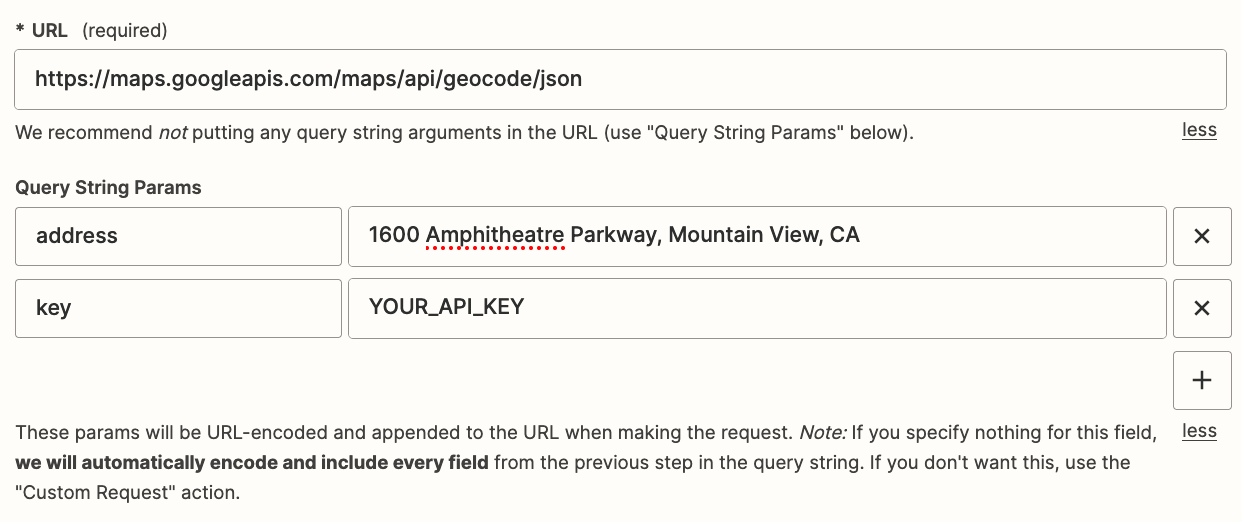
Try using this Zap action: Webhook - GET

Set address and key as Query String Params.

It will handle the encoding of the address for you.

The response should return variables for lat and long that you can then map to the following Zap step.


If you are trying to parse JSON, then you can use this Zap action: ChatGPT - Extract Structured Text


Zach123
  • Author
  • Beginner
  • July 7, 2023

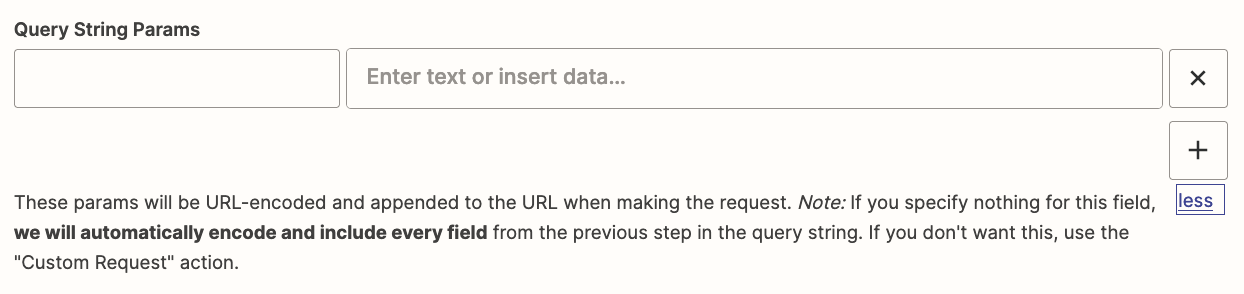
I dint really follow, sorry. Do I enter the Address in the “insert text or data” field? 
 

and what key? Do you mean the https request? Where do I enter that?


or do you want me to merge them and then paste in to “insert text or data” field?


and that will return lat long variations that I then can map to fields in the new form?


Troy Tessalone
Zapier Orchestrator & Solution Partner
Forum|alt.badge.img+14
  • Zapier Orchestrator & Solution Partner
  • July 7, 2023

@Zach123


URL

https://maps.googleapis.com/maps/api/geocode/json


Query String Params

(left side is the key, right side is the value)

address = 1600 Amphitheatre Parkway, Mountain View, CA
key = YOUR_API_KEY


Zach123
  • Author
  • Beginner
  • July 7, 2023

Does this require the paid version of Zapier?


Troy Tessalone
Zapier Orchestrator & Solution Partner
Forum|alt.badge.img+14
  • Zapier Orchestrator & Solution Partner
  • July 7, 2023

@Zach123 

Zaps with 3+ steps require a Zapier paid plan.