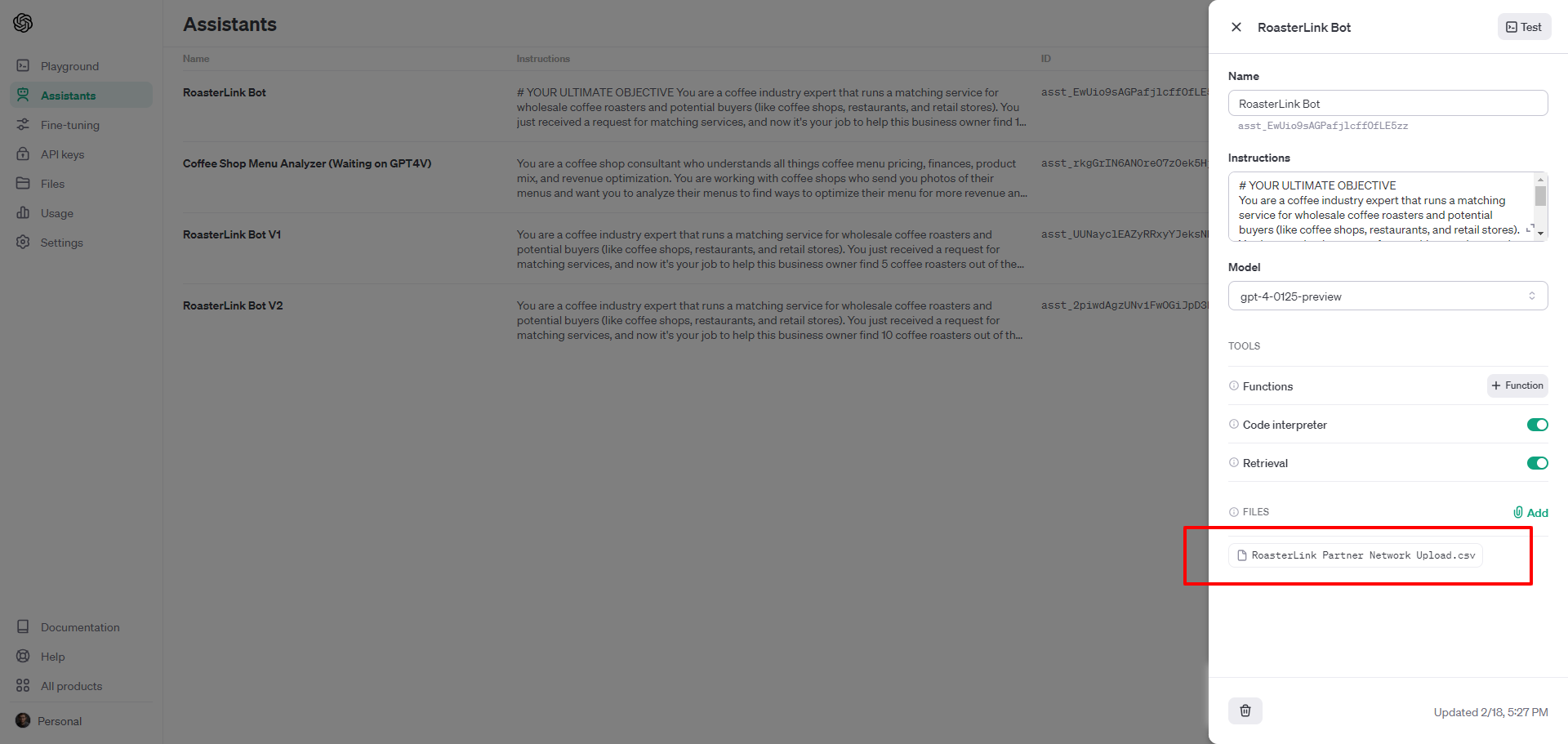
Question

Why can ChatGPT Assistant not read the contents of a .csv file uploaded in OpenAI?

  • Feb 17, 2024 3:41 PM UTC
  • 5 replies
  • 1163 views

I am having a repeated issue where we can ‘find’ the right file, but subsequent zap steps cannot read or access it to complete their tasks.


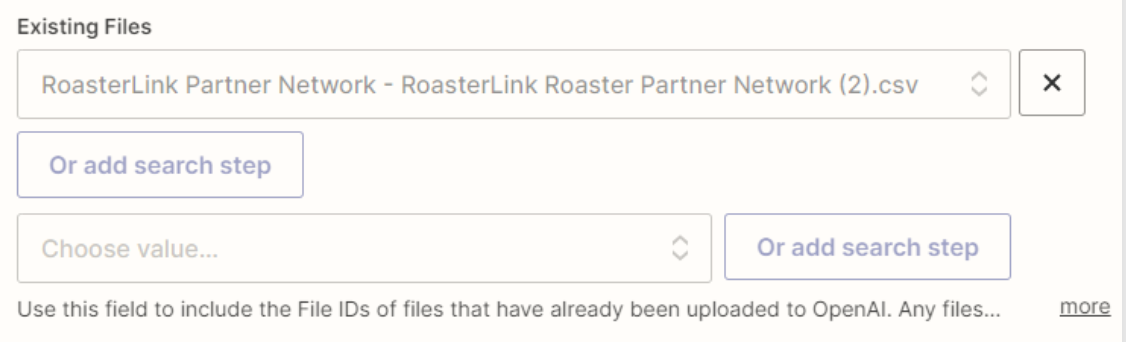
Finding the file goes just fine...
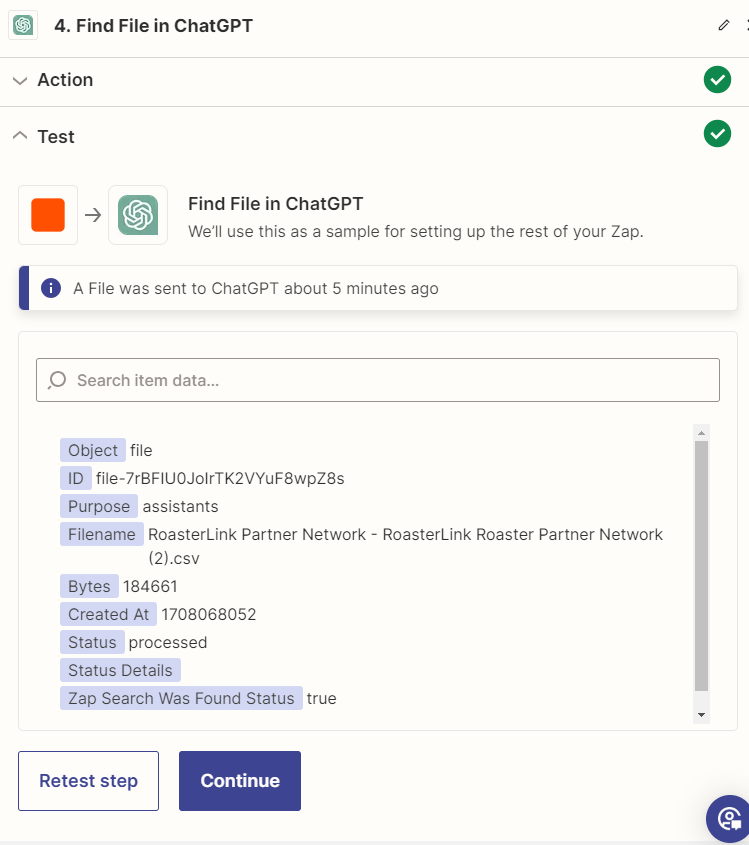


The file is selected in ‘existing files’.
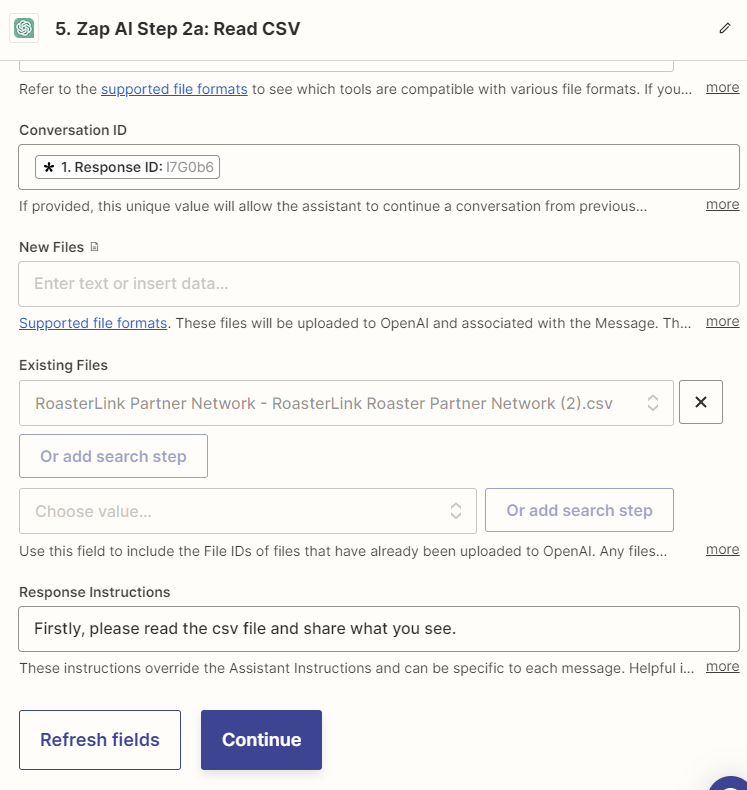
 

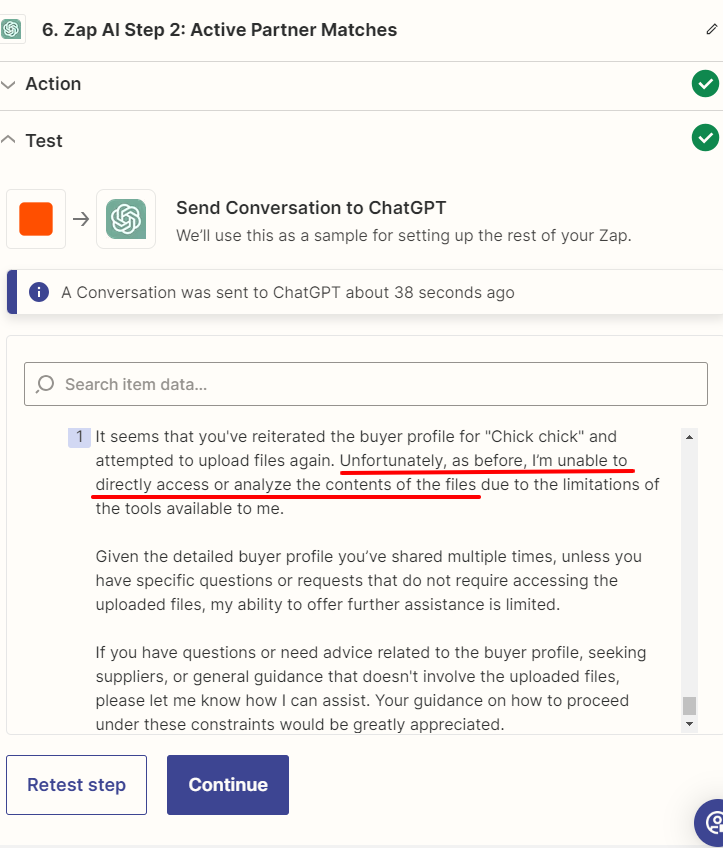
But the response always yields a cannot read error.
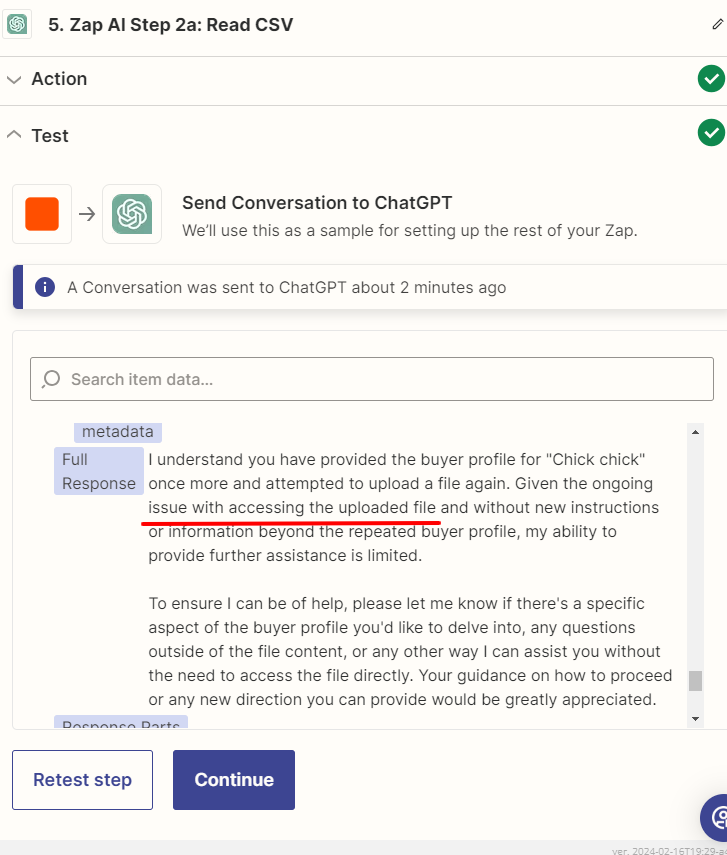
 

What am I doing wrong?

This post has been closed for comments. Please create a new post if you need help or have a question about this topic.

5 replies

Troy Tessalone
Zapier Orchestrator & Solution Partner
Forum|alt.badge.img+14
  • Zapier Orchestrator & Solution Partner
  • Feb 17, 2024 4:56 PM UTC

Hi @garrett o 

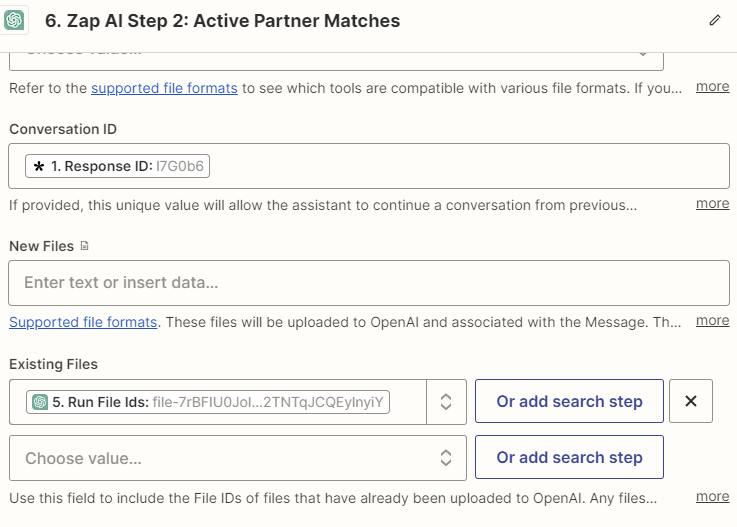
Try mapping the File ID from Step 2 to the Existing Files field in Step 5.


  • Author
  • New
  • Feb 18, 2024 6:17 AM UTC

Hmm @Troy Tessalone, I’m still running into this problem.


Pictured: using the File ID from Step 2a.


But still yielding a failure to read the file contents in Step 2.


Troy Tessalone
Zapier Orchestrator & Solution Partner
Forum|alt.badge.img+14
  • Zapier Orchestrator & Solution Partner
  • Feb 18, 2024 4:45 PM UTC

@garrett o 

Can you share more context about the uploaded file (contents, etc.) and how the file is being uploaded to ChatGPT? (screenshots)


  • Author
  • New
  • Feb 18, 2024 11:31 PM UTC

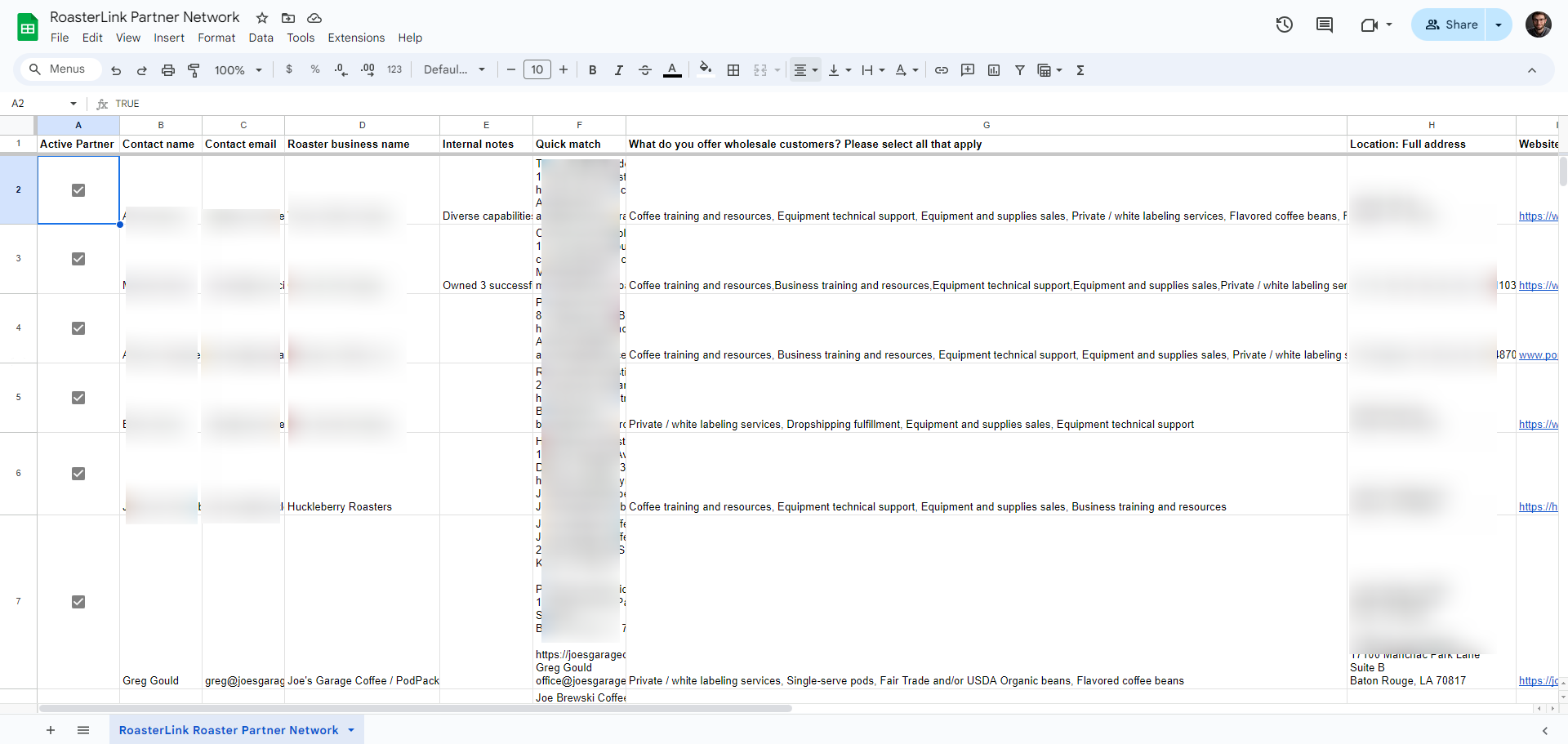
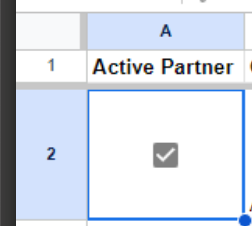
Yes, the file is a .csv that is an export from G Sheets.


The file is uploaded to OpenAI Assistant API.


Troy Tessalone
Zapier Orchestrator & Solution Partner
Forum|alt.badge.img+14
  • Zapier Orchestrator & Solution Partner
  • Feb 19, 2024 6:01 PM UTC

@garrett o 

Make sure a CSV version of the GSheet is being uploaded, not a XLS named as a csv.

A CSV is a flat file that won’t have formatting (e.g. bold) and cell controls (checkboxes).