Answer

Incorrect event duration and missing dealer name in Google Calendar Zap

  • February 15, 2024
  • 5 replies
  • 60 views

My team and I are trying to create a Google Calendar event that is triggered by when an install is scheduled in a deal on HubSpot.


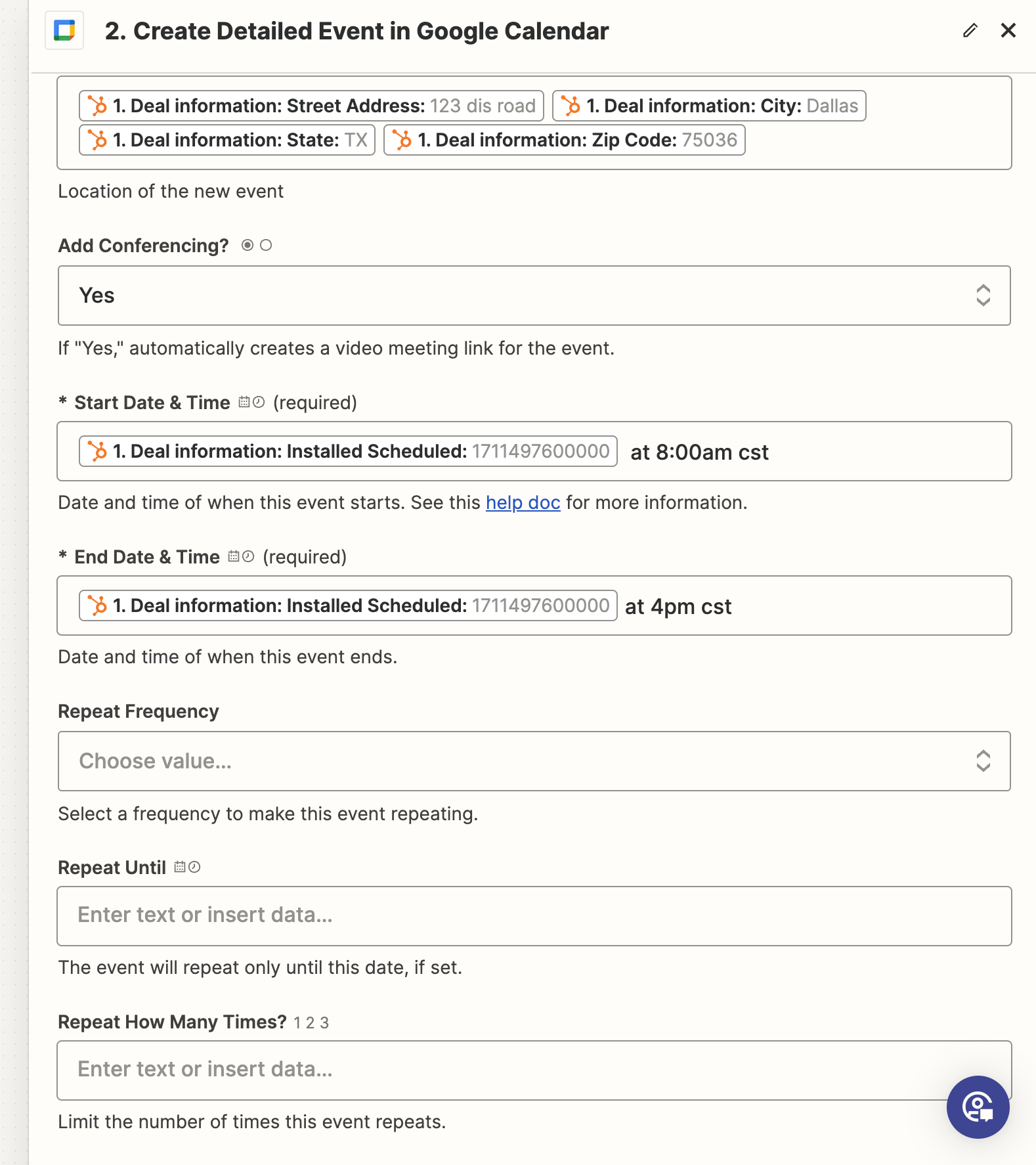
We have figured out how to get the event to show on the right day and to show the name of the deal, but the duration (start and end time) is wrong, also the name of dealer does not show.


If anyone’s had issues like this and has figured out how to get around it, please inform us!


Thank you!
Best answer by Troy Tessalone

@Amr Ghamian

Try these tips:

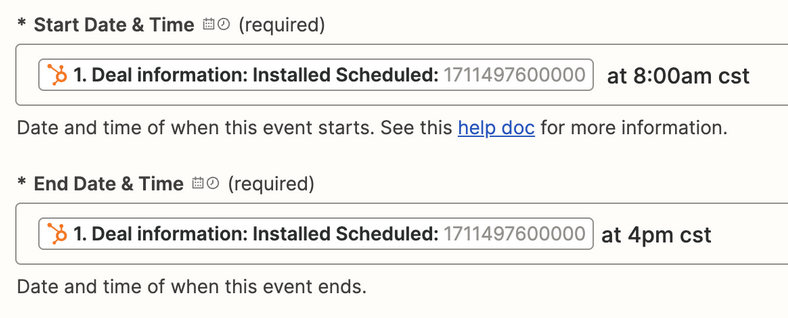
  • The UNIX timestamp is in milliseconds, so essentially you are providing 2 times in 1 field.
  • You would need to perform data transformations to get just the date from the UNIX timestamp
  • Formatter > Date & Time > Format
    • Format TO: YYYY-MM-DD
  • Remove the time zone (cst)
  • Remove “at”


This post has been closed for comments. Please create a new post if you need help or have a question about this topic.

5 replies

Troy Tessalone
Zapier Orchestrator & Solution Partner
Forum|alt.badge.img+14
  • Zapier Orchestrator & Solution Partner
  • February 15, 2024

Hi @Amr Ghamian 

We would need to see screenshots with how your Zap steps are outlined and configured to have context, thanks.


  • Author
  • Beginner
  • February 16, 2024

@Troy Tessalone 


Thank you for your response, I have attached the relevant screenshots to help you understand how we went about it. We also did figure out how to add the dealer’s name into the calendar event, now the main problem will be the duration.

Thank you


Troy Tessalone
Zapier Orchestrator & Solution Partner
Forum|alt.badge.img+14
  • Zapier Orchestrator & Solution Partner
  • Answer
  • February 16, 2024

@Amr Ghamian

Try these tips:

  • The UNIX timestamp is in milliseconds, so essentially you are providing 2 times in 1 field.
  • You would need to perform data transformations to get just the date from the UNIX timestamp
  • Formatter > Date & Time > Format
    • Format TO: YYYY-MM-DD
  • Remove the time zone (cst)
  • Remove “at”


  • Author
  • Beginner
  • February 16, 2024

@Troy Tessalone Thank you so much brother, we got it figured out even though we struggled a bit with the formatter tool. We had to play around with the inputs and look at videos alongside it, but solved at last!


ken.a
Forum|alt.badge.img+6
  • Zapier Staff
  • February 16, 2024

That’s an amazing news @Amr Ghamian! A huge thanks to Troy for pointing you in the right direction!

Happy Zapping! ⚡️