Best answer

New Slack message creates new row in google sheets - new columns from comma separated values?


I want a zap to create a new row in a google sheet every time a new slack message is added to a channel.

Ideally, I’d like the text of the slack message to flow into different columns when separated by commas.


so for the Slack message: apples, oranges, bananas

apples would go in column one

oranges would go in column two 

bananas would go in column three

all in the same row.


i am not a coder at all, so hopefully this can be done more easily than that.

i’ve tried using formatter to get text-to-line item, and that seems to work, but then i can’t seem to get those separate line items in google sheets.


thanks!
 

Best answer by Troy Tessalone

Hi @svw 

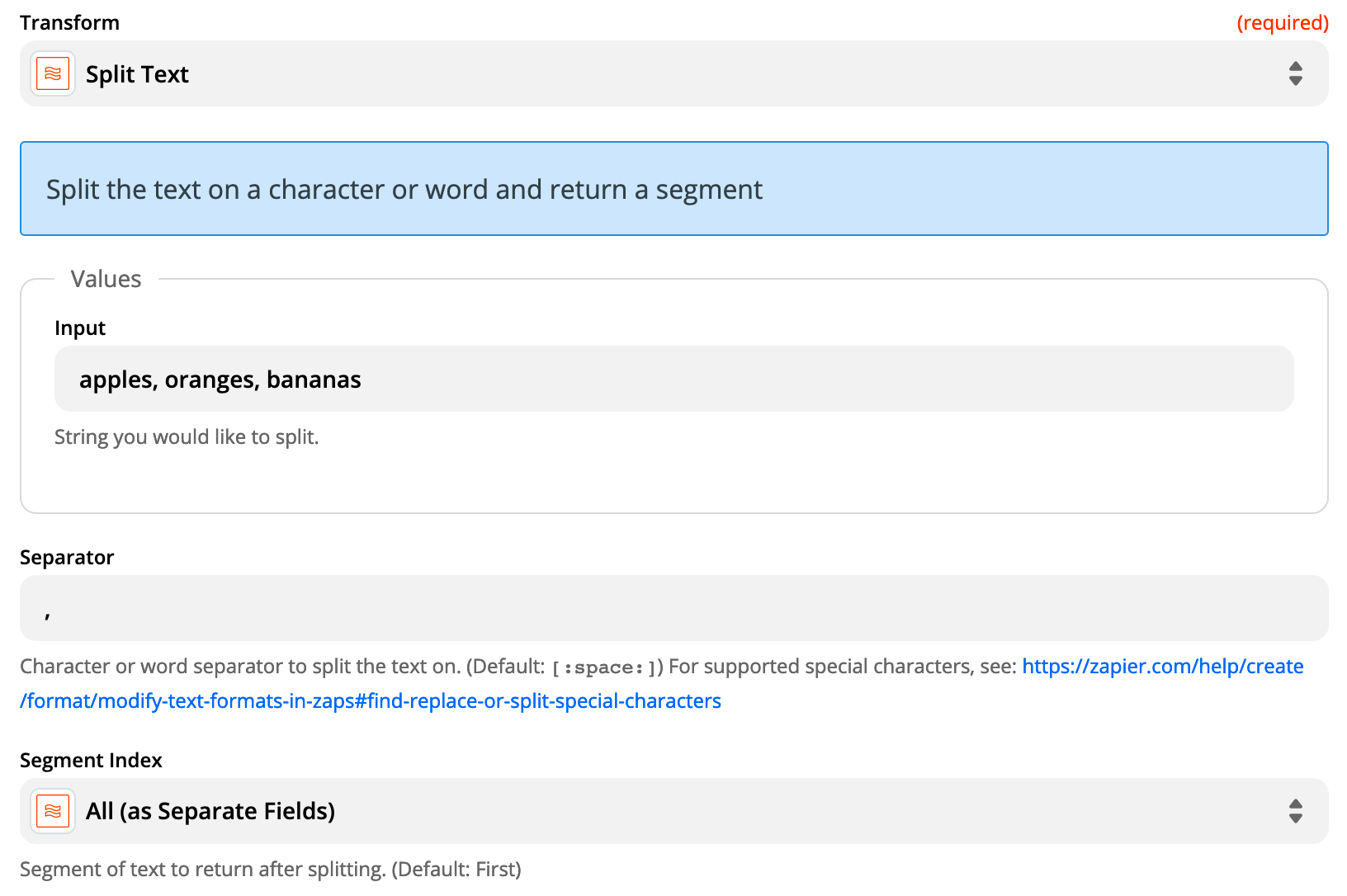
Try using Formatter > Text > Split configured as seen in the first screenshot.

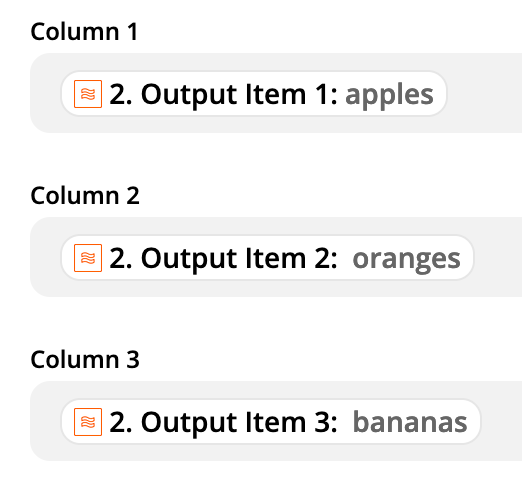
Then you can map the different outputs as seen in the bottom screenshot.


View original
This post has been closed for comments. Please create a new post if you need help or have a question about this topic.

2 replies

Troy Tessalone
Zapier Orchestrator & Solution Partner
Forum|alt.badge.img+14
  • Zapier Orchestrator & Solution Partner
  • Answer
  • March 2, 2021

Hi @svw 

Try using Formatter > Text > Split configured as seen in the first screenshot.

Then you can map the different outputs as seen in the bottom screenshot.


  • Author
  • Beginner
  • March 2, 2021

THANK YOU! That worked!