Best answer

Making calls to external API: Error message "No query string was present"

  • February 1, 2021
  • 11 replies
  • 1526 views

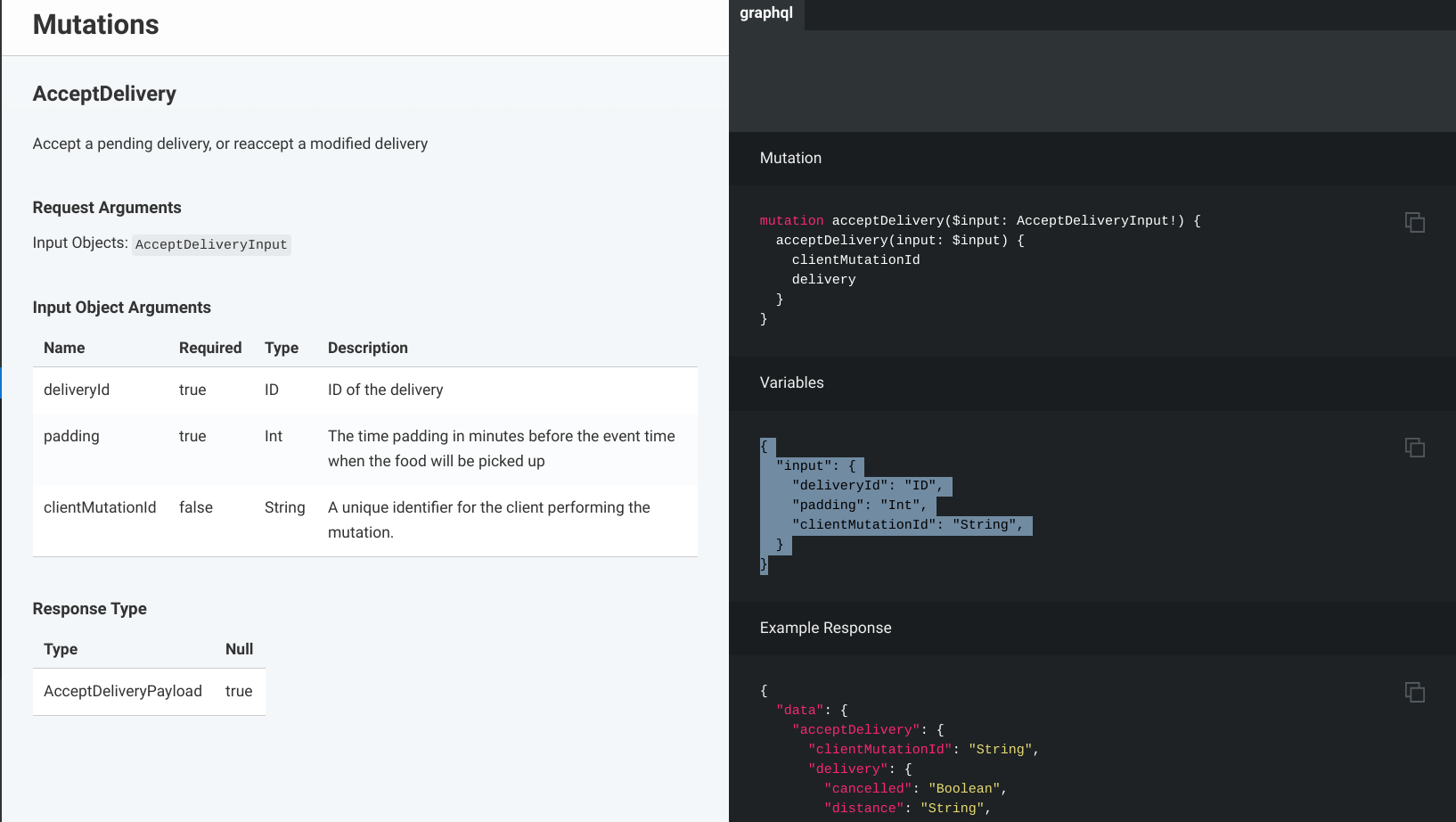
Not sure what I’m doing wrong but I keep getting a return error when posting to this api. I’ve attached a screenshot of the docs. I’m currently using webhooks and posting the data to the api url. What should the raw data look like?

 

Best answer by Troy Tessalone

@ahoffman1994 

ezCater API docs: https://catering.ezcater.com/help/querying-the-public-api

Questions? Contact api_support@ezcater.com

This post has been closed for comments. Please create a new post if you need help or have a question about this topic.

11 replies

Troy Tessalone
Zapier Orchestrator & Solution Partner
Forum|alt.badge.img+14
  • Zapier Orchestrator & Solution Partner
  • February 1, 2021

Hi @ahoffman1994 

What app API are you using?

Can you provide screenshots of how your Zap webhooks steps is configured?


  • Author
  • Beginner
  • February 1, 2021

I’m actually using code by zapier. Not really sure what app API means (not incredibly tech savy) but the api interface is in graphql. 

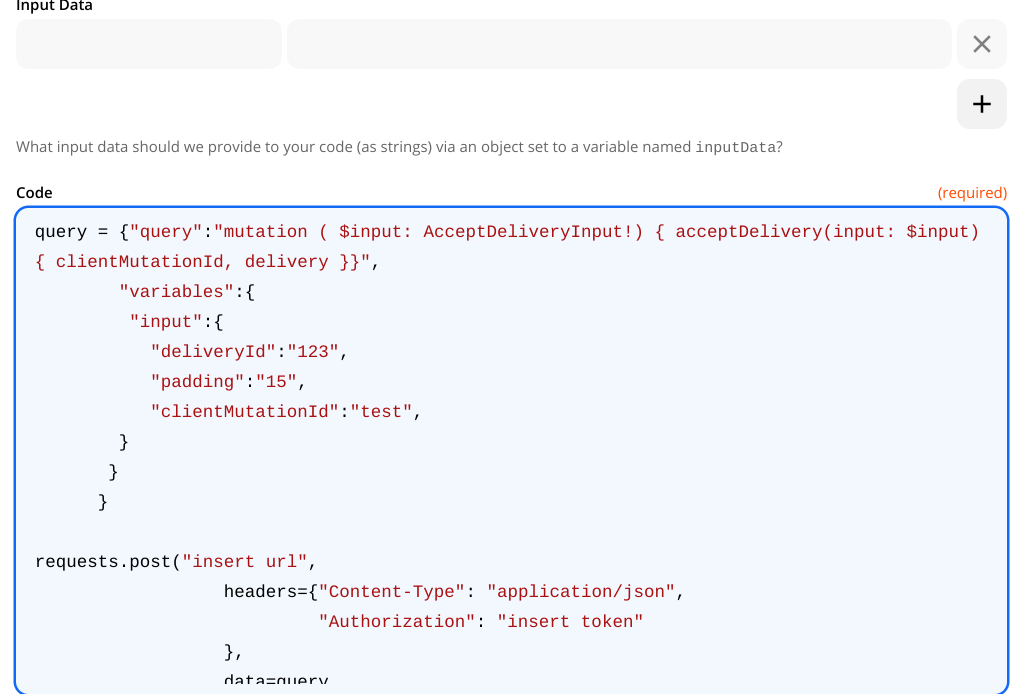
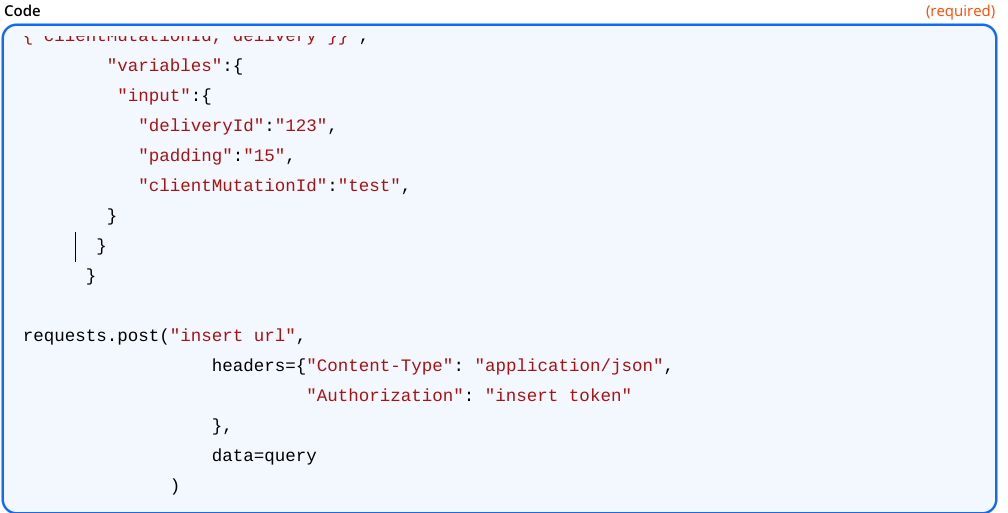
Here is the code:


query = {"query":"mutation ( $input: AcceptDeliveryInput!) { acceptDelivery(input: $input) { clientMutationId, delivery }}",
        "variables":{
         "input":{
           "deliveryId":"123",
           "padding":"15",
           "clientMutationId":"test",
        }
       }
      }

requests.post("insert url",
                  headers={"Content-Type": "application/json",
                           "Authorization": "insert token"
                  },
                  data=query
              )


  • Author
  • Beginner
  • February 1, 2021

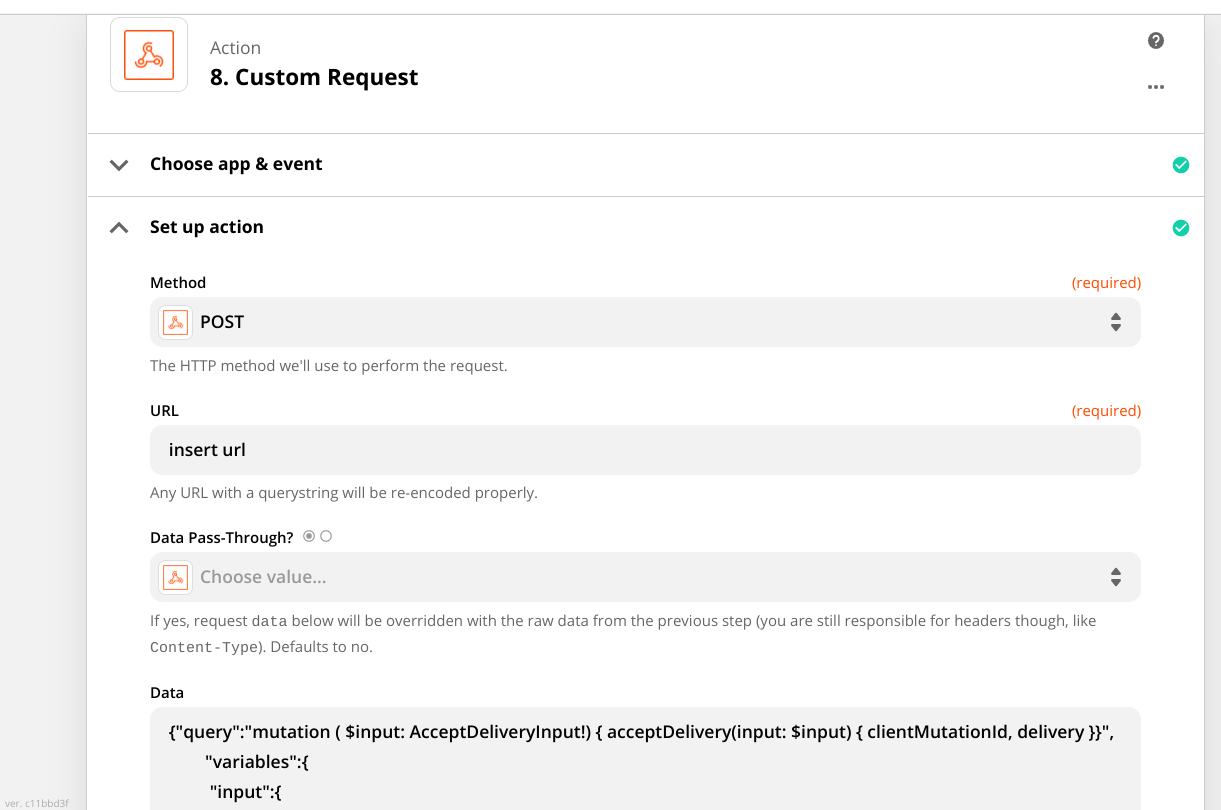
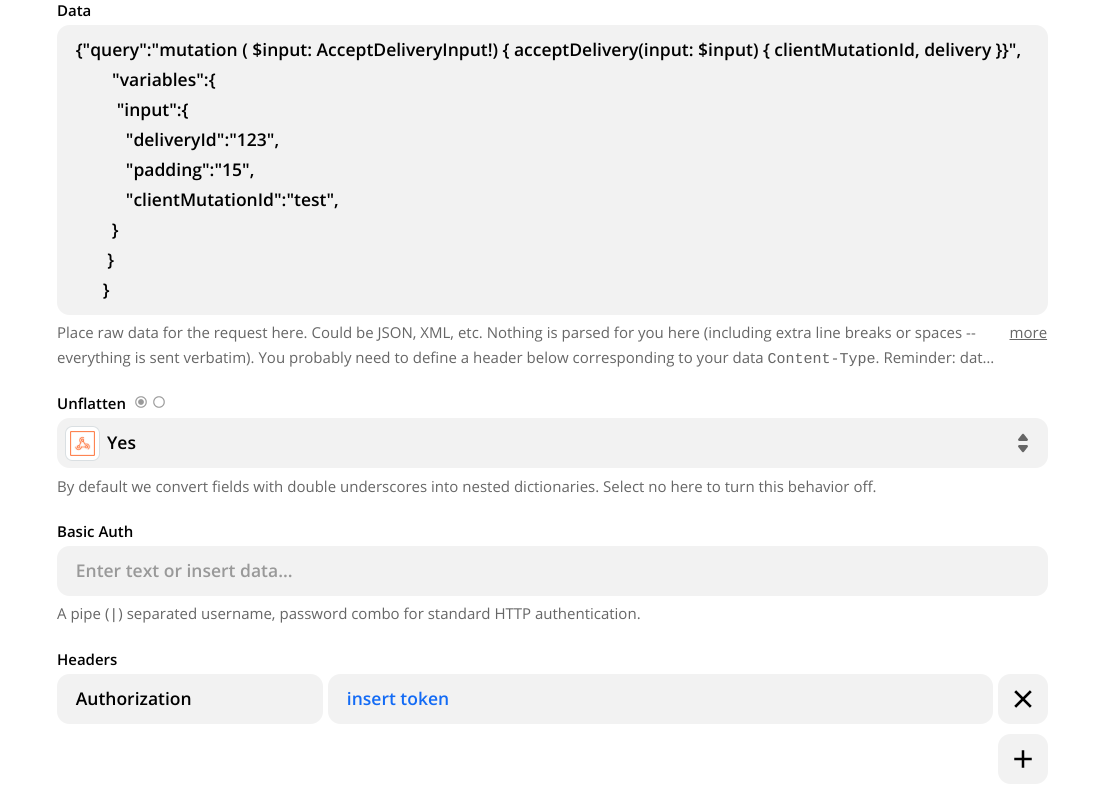
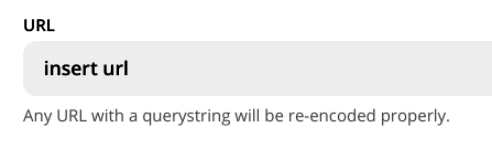
@Troy Tessalone Please see above messages. Also, If I were doing it through the webhooks app then It would look like this - still getting the same error message “no query string was present”.


thanks for the help


Troy Tessalone
Zapier Orchestrator & Solution Partner
Forum|alt.badge.img+14
  • Zapier Orchestrator & Solution Partner
  • February 1, 2021

@ahoffman1994

Every API request needs to include a URL to know where to send data and for what endpoint of the API.


  • Author
  • Beginner
  • February 1, 2021

@Troy Tessalone I hid the URL and authorization token for security reasons. 


Troy Tessalone
Zapier Orchestrator & Solution Partner
Forum|alt.badge.img+14
  • Zapier Orchestrator & Solution Partner
  • February 1, 2021

Hi @ahoffman1994 

Since it’s still unknown what API you are using, try doing a GSearch for that app API and “no query string was present” to see if there are any help articles or documentation that may help you resolve the issue.


  • Author
  • Beginner
  • February 1, 2021

@Troy Tessalone the API is from ezCater. I’m happy to send over the documentation if that would help as well.


Thank you


Troy Tessalone
Zapier Orchestrator & Solution Partner
Forum|alt.badge.img+14
  • Zapier Orchestrator & Solution Partner
  • Answer
  • February 1, 2021

  • Author
  • Beginner
  • February 1, 2021

@Troy Tessalone I’m using a different API of there’s.


Troy Tessalone
Zapier Orchestrator & Solution Partner
Forum|alt.badge.img+14
  • Zapier Orchestrator & Solution Partner
  • February 1, 2021

@ahoffman1994 

Might be best to reach out to the ezCater email address for additional support for their API.

Questions? Contact api_support@ezcater.com


GetUWired
Forum|alt.badge.img+12
  • Zapier Solution Partner
  • February 3, 2021

@ahoffman1994 

Can you share a link to the api docs? That would be helpful to check for the syntax ezCater is looking for