Best answer

Is it possible for Microsoft Outlook to manage multiple calendars in Zapier?

  • September 2, 2024
  • 9 replies
  • 61 views

Hello,

I have outlook with multiple accounts, and i have one main account. i want to achieve the following:

once received an invite to one fo the accounts (not the main one)

create a new event on the main account

this will help me manage my calendars in one main calendar.

the issue i am facing is the time that the event is created, it create it at the moment i have received the invite and not at the original start/end time of the event.

thanks

Best answer by Lipaz

okay, the last thing i have shared, solved the problem, now it works!


i went to the mapping, from the 1st step. i have changed the date under the mapping to append, both on the start and at the end.


i waited abit more and it created the meeting at the exact time it should be.


thanks for the directions.

This post has been closed for comments. Please create a new post if you need help or have a question about this topic.

9 replies

Troy Tessalone
Zapier Orchestrator & Solution Partner
Forum|alt.badge.img+14
  • Zapier Orchestrator & Solution Partner
  • September 3, 2024

Hi @Lipaz 

For us to have more info, post screenshots with how your Zap steps are outlined and configured in EDIT mode.


  • Author
  • New
  • September 4, 2024

Thanks for your reply,

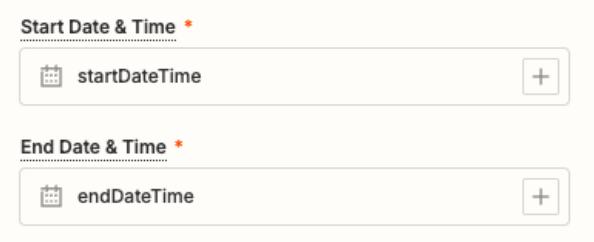
please see the action create, i need to know what to put at the start time and end time that it will match the original meeting from the invite


thank you


Troy Tessalone
Zapier Orchestrator & Solution Partner
Forum|alt.badge.img+14
  • Zapier Orchestrator & Solution Partner
  • September 4, 2024

@Lipaz 

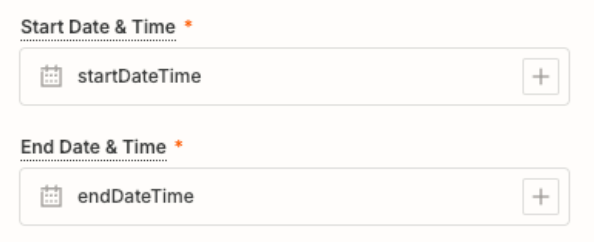
The values of “startDateTime” and ”endDateTime” set for Start/End Date & Time are not valid values.

Those 2 fields expects timestamps.

Click the field labels to see tooltips for more guidance.

Use the [+] button to map a variable from a previous step.


  • Author
  • New
  • September 4, 2024

this i know, i put this as example, i need to know what to put as i dont have the option to append.


thanks


Troy Tessalone
Zapier Orchestrator & Solution Partner
Forum|alt.badge.img+14
  • Zapier Orchestrator & Solution Partner
  • September 4, 2024

@Lipaz 

Use the [+] button at the right of the input field to map a variable from a previous step that represents the desired timestamps.


  • Author
  • New
  • September 4, 2024

under the + there is no original start time or meeting start time…


i have tried few of those related to time but no change, it is creating the meeting at the exact time i received the mail.


thanks


  • Author
  • New
  • September 4, 2024

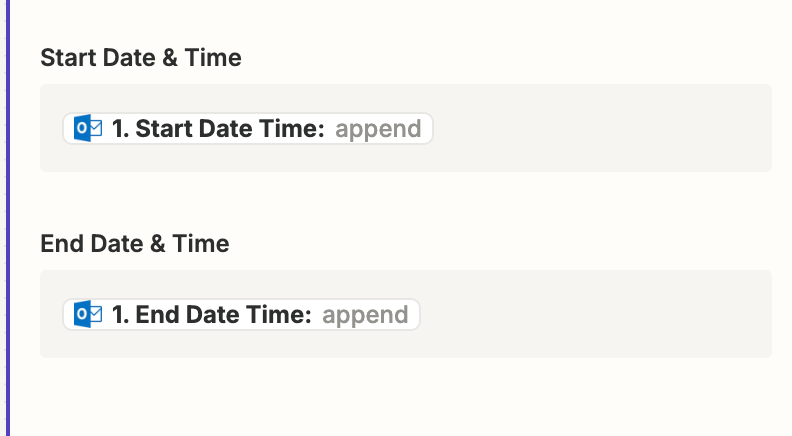
i have done the following:


but no luck, still it create the new meeting at the time the mail received and not the event start time.


  • Author
  • New
  • Answer
  • September 4, 2024

okay, the last thing i have shared, solved the problem, now it works!


i went to the mapping, from the 1st step. i have changed the date under the mapping to append, both on the start and at the end.


i waited abit more and it created the meeting at the exact time it should be.


thanks for the directions.


ken.a
Forum|alt.badge.img+6
  • Zapier Staff
  • September 9, 2024

That’s great news @Lipaz! A huge thanks to Troy for lending a hand here!

If you have any other questions, please don’t hesitate to reach out to the Community. We’re always happy to help! 🤗